Camping Gear Checklist Excel – Free Template (2026)
8
Free download
Track herd and flock movements, weights, stock value, mortality and issue flags in one livestock tally spreadsheet.
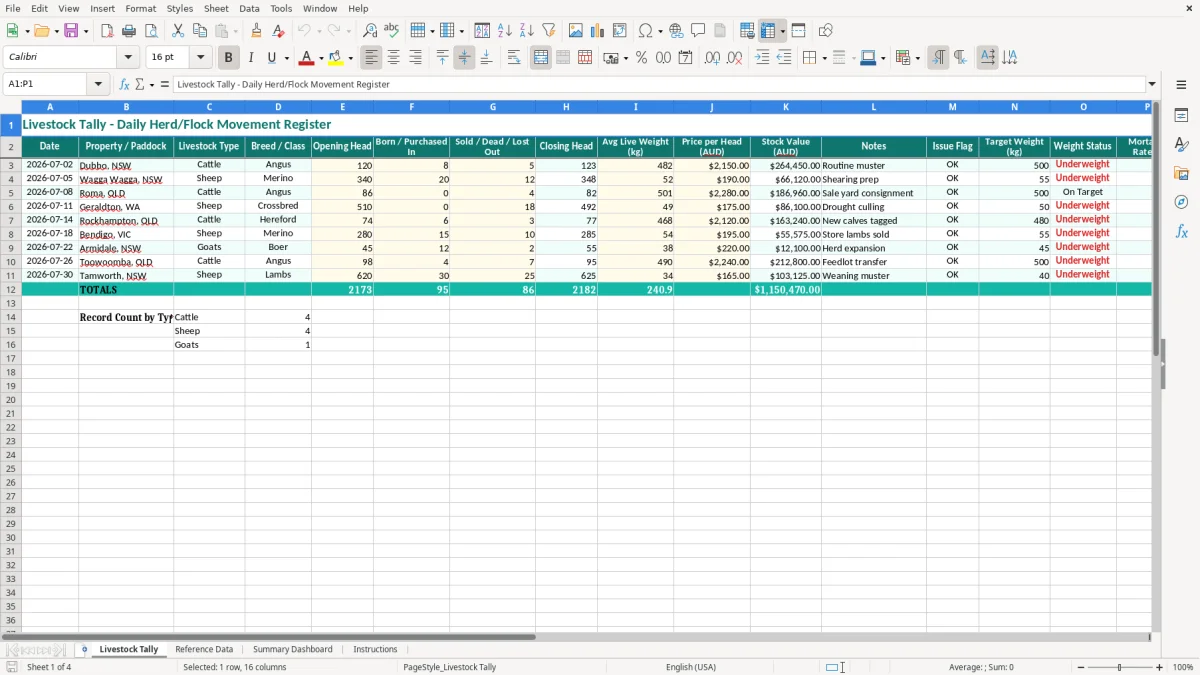
This livestock tally Excel spreadsheet is a daily herd and flock register for counting movements, weights, stock value and mortality in one place. It includes a tally sheet, reference data, a summary dashboard and instructions.
Use it to keep on top of opening head, births, purchases, sales, deaths and closing head across paddocks or properties. The dashboard then rolls up the numbers so you can see stock value, mortality rate and issue flags at a glance.
It suits a station hand, farm manager, rural bookkeeper or family operation that needs a clean record of livestock movement without mucking around with a full farm system.
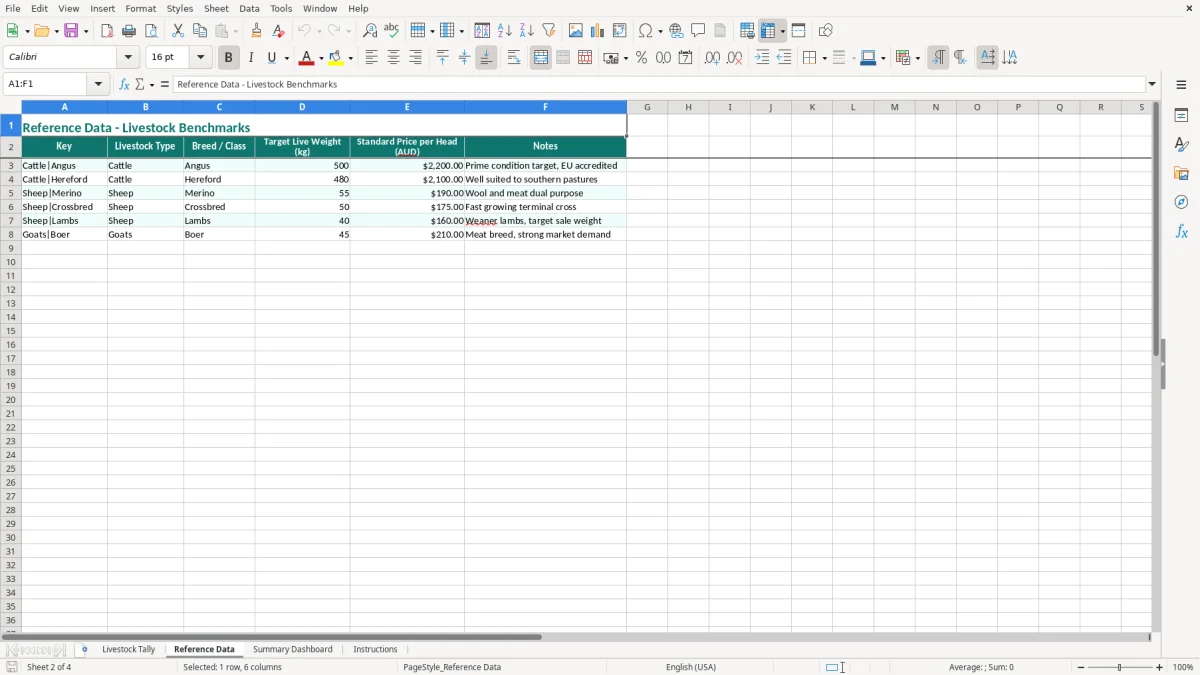
This spreadsheet is built for the people who actually count stock: a station hand after a muster, a farm manager checking a paddock move, or a rural bookkeeper chasing a clean record before month end. If you have 4 mobs of cattle moving through 6 paddocks, or 500 sheep split across a drought feed lot and a holding yard, the tally stops the numbers drifting.
The pressure points are familiar: after a sale yard consignment, at weaning, during tagging, or when you are checking losses after bad weather. A cattle property with 120 head, 8 born or purchased in and 5 sold, dead or lost out needs a clean closing head of 123 before the next muster. That is where a proper reconciliation matters.
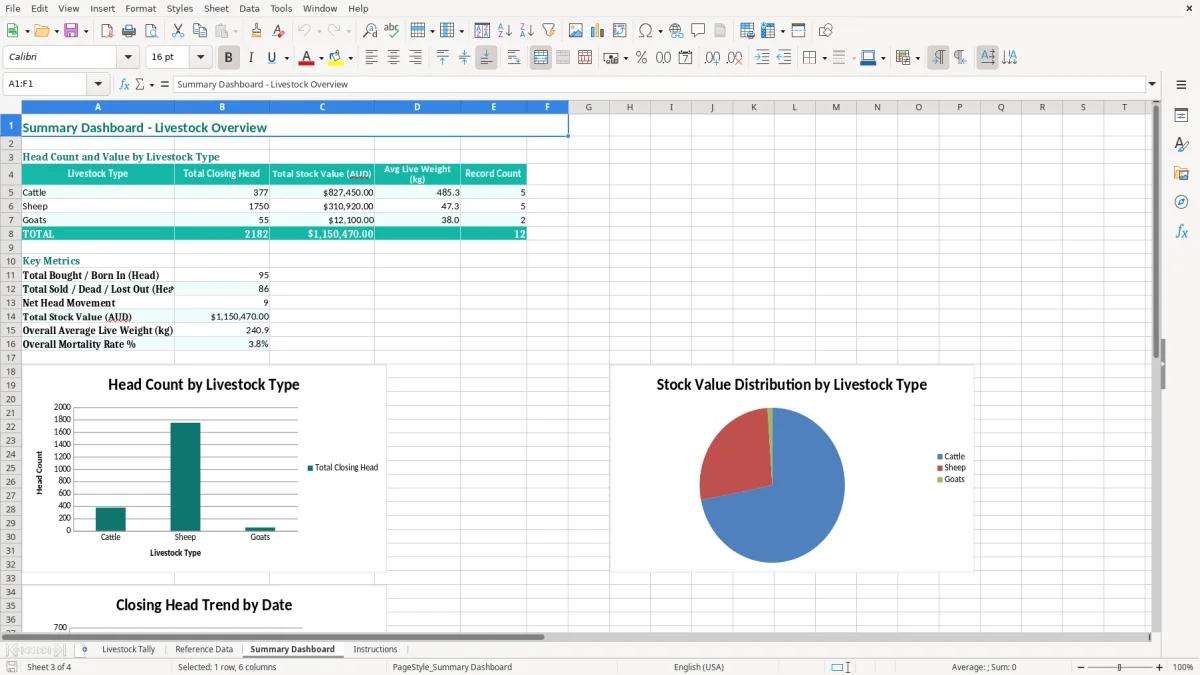
The Livestock Tally sheet gives you date, property or paddock, livestock type, breed or class, opening head, movements, closing head, live weight, price per head and a notes field. The Summary Dashboard then rolls those lines up so you can check cash flow pressure from sales timing, spot a weak mob, or compare cattle versus sheep performance without digging through pages of notes.
With a paper tally book, one missed line can leave you 12 head out by the end of the week. In this file, the same line can carry a 215.00 kg average live weight and a $2,150.00 stock value, so you are not just counting heads — you are tracking value.
If livestock is part of a business, the record-keeping side matters just as much as the counting. The ATO expects you to keep records for 5 years, including stock movement records, invoices, sale dockets and anything that supports your tax return.
For tax, livestock usually feeds into trading stock or farming income records, not just a notebook tally. If you sell 18 steers at $1,450 each, that is $26,100 in income, and the record needs to line up with sale dockets and your stock on hand at year end.
If you are registered for GST, the 10% rate applies to taxable sales and you need proper tax invoices with your ABN, the words Tax Invoice, the date, and GST shown separately when the total is over $82.50. If your livestock turnover hits $75,000 a year, GST registration is required; for a not-for-profit it is $150,000.
Most small farms and rural operators report on a quarterly BAS, so the tally helps you back up the sales and purchases that feed into that lodgement. A sole trader can use the spreadsheet to support income tax and stock movement records, while a Pty Ltd farm business registered with ASIC can use it alongside the balance sheet and profit and loss, especially where stock on hand changes sharply after weaning or drought culling.
The biggest mistakes are usually simple, but they cost real money. If you overcount by 6 calves at $650 each, you have $3,900 of stock value that is not actually there, and that can throw out your profit and loss as well as your year-end reconciliation.
A common problem is entering the sale after the animals have already left the paddock, or forgetting the deaths from a bad week of weather. On a 340-head sheep mob, missing 12 sold or lost out and then carrying the old closing head forward can make every later figure wrong, including the mortality rate.
If one mob is written at $175 per head and another at $228 per head, a small data-entry slip can move the stock value by thousands. On 86 head, a $50 error per head is a $4,300 mistake, and that is before you look at how it affects gross margin on the livestock enterprise.
The Issue Flag and Mortality Rate % fields are not decoration. If 18 animals are lost from a 510-head mob, that is 3.53%, which is a number worth checking against drought, predator pressure, transport stress or a counting mistake before you rely on the figure in the dashboard.
The other trap is poor notes. A line that says only mustered tells you nothing three months later, whereas routine muster, shearing prep or sale yard consignment gives you enough context to explain the movement when you are back in the books.
For sheep operations, a shearing tally gives fuller context for shearing-preparation notes by recording runs, hours, production and pay details consistently.
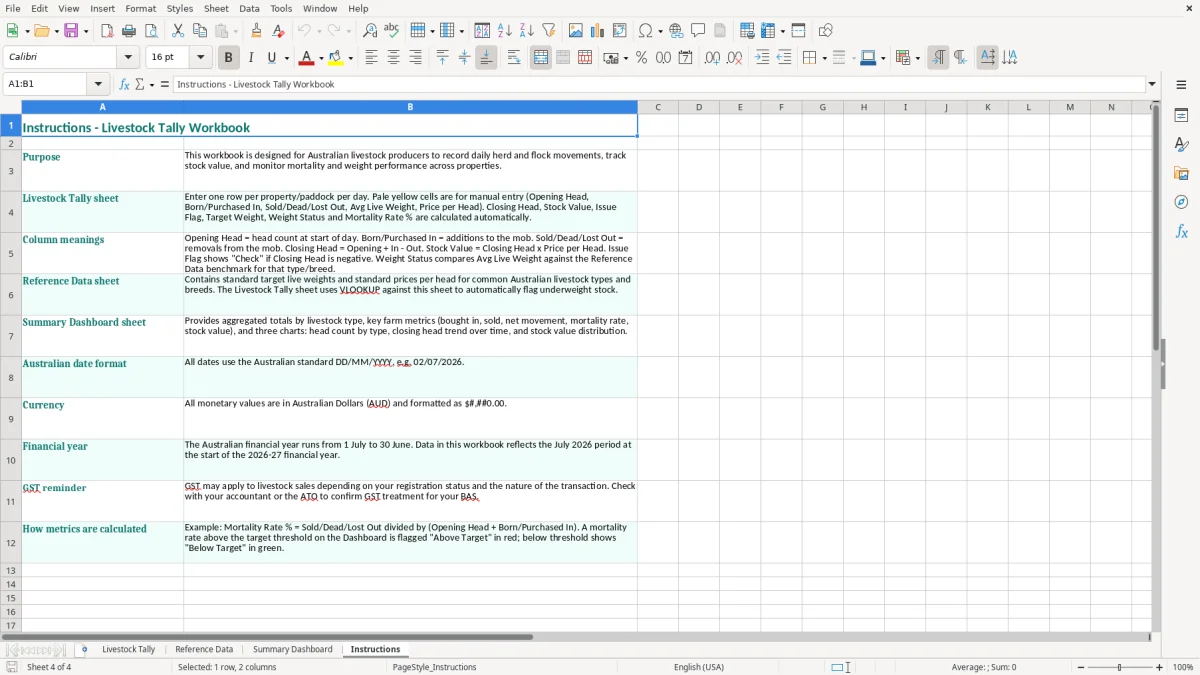
To make this stick, tie it to something you already do. Most farms have a weekly muster, feed run or sale check, so that is the time to update the spreadsheet rather than leaving it for the end of the month.
Do the entry on the same day every week, then spend 10 minutes checking opening head against closing head. That is enough time to catch a mob that moved from 74 to 68 without a note, which is far easier than untangling it 3 weeks later.
If you get to the point where you need mob history, weight gain curves, join records or serialised ear-tag tracking, you have probably outgrown a spreadsheet. That is the point to move to farm software such as Xero add-ons, MYOB or a proper livestock management system, while still keeping this file as a simple backup and checking tool.
If you need to move beyond head counts into individual performance, a cattle weight gain tracker can keep tag, paddock, weight and average daily gain records alongside the weekly tally.