Camping Gear Checklist Excel – Free Template (2026)
8
Free download
Materials estimate spreadsheet for concreters with rates, quantities, quote summary and instructions for jobs in Australia.
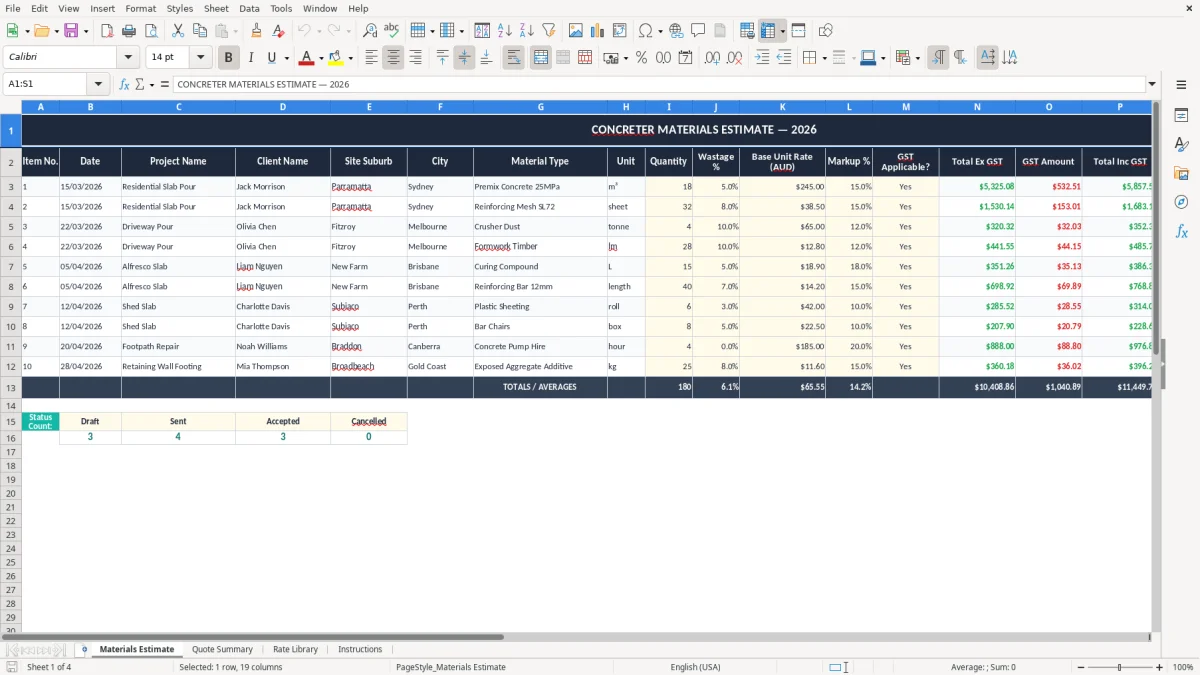
This Concreter Materials Estimate Excel spreadsheet helps you price materials for slab, footpath, driveway and formwork jobs. It includes a Materials Estimate sheet, Quote Summary, Rate Library and Instructions so you can work out quantities, costs and margins in one file.
Use it when you need a quick estimate before you send a quote, order materials or check whether a job still stacks up. The template is built for Australian concreters who want a simple way to track cash flow, costs and markup without messing around with a full estimating system.
The workbook is set up around the visible sheets in the file, so you can see what is driving the total and what rate is being used. That makes it easier to spot a wrong sand, gravel or cement allowance before it turns into a nasty margin problem.
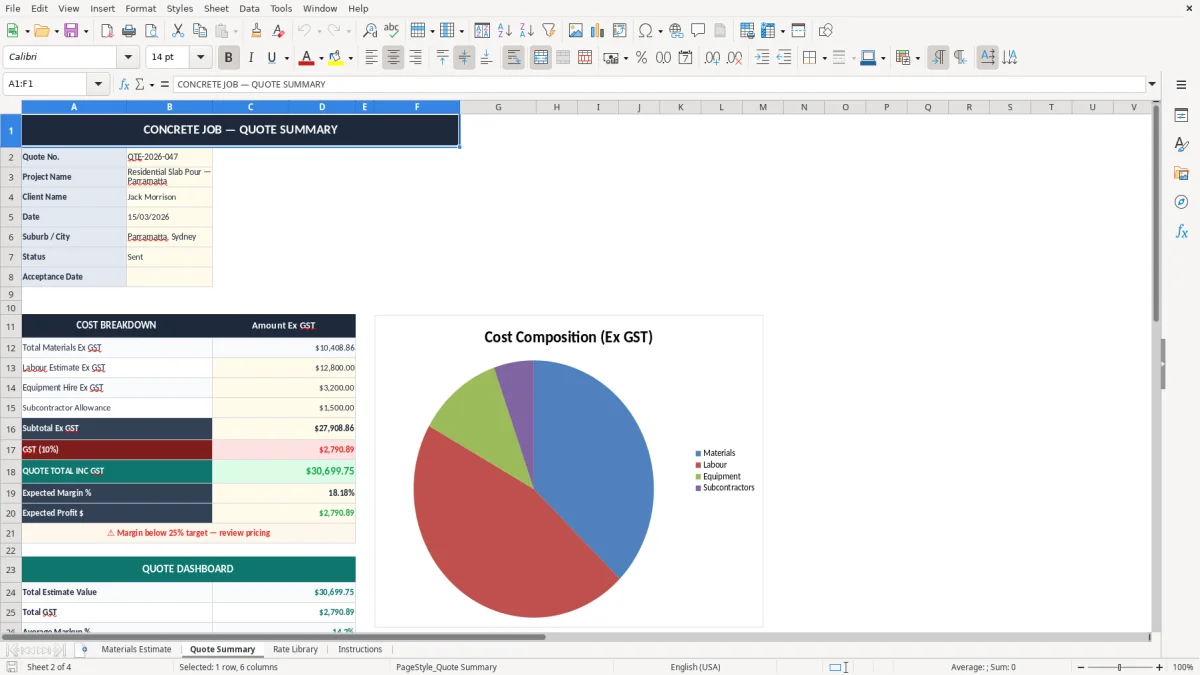
This template suits concreters who quote slabs, paths, driveways, shed pads and small civil pours. A sole trader can use it the night before a quote is due, while a small Pty Ltd office can use it during the week to line up materials for a 4-person crew.
The Materials Estimate sheet is the workhorse. You can price a driveway at 60 m², add mesh, formwork and pump allowance, then roll the result into the Quote Summary without rebuilding the numbers from scratch.
An owner-builder style concreter might use it for a one-off patio job, while an office manager at a busy formwork and concrete outfit might use it for 8 to 12 quotes a week. If your team pours 3 slabs a week and each one needs a different delivery and waste allowance, a spreadsheet like this keeps the figures in front of you.
It is especially handy when you need to compare two methods. For example, a 120 m² slab with 100 mm thickness needs about 12 m³ of concrete before waste, while a 5% wastage allowance adds another 0.6 m³ — enough to change the quote if your delivered rate is $280 per m³.
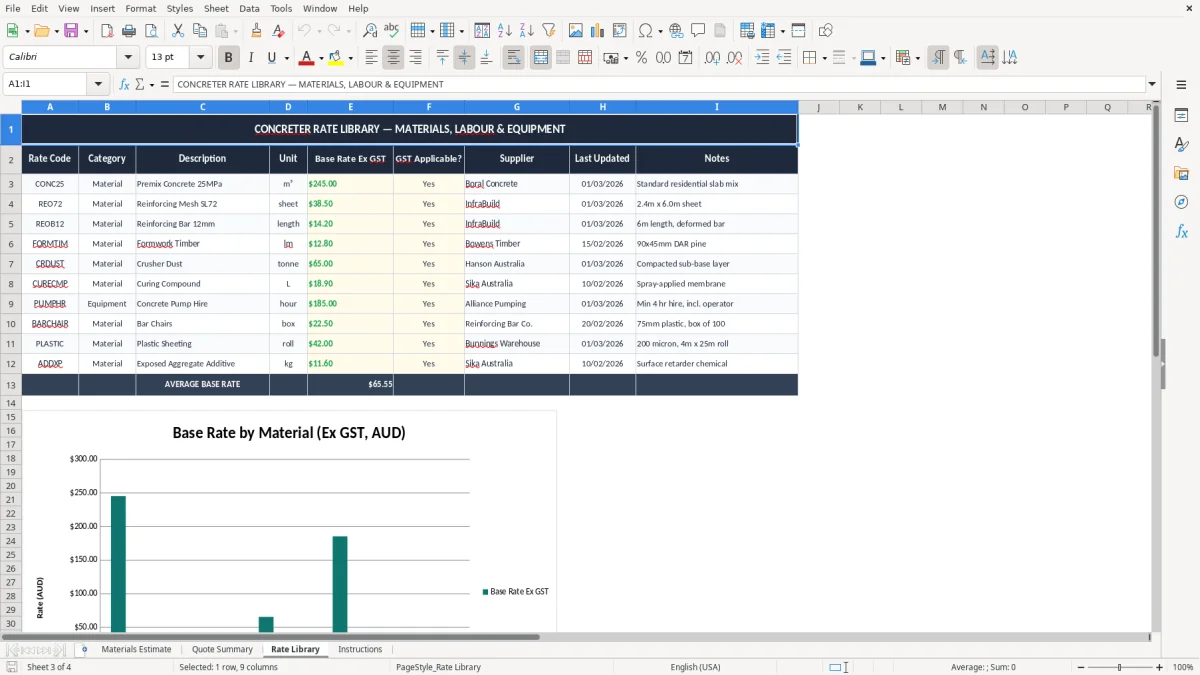
The Rate Library sheet stores the rates you reuse, the estimate sheet captures the job quantities, and the summary sheet shows the final total for the client. That is the practical job: keep the pricing logic in one place so the quote does not drift every time you open the file.
For Australian businesses, the estimate itself is not a tax invoice, but the numbers behind it still matter once the job turns into income and expenses. If you are registered for GST, you need to account for the 10% on taxable supplies, and once your turnover hits $75,000 a year — or $150,000 for not-for-profits — registration is required with the ATO.
If you issue a quote and later turn it into an invoice, make sure the invoice meets the tax-invoice rules: your identity or business name, ABN, the words Tax Invoice, the date, what was supplied, and GST shown separately where the total is over $82.50. That keeps your records clean if the job is later checked against your BAS.
If you estimate $9,900 for a slab job and then forget GST, the invoiced total becomes $10,890 once the 10% is added. That $990 is not profit; it is tax-collected money that needs to be kept straight for your BAS and your cash flow.
The ATO expects you to keep business records for 5 years, including quotes, supplier bills and any working papers behind the estimate. If you operate as a sole trader, the numbers flow through your personal tax return, while a Pty Ltd registered with ASIC keeps the company accounts separate and usually makes the bookkeeping trail easier to follow.
A concrete quote that under-allowances for waste by just 2 m³ on a $280 per m³ job leaves you $560 short before you even touch labour. That is why good estimate records are worth keeping — they protect both the quote and the numbers you later report on the BAS.
The biggest mistake is undercounting materials because the site measure and the ordered quantity are not the same thing. A 10 m x 8 m slab at 100 mm thickness is 8 m³ on paper, but once you add form loss, spillage and a sensible waste allowance, you might order 8.5 m³ or more.
That difference matters fast. At $290 per m³, the extra 0.5 m³ is $145, and if you also forget mesh, chairs, plastic and delivery, the real gap can blow out by $300 to $500 on a modest job.
Another common slip is using stale rates from an old quote. If sand, cement or ready-mix prices have moved since last quarter, a job that looked fine at 18% gross margin can fall back to 10% or less once the actual invoices come in.
Bad estimates also cause messy reconciliation later. If the Materials Estimate sheet says 12 bags of cement and the supplier docket shows 14, you now have to work out whether the issue was over-ordering, a site change or a data entry error.
On a small crew job, one wrong delivery or one missed load can waste half a day for 2 workers. At $45 an hour each, that is $360 in labour before you even count the correction call, the extra fuel and the hit to your reputation.
Those extra costs only get properly captured when the final tax invoice record matches the corrected materials and labour on site.
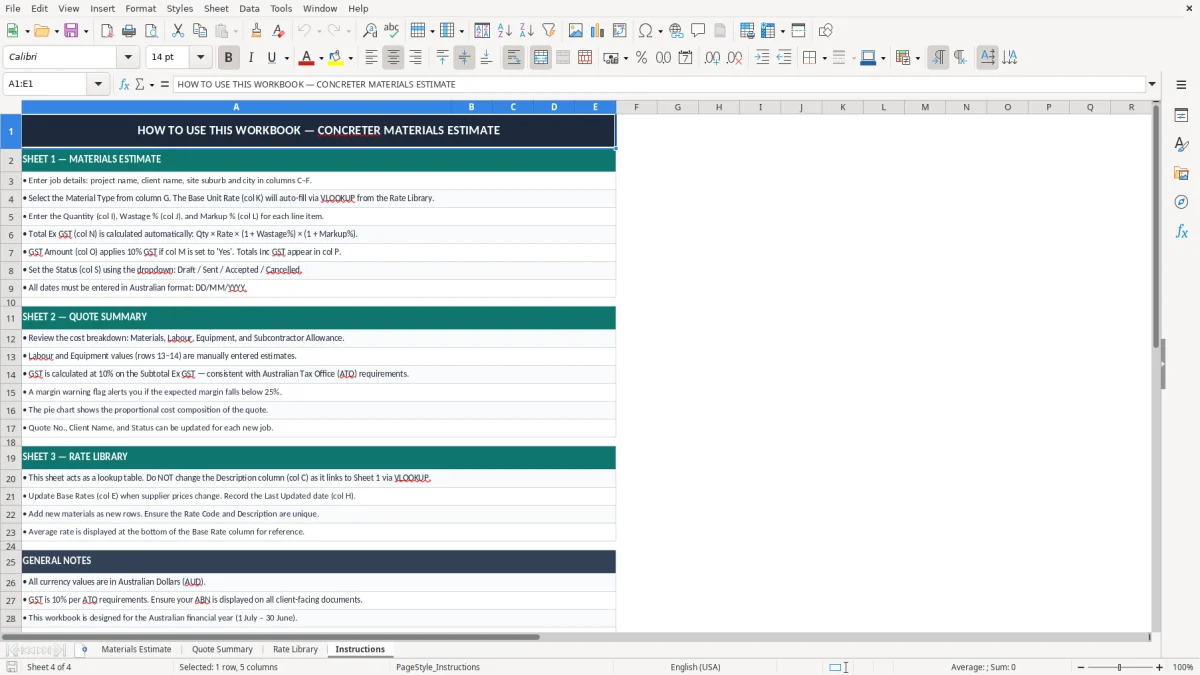
The trick is to use the file the same way every time you price a job. If you sit down every Friday at 3 pm, compare the week’s site measures, and update the Rate Library before the next round of quotes, the spreadsheet becomes part of the routine instead of another file collecting dust.
If you are quoting more than 20 jobs a month, the file still works well for control totals, but you may start to feel the pain of manual data entry. That is usually the point where job management software such as Xero or MYOB, plus a separate estimating add-on, starts to save more time than a spreadsheet alone.
As a rule of thumb, once you are juggling multiple crews, progress claims and supplier bills across several sites, you want something with live purchase orders and account tracking. Until then, this template gives you a tidy, low-cost way to keep your estimate, quote and actual costs in the same place.
That is usually the point where a tradie job quote sheet becomes the cleaner starting point for keeping estimates, quotes and actual costs aligned.