Property Depreciation Excel Template – Free (2026)
79
Free download
Register progress claims, GST, retention, variations and payment dates for Australian building jobs.
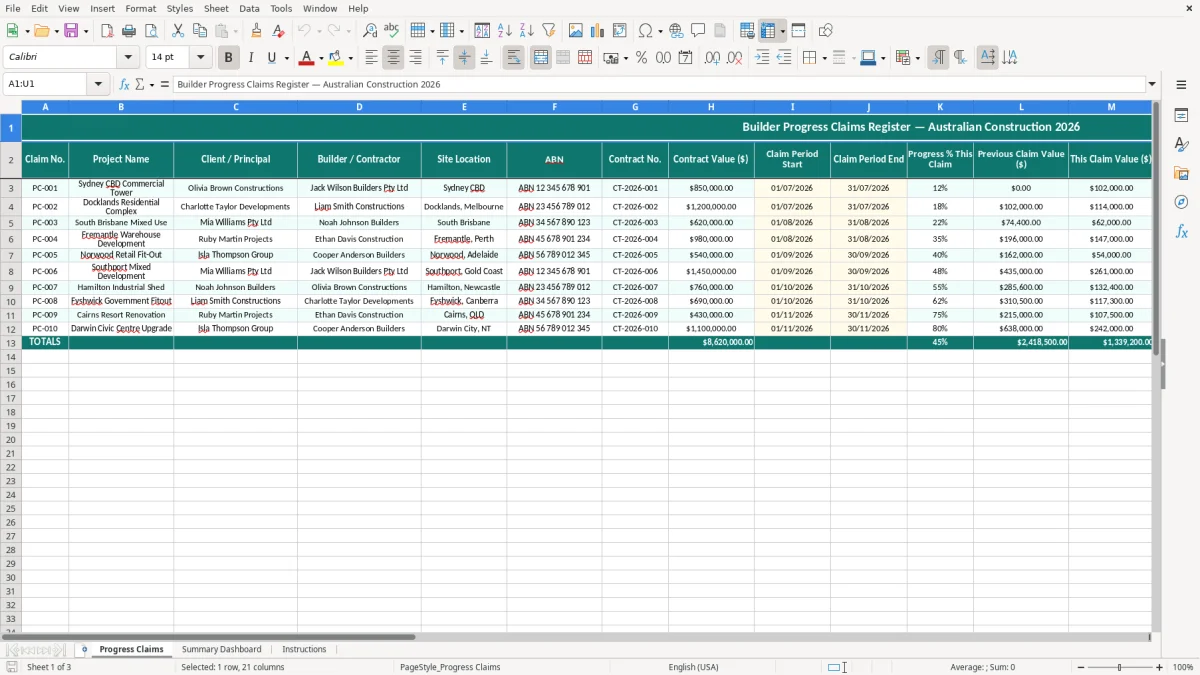
This builder progress claims Excel template tracks each claim on a job, including contract value, progress percentage, variations, retention, GST 10% and payment due dates. It gives you a simple register plus a dashboard and instructions sheet.
Use it when you need to price up a claim, check what has already been billed, and keep the paperwork straight for the client or principal. The workbook is set up for Australian building jobs, so you can see each claim amount, the retention held and the total owing at a glance.
It suits a sole trader, a small builder, a contract administrator or a bookkeeper chasing the numbers before the next pay cycle. If you are trying to stop under-claiming by $2,500 on a $50,000 stage or missing a 30-day due date, this keeps it tidy.
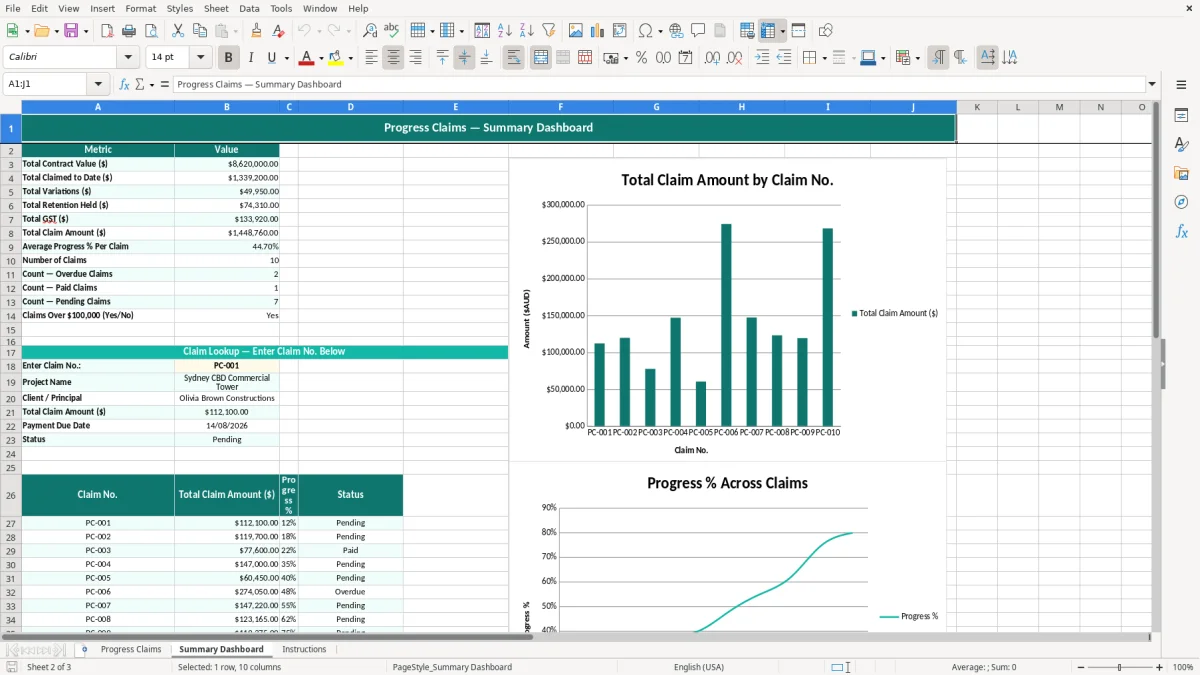
This kind of spreadsheet suits builders, subcontractors, contract administrators and bookkeepers who need a clean way to prepare and track stage claims. You will usually open it at the end of a week on site, after a progress inspection, or just before a monthly invoicing run.
For a small builder with 4 workers on a bathroom renovation, one claim might cover demolition, waterproofing and fit-off, while the next claim adds a $7,500 variation for extra tiling. For a job with a $120,000 contract, the difference between claiming 40% and 45% is $6,000 before GST, so a simple register stops you guessing.
The person using it is often the one who has the best view of the job and the cash flow. A sole trader builder might do the numbers on Friday afternoon, while a small Pty Ltd office manager may use it to brief the accountant and keep the principal’s paperwork straight.
The pressure point is usually the pay cycle or the end of a claim period. If you are billing every 14 or 30 days, the sheet gives you a repeatable format instead of building each claim from scratch.
Claiming too little hurts cash flow, and claiming too much creates awkward conversations and rework. On a $50,000 claim, a 5% retention means $2,500 is held back, so you want the sheet to show that clearly before the invoice goes out.
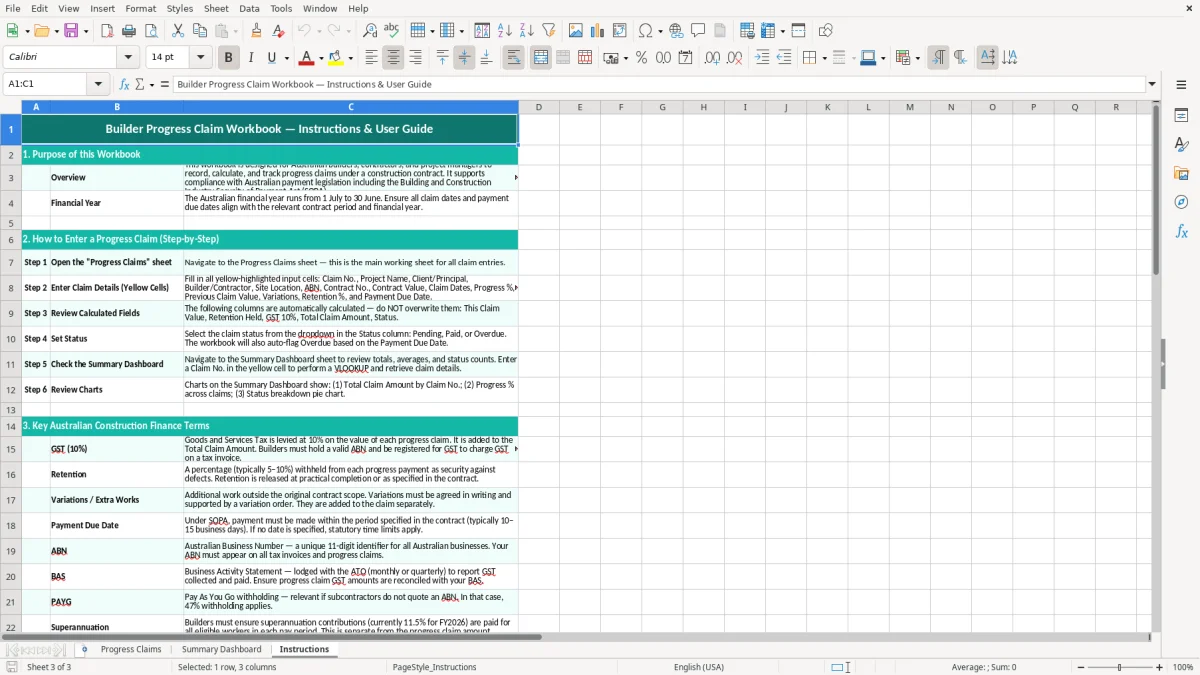
For Australian work, the ATO expects your tax invoices to show the supplier identity, ABN, invoice date, the words Tax Invoice, a clear description of the supply and GST shown separately when the invoice is over $82.50. This template gives you the fields you need to capture the claim properly before it is turned into an invoice.
GST is 10% on taxable building work, so a $18,000 claim normally carries $1,800 GST and a total invoice of $19,800. If you are registered for GST, you need the right split between the taxable amount and the tax amount so your BAS lines up.
Most small businesses lodge BAS quarterly, while larger ones can lodge monthly once turnover is above $20 million. If you are on a quarterly cycle, the claim register helps you keep the date ranges tidy so you do not miss a claim in the wrong period.
Retention is common on building jobs, and many contracts hold back 5% until practical completion or defects liability expiry. A $40,000 stage with 5% retention means $2,000 is withheld, so you need to show the held amount, not just the headline claim.
The ATO record-keeping rule is 5 years, so keep the claims, variations, payment dates and notes together rather than scattered across inboxes and notebooks. If the job later turns into a dispute, having the dates, values and claim sequence in one workbook saves a lot of grief.
For a clearer quarterly summary of GST sales and purchases before lodging, use this BAS statement template alongside your claims register.
The biggest mess is usually under-claiming or forgetting approved variations. If you miss a $3,200 extra works item on a $28,000 stage, that is real cash you have let sit in the client’s account until the next claim goes out.
Another common problem is calculating retention on the wrong base. If you take 5% from the GST-inclusive total instead of the net contract amount, a $22,000 stage turns into a retention error of $110, and those errors add up over 10 claims.
Payment due dates get missed when someone files the invoice but does not track the follow-up. On a 30-day payment term, a late claim on five jobs can leave tens of thousands locked up for another fortnight, which is exactly when wages, fuel and supplier bills still need to be paid.
If the progress percentage, claim period and variation notes are inconsistent, the principal may hold the claim while they ask for backup. That can mean a week lost on a $60,000 stage claim, which is plenty of pain when the payroll is due and the concrete supplier wants their money.
The easiest way to keep this workbook alive is to tie it to the same event every week, such as Friday site review or the invoice run. If you update it at the same time you review labour, materials and supplier bills, it becomes part of the job instead of an extra chore.
If you are running dozens of claims across multiple sites, or you need live job costing and approvals, you will eventually outgrow a workbook. That is the point where Xero, MYOB or a proper construction system starts to make more sense.
If payment timing is putting pressure on wages, fuel or materials, a tradie cash flow template can help track money in, money out and unpaid invoices.