Property Depreciation Excel Template – Free (2026)
79
Free download
GST tax invoice template with supplier details, invoice lines, invoice register, GST summary and instructions for Australian businesses.
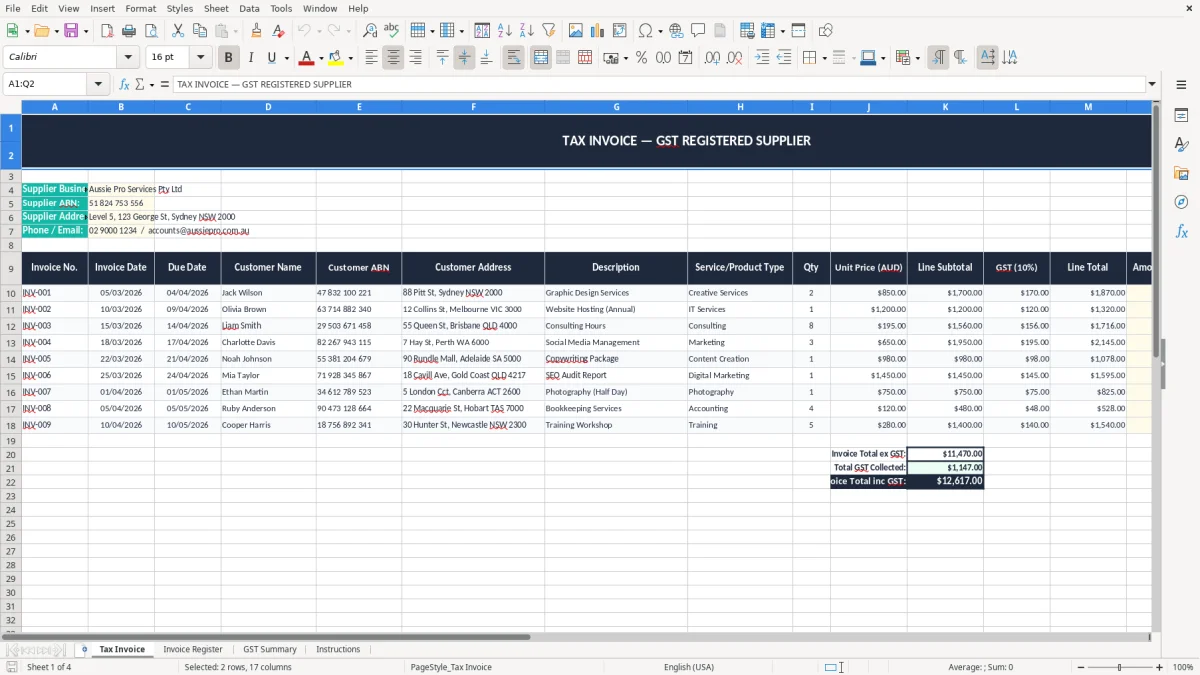
This tax invoice Excel template is a GST-ready spreadsheet for issuing Australian tax invoices, tracking invoice lines and summarising GST. It includes four sheets: Tax Invoice, Invoice Register, GST Summary and Instructions.
Use it when you need a clean invoice layout with your supplier details, ABN and GST information in place. It also gives you a simple way to total sales, track paid and unpaid invoices, and keep your records tidy for the ATO.
The first sheet is set up as a formatted invoice form, while the other sheets help you organise your invoice list and GST totals. That makes it practical for sole traders, small Pty Ltd businesses and bookkeepers who want a simple Excel system without jumping straight into accounting software.
This spreadsheet suits the people who issue invoices every week and then have to make sense of them at BAS time. A sole trader on the tools, an office manager in a small tradie business, or a bookkeeper in a Pty Ltd can all use it to keep sales, GST and payment status under control.
The first sheet, Tax Invoice, is the working form. Image 1 shows the title block across A1:Q2, then the supplier details section underneath with fields for business name, ABN, address and phone or email. That is handy when you are sending the same layout to every customer and want the paperwork to look consistent.
You normally feel the need when invoices start stacking up. A chippie with 4 employees might issue 40 invoices a month, and if half of them are still unpaid when the quarterly BAS lands, you need a register that tells you what is out and what is banked.
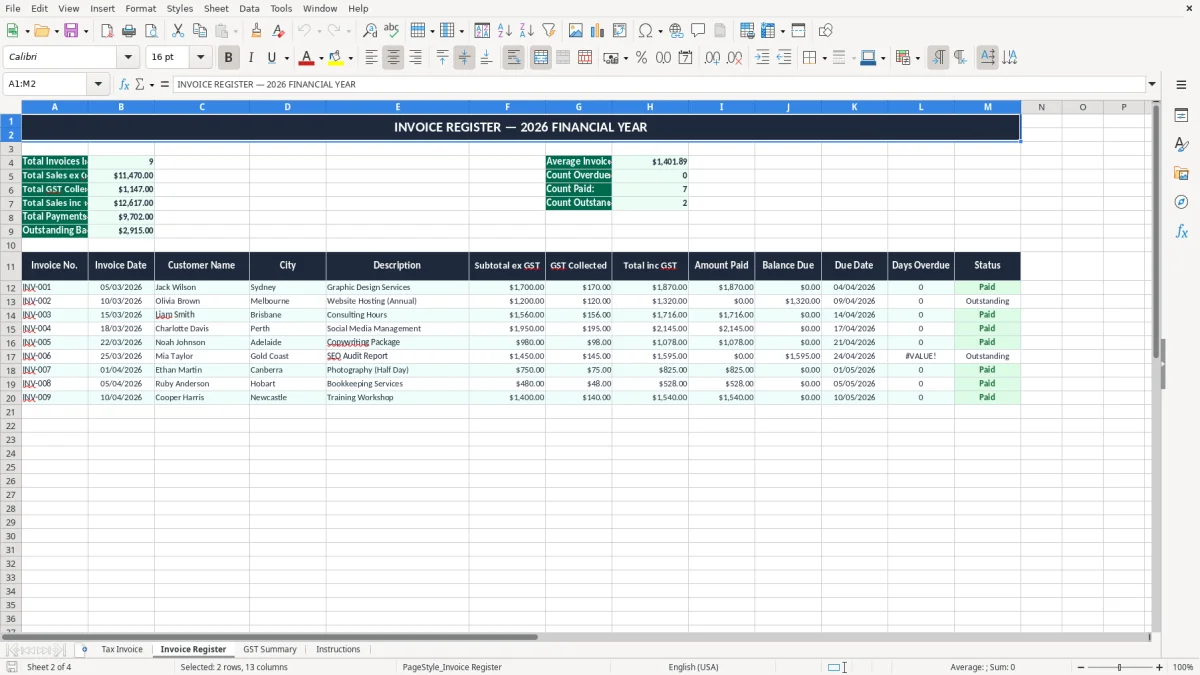
The Invoice Register sheet gives you a simple place to list invoice numbers, dates and payment status. That is much easier than hunting through email or paper copies when a customer disputes a $1,320 job or you need to confirm whether a payment received on 28/06/2026 belongs in this quarter or the next.
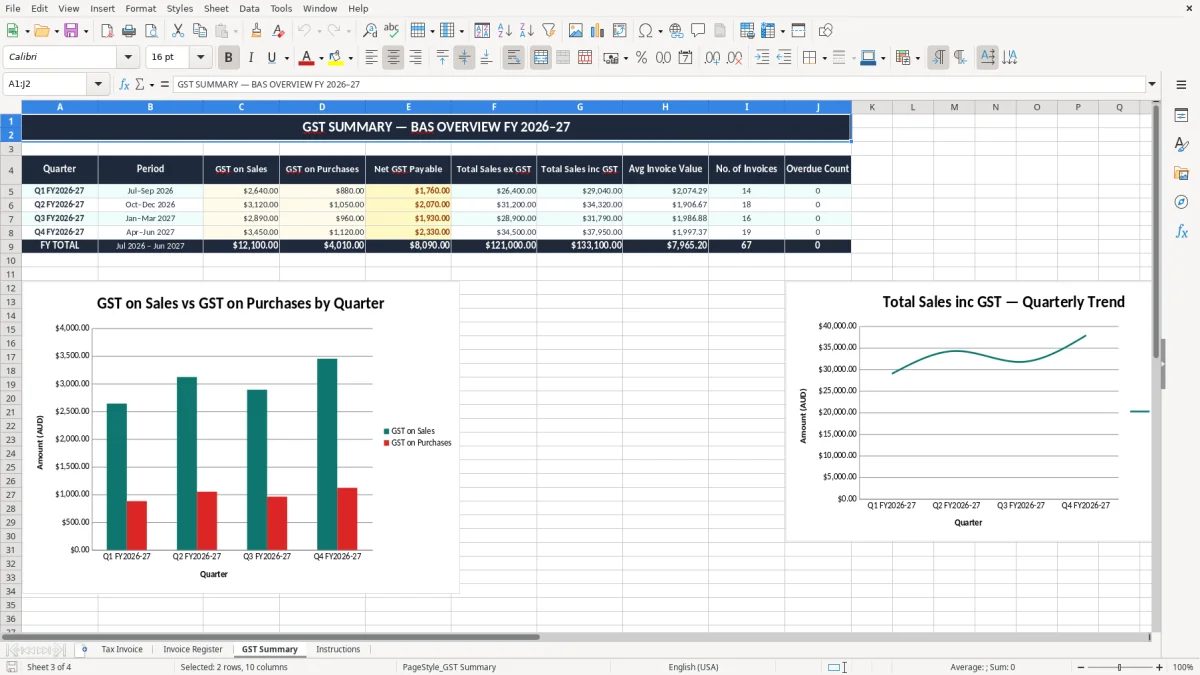
The GST Summary sheet is the quick-check page. If you have 60 invoices at $550 plus GST, the sales total is $33,000 plus $3,300 GST, and that is the sort of number you want ready before you start your BAS reconciliation.
For Australian businesses, a valid tax invoice must show the supplier’s identity, the ABN, the date, a description of what was sold and the GST amount where relevant. If the total is more than $82.50 including GST, the GST must be shown separately on the invoice.
GST is a 10% tax, and you generally register once your turnover reaches $75,000 a year, or $150,000 for not-for-profits. If your sales are $88.00, the GST component is $8.00 and the net amount is $80.00, so your invoice needs to make that split obvious.
The title on this sheet is fixed as “TAX INVOICE — GST REGISTERED SUPPLIER”, which matches what customers and the ATO expect to see on a business invoice. That reduces back-and-forth when a client’s accounts team checks whether they can claim an input tax credit.
You need to keep business records for 5 years, and that includes the invoices behind your BAS figures. Most small businesses lodge quarterly, while businesses with GST turnover above $20 million lodge monthly, so having the invoice register and GST summary in the same workbook saves time at each reporting cycle.
If you are charging for labour, materials and call-out fees, the cleanest approach is to enter the taxable total first and let the GST sit as a separate line or summary amount. That is better than mixing GST-included and GST-exclusive amounts in the one column, because a $2,200 job split incorrectly can throw out both your sales reporting and your reconciliation.
That same separation makes the BAS reporting sheet easier to complete, because the taxable sales and GST totals are already laid out for each quarter or month.
The usual problems are small, but they turn into messy work later. Missing ABN details, wrong invoice numbers, GST shown inconsistently or no clear payment status can mean you spend an extra hour or two each month untangling the register before you lodge your BAS.
If you issue 25 invoices at $1,100 each and forget to separate GST, you are staring at $2,500 of GST that can be hard to reconcile later. The client may still pay the right total, but your records will not support a clean input tax credit trail or a tidy sales summary.
A skipped invoice number is more than a cosmetic issue when you are chasing debtors. If invoice 1042 is missing and 1043 has been paid, you can waste half a morning checking whether 1042 was deleted, voided or simply never sent, and that is the sort of thing that slows down monthly reconciliation.
When you do not track status, you lose cash flow. A business that invoices $18,000 in a fortnight and lets 30% drift unpaid for 45 days can be $5,400 short when wages, super and supplier bills fall due.
The ATO expects records to match the numbers in your reports. If your GST Summary says $12,000 collected but your invoices only support $11,250, the difference has to be explained, and that usually means time spent searching emails, bank lines and old PDFs instead of getting on with the job.
A clean ABN invoice format keeps the GST Summary aligned with the invoices behind it, so the figures are easier to trace at review time.
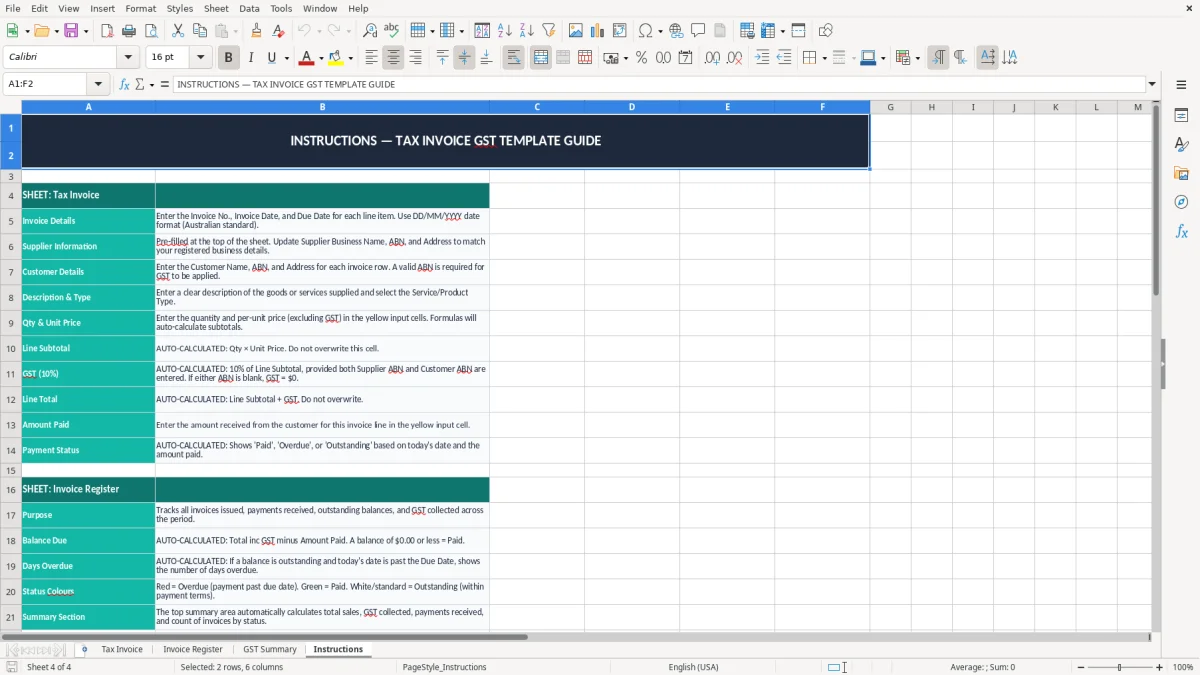
The best way to keep this template alive is to tie it to a routine you already do. Most businesses can update the Invoice Register when they send invoices, then check the GST Summary when they run the pay cycle or prepare the quarterly BAS.
If you are sharing the file with staff, protect the formulas and keep input cells obvious with colour. That stops someone overwriting a GST total and saves you from a painful clean-up when the numbers do not add up at quarter end.
This sort of Excel system works well for a small business sending maybe 20 to 150 invoices a month. Once you are pushing past that, or you need automatic debtor chasing, inventory links or STP-style payroll integration, it is usually time to move to Xero or MYOB.