Property Depreciation Excel Template – Free (2026)
79
Free download
Track DIDO trips, receipts, GST, deductible amounts and reimbursements in one Excel sheet for mining and remote site workers.
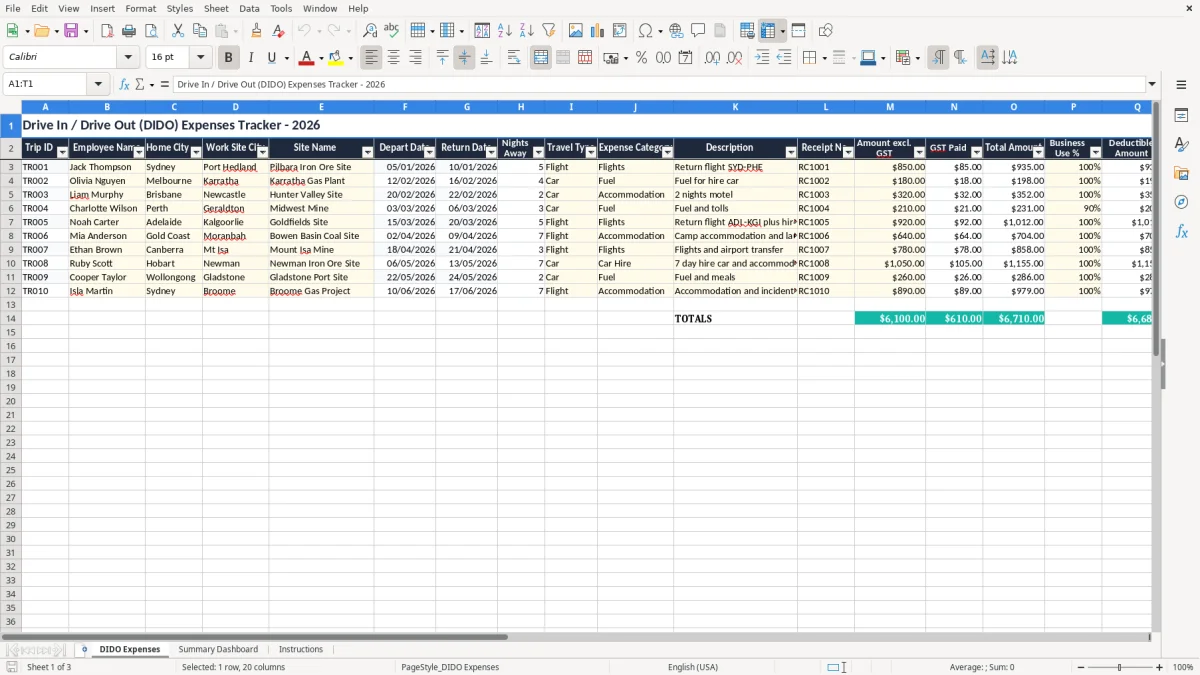
This drive in drive out expenses Excel template tracks trips, receipts, GST, deductible amounts and reimbursements for remote-site workers and payroll teams. It includes a DIDO expense log, a summary dashboard and instructions sheet.
Use it when you need to sort out flights, fuel, accommodation and incidentals across multiple sites, especially where some costs are partly reimbursed by the employer and some are claimable. The workbook keeps the figures in one place so you can reconcile each trip properly.
The template is set up for practical bookkeeping, not fluff. You can see each trip by employee, site, dates, amount excl. GST, GST paid, total amount, business use percentage, deductible amount and net claimable amount.
This template suits the people who end up sorting remote travel costs in real life: a bookkeeper in a small mining contractor, an office manager at a sparky business, a payroll officer in a civil crew, or a sole trader running their own claims. It is especially useful when staff are flying in for a 7-day swing, driving long distances to site, or booking accommodation before a project starts.
Take a chippie with 4 employees working on a site 420 km from home. If one worker has a $850 return flight, $320 of accommodation and $180 of fuel over a week, the amounts can be split cleanly instead of dumped into one vague travel total.
A DIDO job often creates mixed costs: some fully business-related, some partly private, and some reimbursed by the employer. If you do this by memory at the end of the month, you miss details like which site the trip was for, or whether the $120 taxi was for the crew or just one employee.
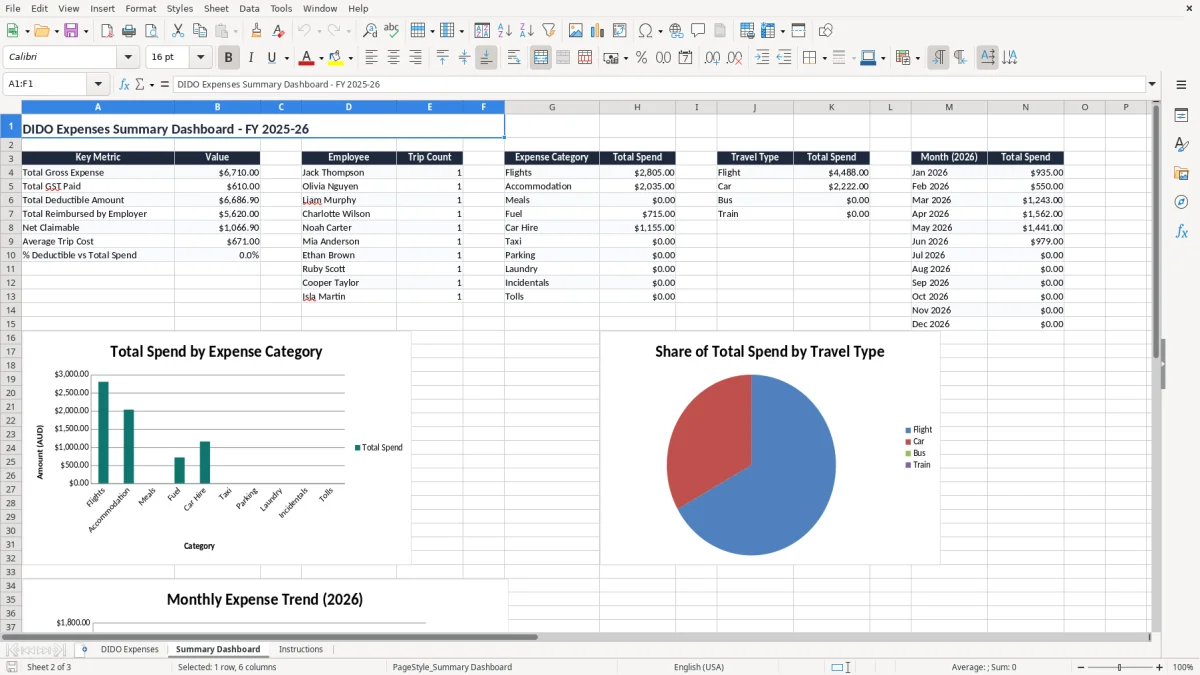
The summary view is handy at pay run time or before month end, when you want to see what has been spent without trawling through receipts. That matters when you have 12 trips in a fortnight and need to know whether travel is running at $3,500 or $9,800 before the next invoice goes out.
That same summary also makes it easier to separate employee travel from taxable amounts before preparing the withholding totals for the next pay run.
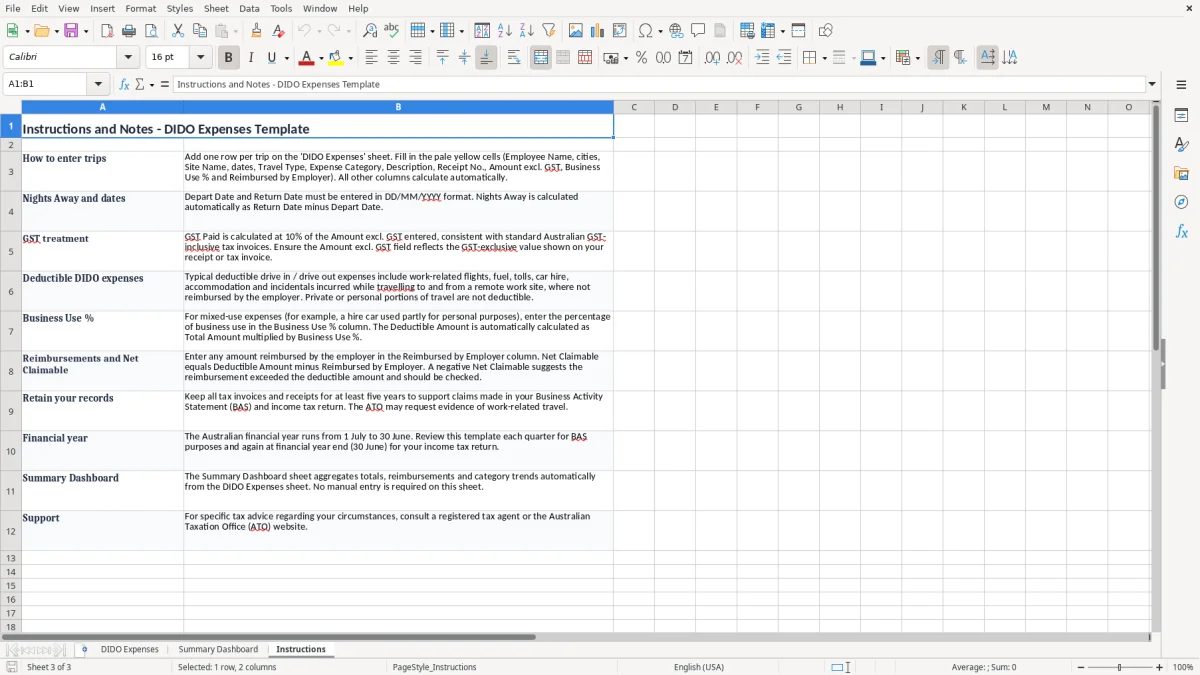
For most businesses, GST is still 10%, and you need the right tax invoice details if you want input tax credits. A valid tax invoice should show the supplier’s identity, ABN, the words Tax Invoice, the date, what was supplied, and GST shown separately on invoices over $82.50.
For travel that is partly private or partly reimbursed, the deduction should reflect the business portion only. If a $500 motel bill was shared 80/20 between work and private use, the business deduction is $400, not the full amount.
The ATO expects you to keep records for 5 years, so DIDO receipts, booking confirmations and approval notes need to stay accessible. That includes the flight itinerary, fuel receipts, accommodation invoices and any employer reimbursement record that explains the net claim.
If travel is being paid through payroll, the reimbursement and any allowance should be handled properly with PAYG withholding and STP reporting where required. For employees on remote-site work, the extra cost can also link into Fair Work conditions, award provisions and any site-specific travel allowance under the roster or contract.
The biggest mess is mixing deductible travel with reimbursed travel. If the employer has already paid the $850 flight and you still include it as a claim, you have doubled the cost and blown out the month-end numbers by the full $850.
Another common problem is forgetting the GST split. On a month with $6,600 of travel spend, missing the GST component can easily throw off your input tax credit by hundreds of dollars, especially once accommodation and flights are involved.
If the receipt just says card purchase with no supplier name or date, the claim becomes harder to defend. At audit time, a clean log with receipt number, description and site name is far better than trying to piece together a card statement from three months ago.
A 50/50 split is not a guess you want to make casually. If a worker used a private car for a 600 km return trip and only 480 km was for the site transfer, the deductible amount should reflect the business share, not the full fuel bill and tolls.
The easiest way to keep this working is to make it part of the same routine you already use for the pay run or monthly reconciliation. If you leave DIDO entries until quarter end, receipts go missing, notes get vague and the claim takes twice as long to sort out.
If you are handling dozens of workers, multiple sites and heavy reimbursement traffic, a spreadsheet will eventually slow you down. Once the claims start needing approvals, attachments and audit trails at scale, it is usually time to move to proper software like Xero or MYOB and keep the spreadsheet as a backup report only.