Rego Renewal Excel Template – Free (2026)
0
Free download
Track Australian properties, council rates, instalments, payments, balances and overdue accounts with a practical Excel workbook.
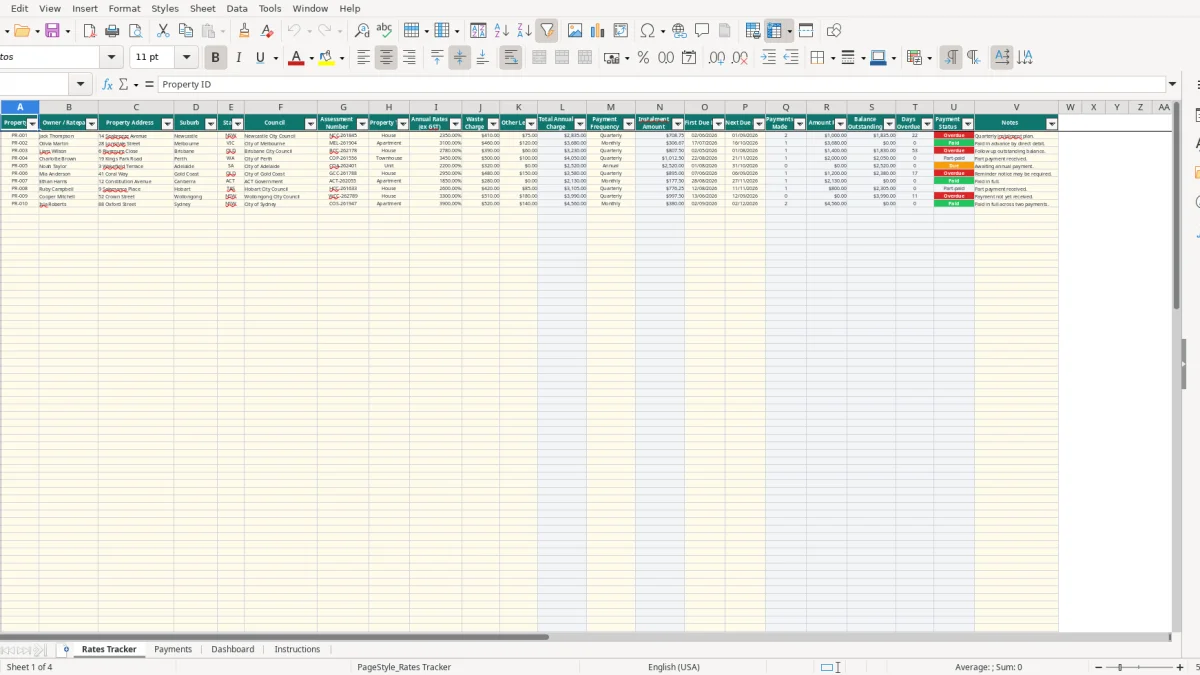
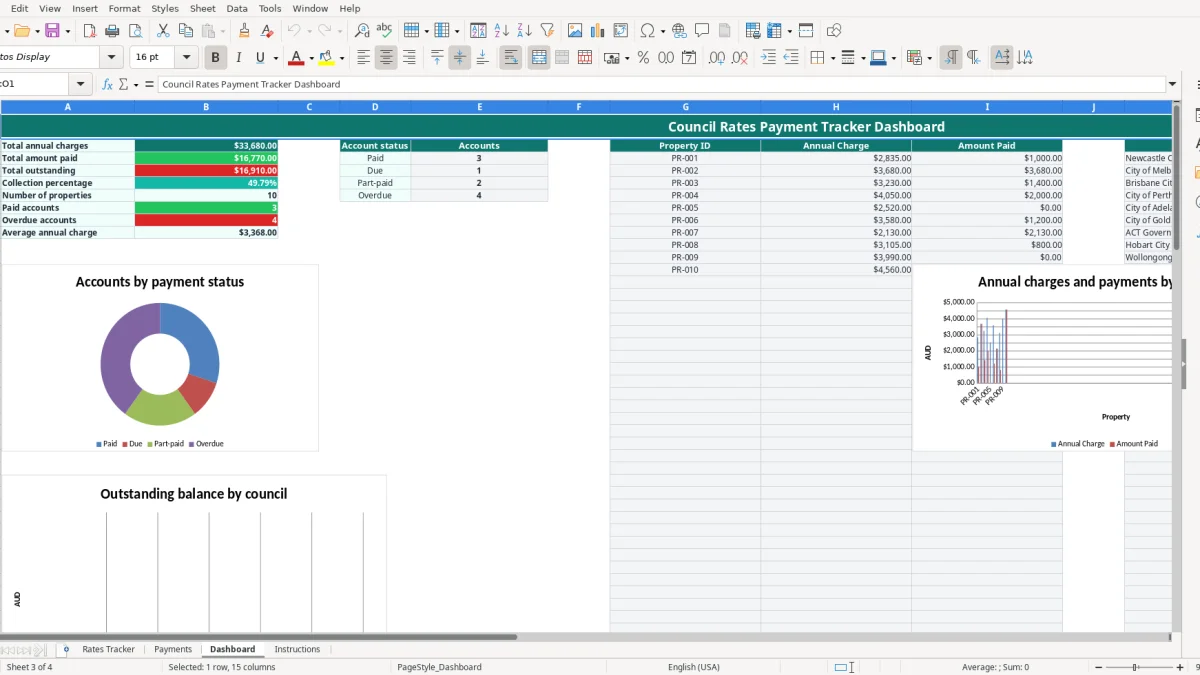
This council rates payment tracker Excel template records properties, annual charges, waste fees, levies, instalment dates and individual payments. It includes a Rates Tracker, Payments register, Dashboard and Instructions sheet, with formulas that calculate balances and payment status.
Use it for a residential or investment property portfolio, a small property business or household records. The prepared workbook has 100 rows for properties and 100 rows for payments, so you can start with the sample data or replace it with your own council notices.
This workbook suits a property owner, investor, family office or small property administrator who needs one view of council rates across several Australian addresses. A household with a Newcastle home and a Melbourne investment property can keep the council, assessment number, annual charge and next due date together rather than searching through email and paper notices.
Enter each property on Rates Tracker, image 1, using the prepared columns from Property ID through Notes. The sample Newcastle property has $2,350 in annual rates, a $410 waste charge and $75 in other levies, giving a $2,835 total annual charge. With Quarterly selected, the calculated instalment is $708.75.
That calculation is useful when your bank account needs to cover more than the headline rates figure. Waste charges and special levies can otherwise be missed when you only record the council's basic rates amount.
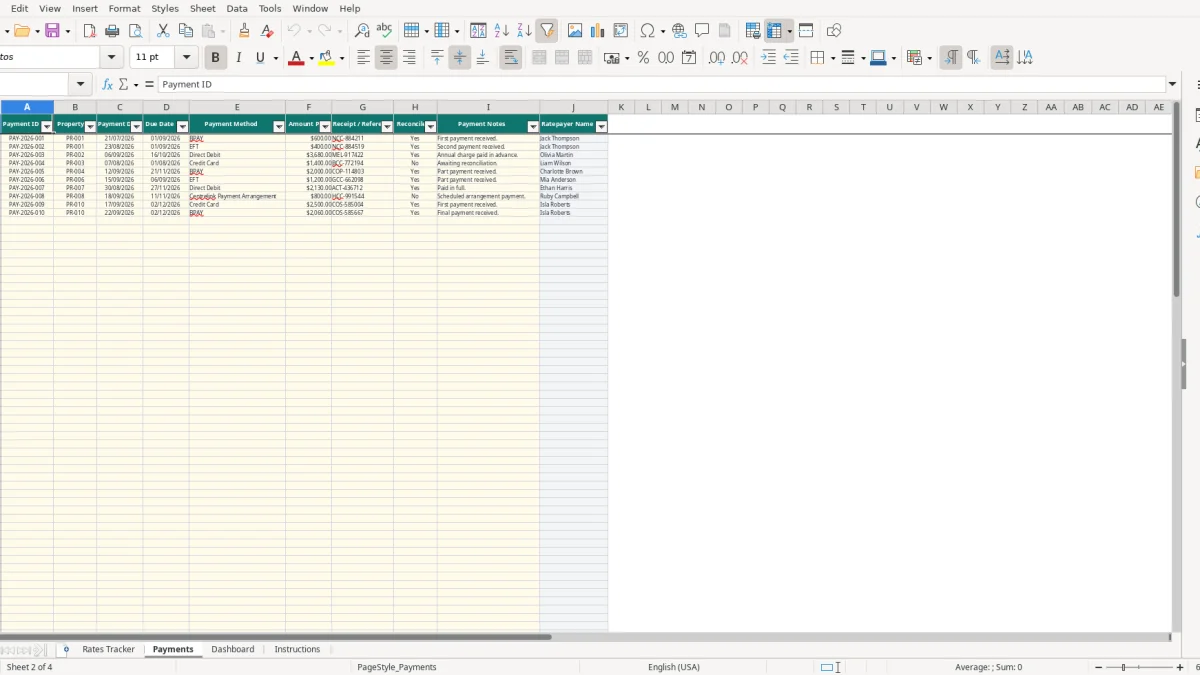
A bookkeeper looking after a small Pty Ltd property portfolio can record payments as they clear the bank. In Payments, image 2, each transaction has a Payment ID, Property ID, payment date, due date, method, amount and receipt reference. The Ratepayer Name column uses VLOOKUP to bring across the matching name.
For example, two payments of $600 and $400 against PR-001 are counted by the Rates Tracker formulas. COUNTIF counts the payment records and SUMIF totals the $1,000 paid, leaving the calculated outstanding balance to review.
The practical time to update this file is when a council notice arrives, a payment is made or the bank reconciliation is completed. At the start of a financial year, replace the old charge and due dates; during the year, add payments rather than overwriting the payment history.
This is a tracking aid, not a council billing system. The workbook has 100 prepared property rows and 100 prepared payment rows, so keep new records inside those ranges to retain the existing formulas, validation and Dashboard links.
If a property is in a strata scheme, keep council rates distinct from owners corporation levies; a strata levy tracker can record the separate lot charges and payments.
Council rates are local-government charges, so the exact notice format, instalment dates and payment arrangement come from the relevant council. This workbook deliberately stores the council name, assessment number, due dates and payment references because a Newcastle notice will not use the same identifiers or timetable as one from the City of Melbourne or Brisbane City Council.
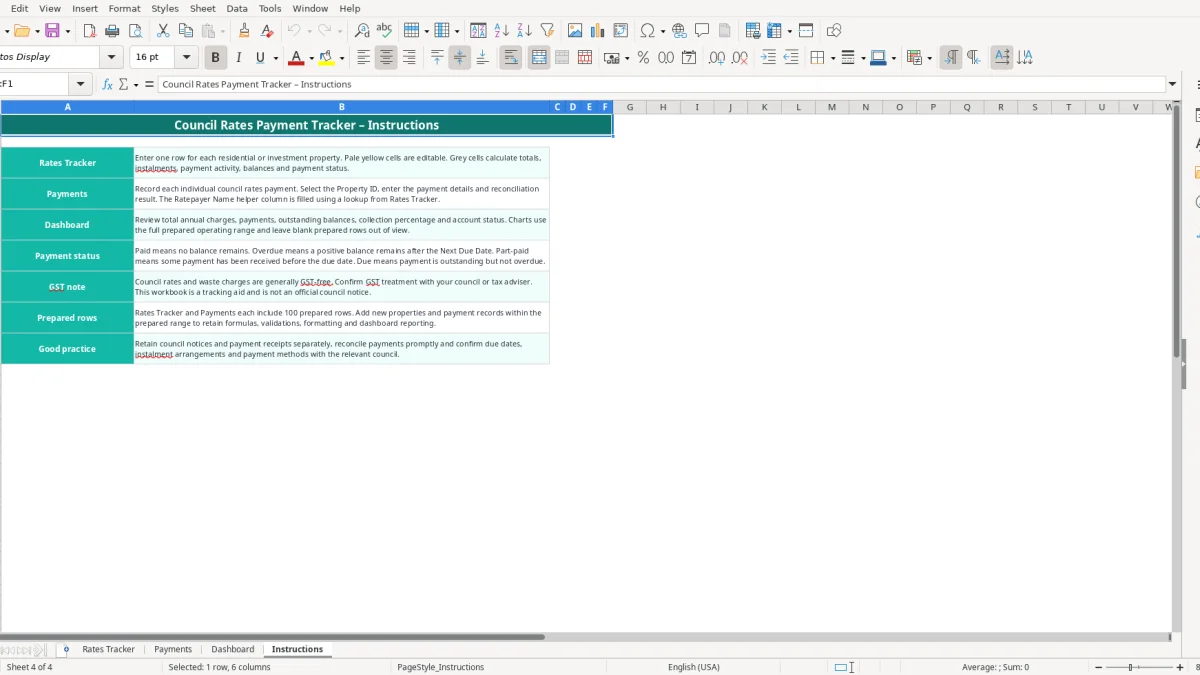
The Instructions sheet states that council rates and waste charges are generally GST-free, but tells you to confirm the treatment with the council or tax adviser. Do not automatically add the standard GST rate of 10% to the amounts in this tracker. The Rates Tracker labels Annual Rates as ex GST, while the workbook does not calculate GST or prepare a BAS.
As a worked example, the sample PR-001 figures total $2,835 from $2,350 + $410 + $75. The workbook records that amount as the annual charge and divides it by four for a quarterly instalment; it does not add $283.50 of GST.
Use the assessment number from the notice rather than relying only on the street address. Retain the notice, payment confirmation and any approved arrangement separately. The workbook's Instructions sheet specifically recommends retaining notices and receipts, reconciling payments promptly and confirming due dates and payment methods with the relevant council.
For business-owned property, keep the rates information with the entity's bookkeeping records. The ATO generally expects business records to be retained for 5 years, and the correct treatment can differ where an amount relates to a commercial arrangement, tenant recovery or another charge rather than ordinary council rates.
Record the actual due date and the arrangement agreed with the council. A Centrelink Payment Arrangement is one of the available payment-method choices, but selecting it does not create or verify an arrangement. For example, a $3,680 annual charge paid in advance should be entered as a payment with its receipt reference and the applicable due date, then checked against the council's records.
The expensive mistakes I see with council rates are usually small data-entry errors repeated across several properties. A wrong assessment number, duplicated payment or forgotten waste charge can leave the spreadsheet looking tidy while the actual balance is wrong.
Some owners enter only the annual rates figure and leave waste charges or other levies out. On the sample PR-001 record, omitting $410 of waste and $75 of levies would understate the annual charge by $485 and reduce the quarterly provision by $121.25. Across four properties, that is $485 of funding missing from the year's instalment planning.
The fix is to use the separate I, J and K input columns on Rates Tracker. Let the calculated Total Annual Charge in column L add them rather than typing a replacement total over the formula.
A bank transaction can be entered twice when a receipt is filed first and the bank feed is checked later. Two duplicate entries of $600 overstate the portfolio's collection by $600 and reduce the reported balance by the same amount. Select the correct Property ID and keep the council receipt or bank reference in the payment row.
Do not type over the Ratepayer Name helper column on Payments. It is populated with VLOOKUP from Rates Tracker, so a changed Property ID should update the name rather than creating a second spelling of the ratepayer.
The workbook marks an account Overdue when a positive balance remains after Next Due Date and calculates Days Overdue using TODAY. It marks an account Part-paid when some payment has been received before the due date. If the due date is left blank or copied from the wrong quarter, those results are unreliable.
One sample payment for PR-003 is $1,400 and is marked unreconciled. Treating it as final without checking the bank can make a partially paid $3,230 annual charge appear more settled than it is. Update Reconciled? to Yes only after matching the payment, and keep the receipt reference for follow-up.
The spreadsheet works best when it is tied to an existing money routine rather than opened only after a late notice. Set a 15-minute check after the monthly bank reconciliation, and do a fuller review before each quarterly council instalment. That catches missing receipts while the transaction is still easy to identify.
Use the workbook's validation lists to keep entries consistent: states are selected from NSW, VIC, QLD, WA, SA, ACT, TAS and NT; property types include House, Apartment, Townhouse, Unit and Land; payment frequency is Quarterly, Monthly or Annual. Consistent labels matter because the Dashboard counts Paid, Due, Part-paid and Overdue with COUNTIF.
Do not delete an old payment simply because the council later changes a due date. Add a note explaining the correction and retain the supporting notice. If a quarterly charge is $2,835, four expected instalments of $708.75 provide a quick reasonableness check even when the council's dates differ.
When the portfolio grows beyond the 100 prepared rows, or several people need simultaneous access and audit history, move the process to dedicated property or accounting software such as Xero or MYOB. Until then, this workbook is most reliable when one person owns the monthly update and another person reviews the Dashboard before major payments.
For an investment portfolio, combine council-rate records with broader rent and property cash movements using a rental property cash flow tracker.