CTP Green Slip Excel Template – Free Comparison (2026)
1
Free download
Track Australian vehicle rego expiry dates, reminders, fees, payment status and renewal progress across 110 prepared register rows.
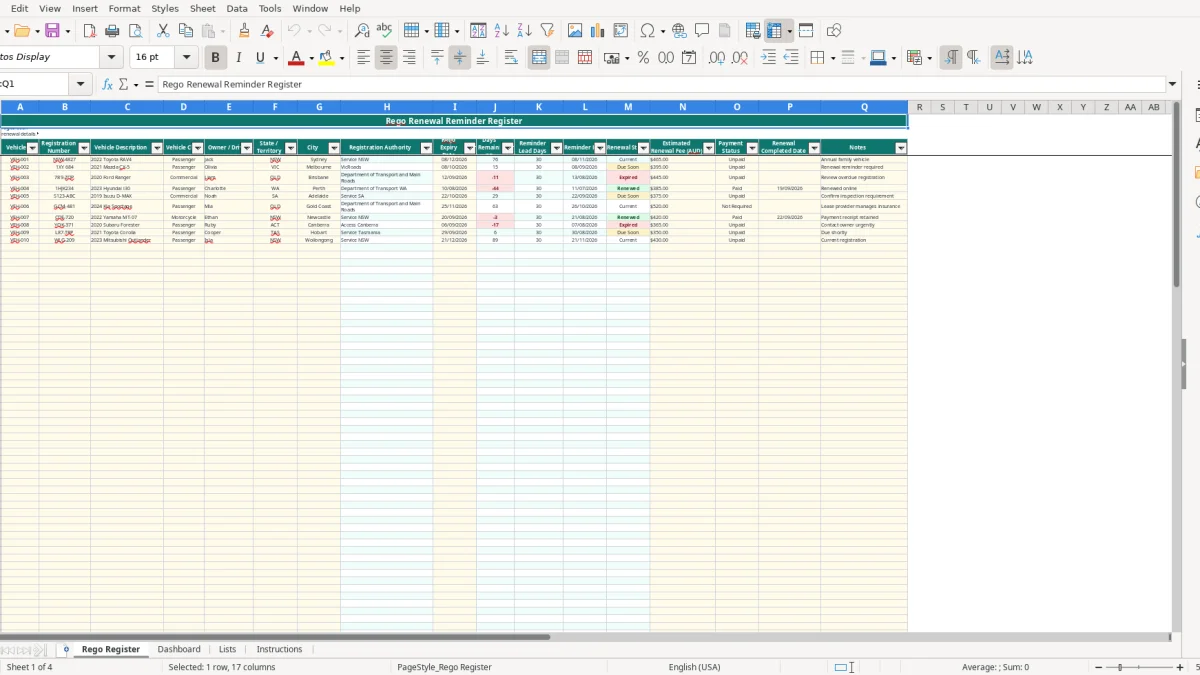
A rego renewal reminder Excel template helps you track vehicle registration expiry dates, reminder dates, estimated fees, payment status and completed renewals. This workbook includes a 110-row Rego Register, an automated Dashboard, Australian state lookup lists and practical Instructions.
Enter your vehicle details in the pale yellow input cells and the calculated columns work out the registration authority, days remaining, reminder date and renewal status. The workbook is suitable for a household, small business fleet, office manager or anyone managing several vehicles across Australia.
A rego register is useful whenever one person has to keep several expiry dates moving. A sole trader with a ute and two trailers may only have three records, while an office manager at a plumbing business may look after 12 vans, four utes and a trailer. The risk is not entering a date; it is remembering the date when the business is busy.
A household with three vehicles can use the Rego Register to record different states, drivers and renewal costs in one place. For example, the supplied sample includes a NSW Toyota RAV4 with a 08/12/2026 expiry and an estimated $465 fee, a Victorian Mazda CX-5 expiring on 08/10/2026 with a $395 estimate, and a Queensland Ford Ranger with a 12/09/2026 expiry and a $445 estimate.
Image 1 shows the Rego Register layout. The visible columns run from Vehicle ID and Registration Number through to Rego Expiry Date, Days Remaining, Reminder Date, Renewal Status, Estimated Renewal Fee, Payment Status and Notes. Pale yellow cells are intended for user inputs, while authority and reminder fields are calculated.
An office manager can review the list before a monthly fleet meeting and flag vehicles due in the next 30 days. A club treasurer or volunteer coordinator can also record who uses each vehicle and whether the renewal has been paid, rather than relying on an email inbox or a paper notice.
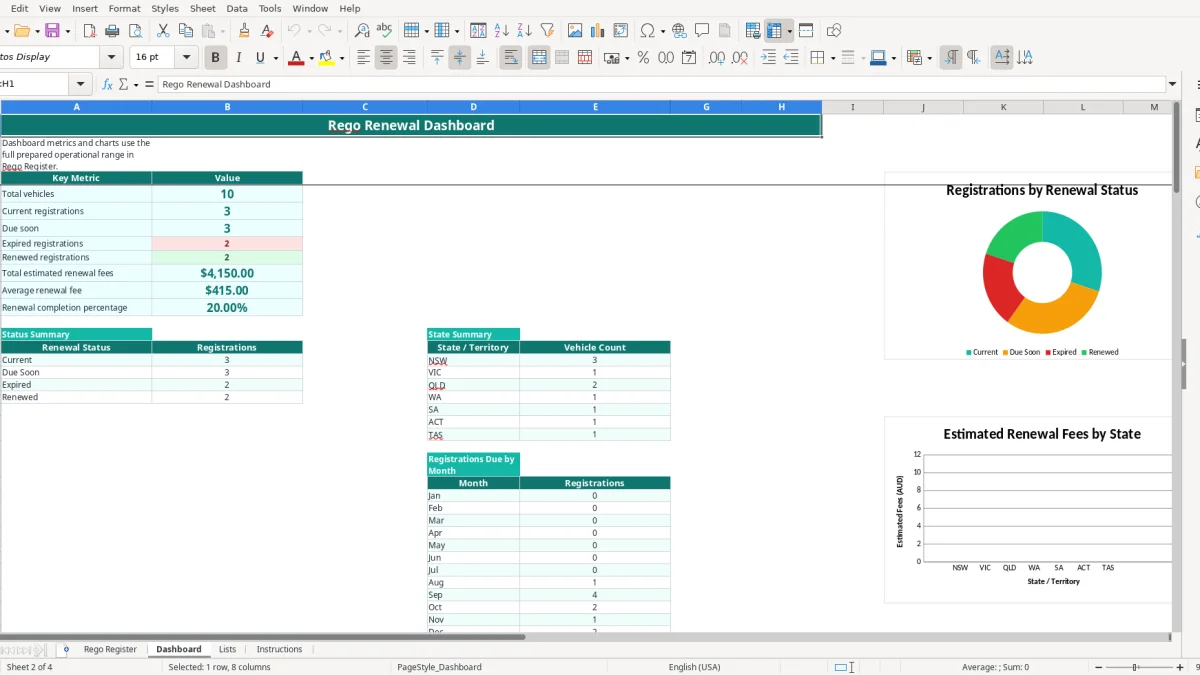
The Dashboard in image 2 gives a management view rather than another data-entry screen. It counts vehicles, groups statuses, totals estimated fees by state and shows registrations due by month. The workbook has 110 prepared operational rows, although only the sample records are populated when supplied.
For a sole trader who also needs to record business driving separately from registration dates, an ATO logbook tracker can keep trip details and vehicle-use records together.
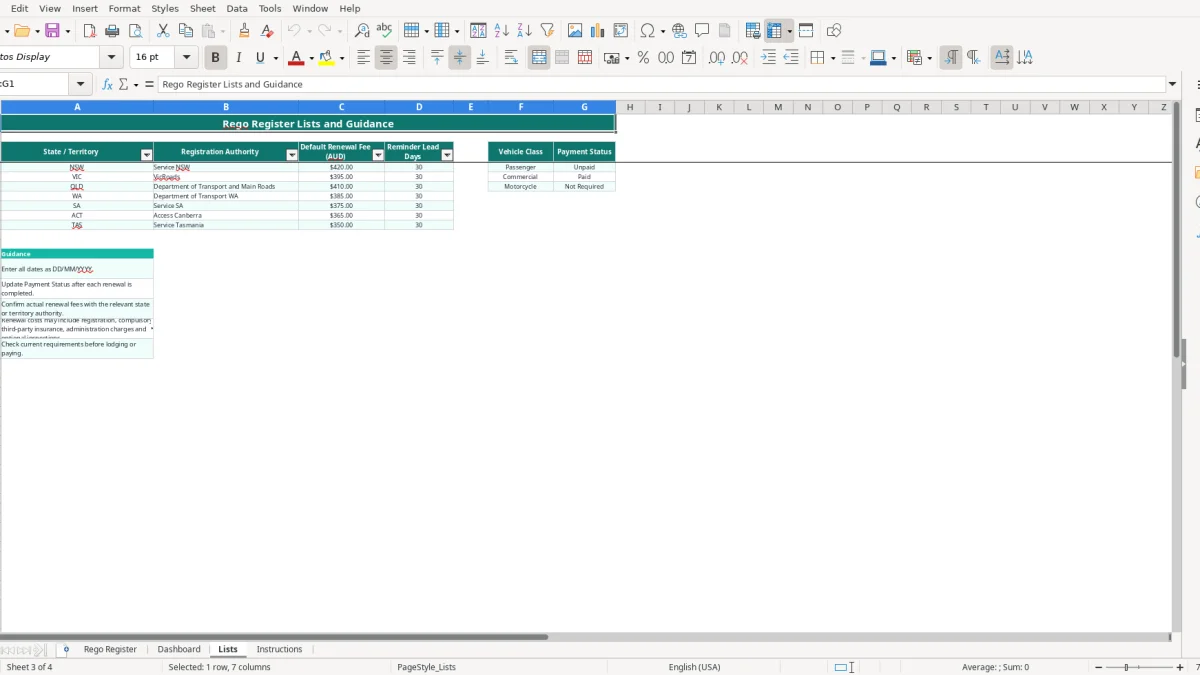
Registration is administered by each state or territory, not by one national renewal authority. The Lists sheet maps NSW to Service NSW, VIC to VicRoads, QLD to the Department of Transport and Main Roads, WA to the Department of Transport WA, SA to Service SA, ACT to Access Canberra and TAS to Service Tasmania.
The supplied Lists sheet contains default renewal fees of $420 for NSW, $395 for VIC, $410 for QLD, $385 for WA, $375 for SA, $365 for the ACT and $350 for TAS. These are workbook guidance values, not a promise of the amount payable. The Lists sheet specifically says to confirm actual fees and current requirements before renewal.
Actual costs can include registration, compulsory third-party insurance, administration charges and optional inspections. A Queensland vehicle with a $410 default fee might cost more after additional charges, while the sample Ford Ranger has a manually entered estimate of $445. Keep the estimate separate from the final receipt.
The default reminder lead period is 30 days for each listed state or territory. If a vehicle expires on 08/12/2026, a 30-day lead produces a reminder date of 08/11/2026. That date is a planning prompt, not proof that renewal is available or that a notice has been issued.
Check the relevant authority before paying, including inspection, insurance and identity requirements. Once payment is complete, set Payment Status to Paid and enter the completion date. The status formula then returns Renewed, which keeps the Dashboard completion percentage meaningful.
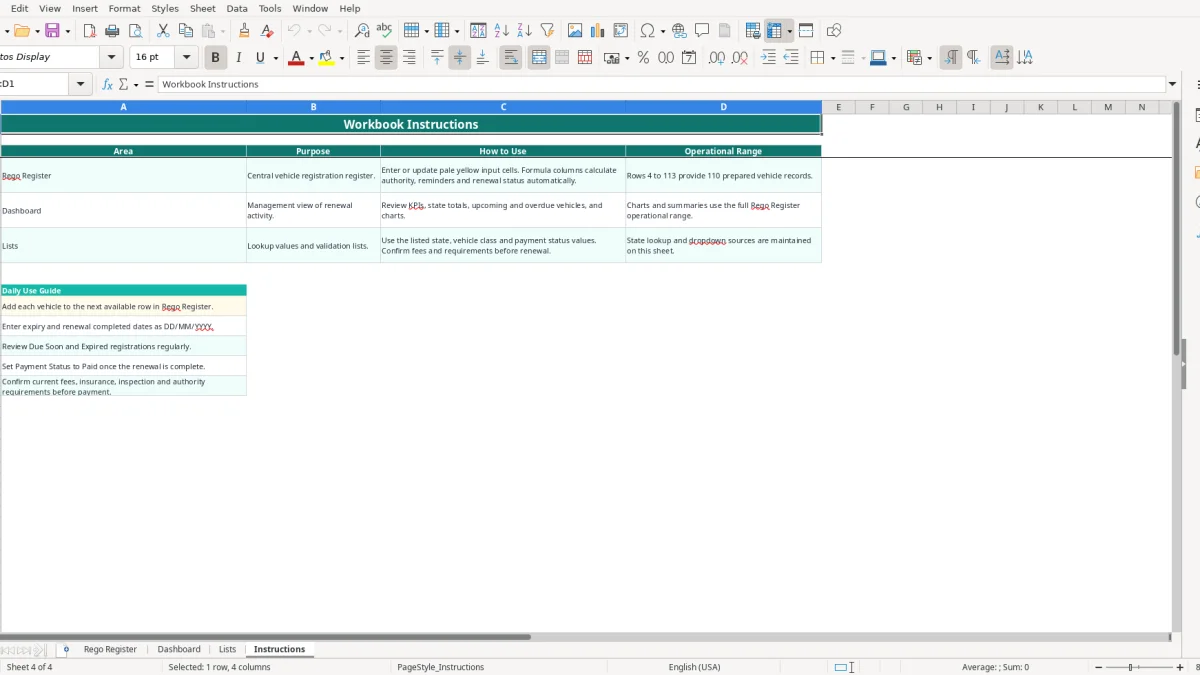
Image 3 shows the Lists sheet, including the authority, default fee and reminder columns. Image 4 shows the Instructions sheet, which reinforces the DD/MM/YYYY date format and the need to check current requirements.
The most expensive mistake is usually a stale expiry date. If a vehicle's date is copied from an old notice and the new expiry is not entered, the Days Remaining formula is confidently calculating the wrong answer. A one-month error can leave a work ute unavailable when a job starts, costing a small business a day's labour and a rescheduled customer.
State is not a cosmetic field. The workbook uses VLOOKUP against the Lists sheet to return the authority and reminder lead days. If a Victorian vehicle is recorded as NSW, it will display Service NSW and the NSW lookup values. Check the state before relying on the reminder date, particularly when a vehicle moves between jurisdictions.
A common administrative failure is paying the renewal but leaving Payment Status as Unpaid. The register then continues to show the vehicle as Current, Due Soon or Expired instead of Renewed. For a fleet of 20 vehicles, missing five payment updates can make the Dashboard completion percentage look 25 percentage points lower than the real position.
Another problem is treating the default fee as an invoice. The listed $350 to $420 state values are guidance only, and the sample records use different manual estimates. If you budget eight vehicles at $400 each, your working estimate is $3,200, but the actual total may change because of insurance, administration or inspection charges.
Columns H and J to M contain formulas across rows 4 to 113. Typing over one of them breaks the authority, countdown or status for that row. Use the pale yellow input cells for details and leave calculated outputs alone; if a formula is damaged, copy it from the row above only after checking the references.
A spreadsheet works when it is attached to an existing habit. Set a 10-minute review on the first Monday of each month, open the Dashboard, and filter attention to Due Soon and Expired registrations. The 30-day default reminder means a monthly review gives you a practical opportunity to arrange payment before an expiry date.
Use the existing dropdowns rather than typing variations such as Paid, paid and Complete. The workbook validates State / Territory, Vehicle Class and Payment Status, which keeps COUNTIF summaries reliable. Keep dates in DD/MM/YYYY format so the date formulas can calculate Days Remaining and Reminder Date correctly.
This file is a strong register for a household or small fleet, but it does not send emails, connect to registration authorities or contain a live renewal feed. If 110 rows are full, several people need simultaneous access, or you need automated reminders and audit history, move the process into fleet software or a system such as Xero or MYOB alongside your bookkeeping.
Image 2 is the useful weekly control point: it summarises the register without replacing the source data. Keep one person responsible for updating completed renewals, and the dashboard will remain a decision tool rather than a report that drifts out of date.