Nippers Attendance Excel Free Template – Australia (2026)
13
Free download
Track Australian long service leave accrual, eligibility, balances and estimated payouts with this practical Excel spreadsheet template.
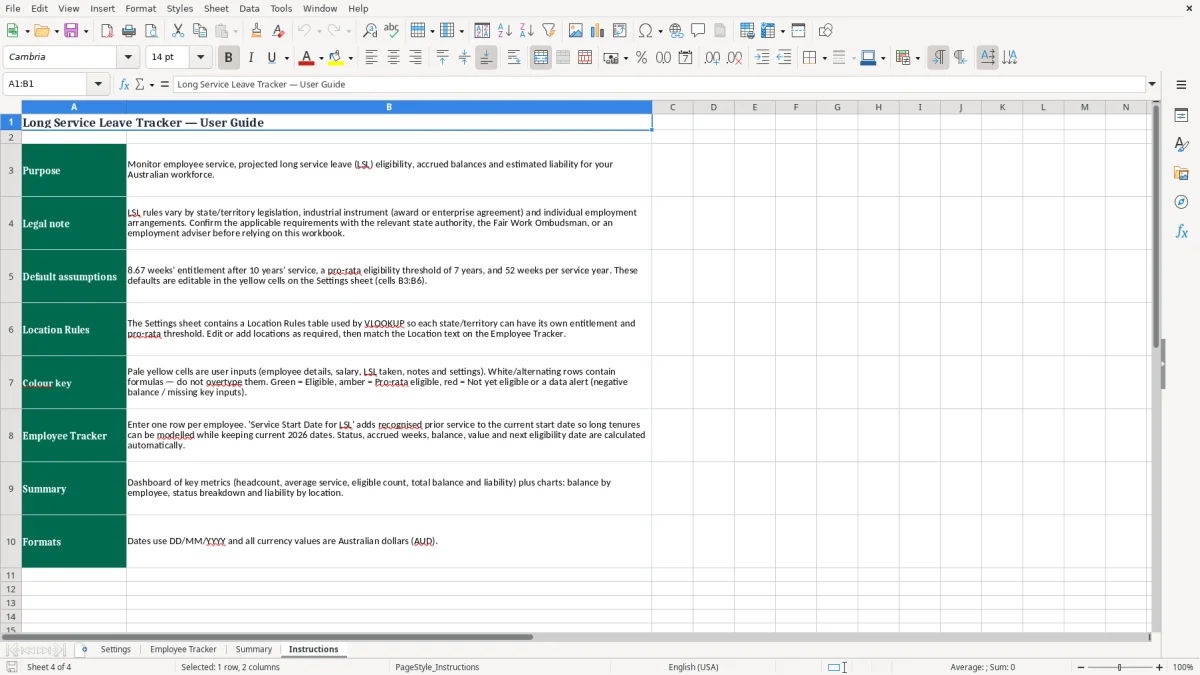
Manage employee long service leave records with a practical Australian Excel tracker. Record service dates, locations, working details and leave taken, then review estimated eligibility, accrued weeks, remaining balances and indicative payout values. The workbook is designed for employers, HR teams, payroll administrators and small businesses.
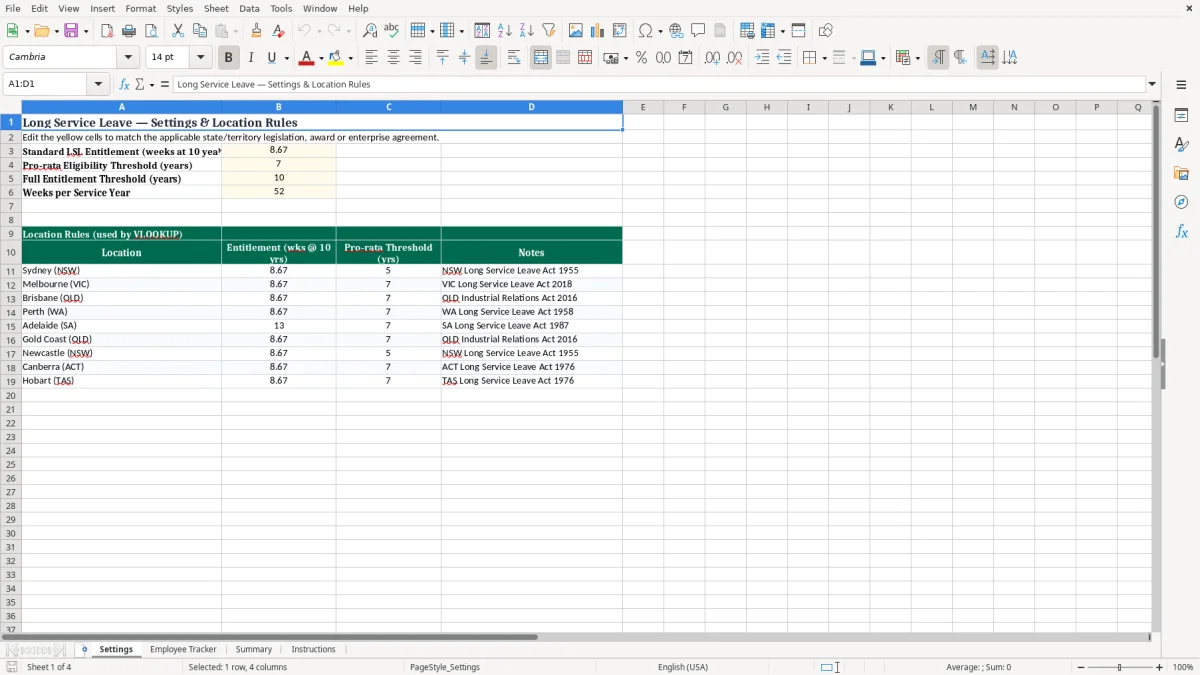
Yellow cells identify information intended for user entry, while calculated fields help organise service and entitlement data. Because long service leave rules can vary between states and territories, awards, enterprise agreements and industry schemes, review the Settings sheet and confirm the applicable requirements before relying on the results.
Start on the Settings sheet and review the standard entitlement, pro-rata threshold, full-entitlement threshold and location rules. Change the yellow cells where necessary so the assumptions reflect the relevant state or territory legislation, award, enterprise agreement or industry arrangement. Next, open the Employee Tracker sheet and add each employee's identifier, recognised service commencement date, location and applicable pay or working information.
Enter approved long service leave already taken in the requested unit. The workbook then uses the configured assumptions to present service duration, eligibility status, estimated entitlement, remaining leave and, where available, an indicative value. Review red or amber indicators and investigate unusual results, missing dates or inconsistent inputs.
Use the Dashboard to understand employee counts, eligible employees, accrued leave and outstanding balances. Keep the spreadsheet aligned with payroll records, approved leave documentation and employment history. Before processing a payment or making a legal decision, confirm the calculation with current official guidance or a qualified Australian employment adviser.
Pay particular attention to transfers, breaks in service, changes in ownership, casual or part-time employment, unpaid leave, portable schemes and the definition of ordinary pay. Save a controlled copy after updates and restrict editing of formula cells if the workbook will be shared with several users.
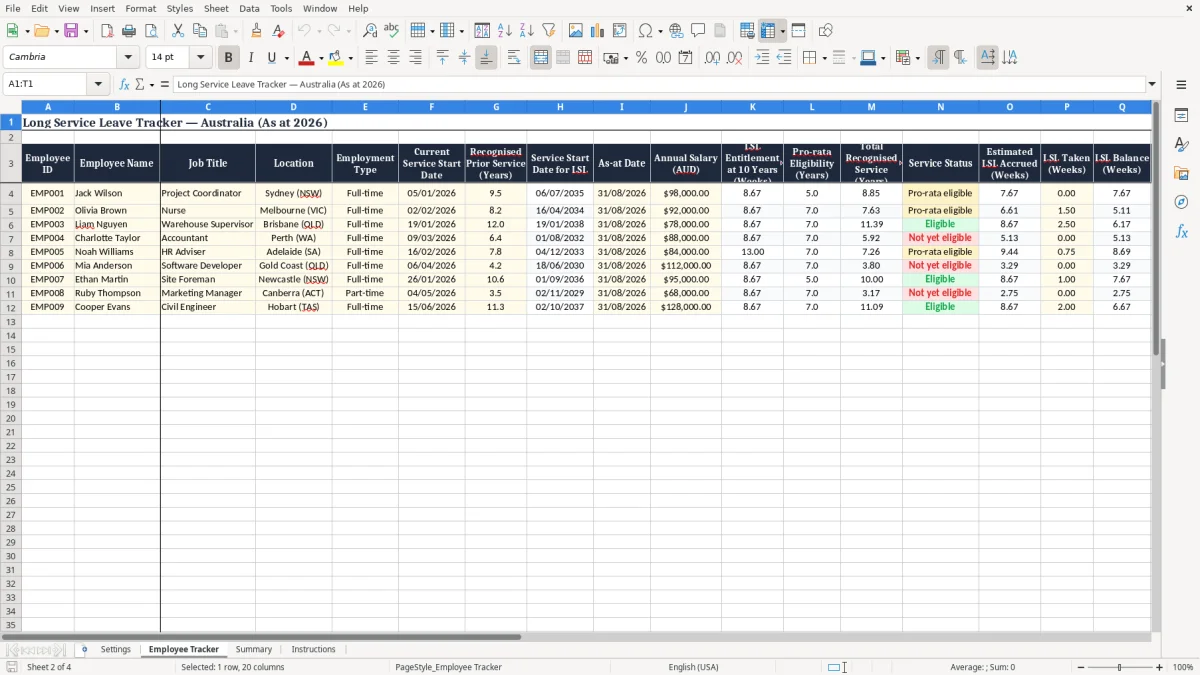
An Australian long service leave tracker is a spreadsheet used to monitor employee service history and estimate long service leave positions over time. It normally records an employee identifier, recognised service start date, work location, leave already taken and relevant pay information. Calculated fields can then show an employee's approximate service duration, whether a configured threshold has been reached, how many weeks may have accrued and what balance remains after approved leave.
For an employer, this creates a practical working register that supports payroll reviews, workforce planning and discussions about upcoming leave. An Excel format is useful because familiar formulas, filters, validation lists, formatting and charts can be adapted to the way a business manages its records. This template includes a Settings sheet so key assumptions can be reviewed rather than hidden inside formulas.
It also provides sample location rules for Australian locations, including Sydney, Melbourne, Brisbane, Perth and Adelaide. These entries are starting points only. Long service leave is not governed by one identical rule for every Australian employee.
State and territory legislation, awards, enterprise agreements, contracts, portable industry schemes and recognised prior service can all affect the result. The tracker should therefore be treated as an administrative estimate and not as a replacement for a payroll system, official guidance or professional advice. Before using an outcome to approve leave or calculate a termination payment, confirm the employee's governing instrument and continuous service history.
A well-maintained tracker is most valuable when it is updated consistently, reconciled with payroll and supported by source documents. It helps managers identify approaching milestones, organise reviews and maintain a clearer record of assumptions used in each calculation.
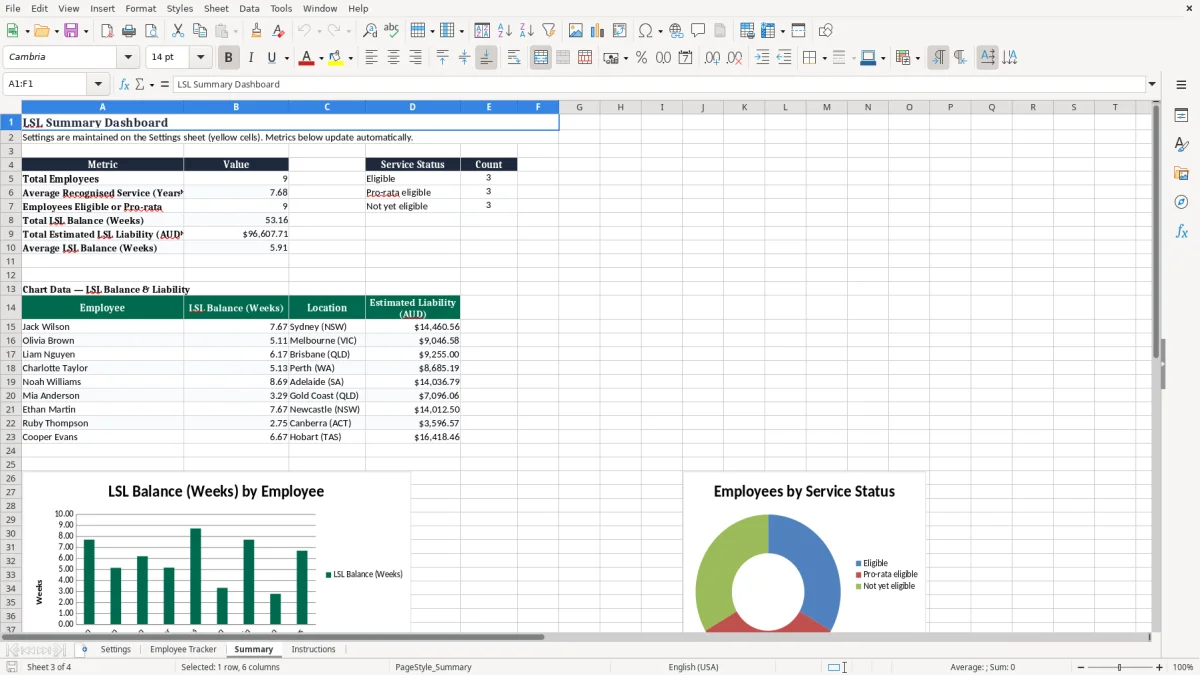
An Excel long service leave spreadsheet gives small and medium-sized employers a flexible way to organise information without immediately adopting a specialised HR platform. A central tracker can make it easier to see which employees are approaching an eligibility milestone, which balances have been reduced by leave taken and where service dates or location settings still need review. This visibility can support budgeting because an employer may identify possible future leave costs before several employees become eligible at the same time.
The workbook also separates general assumptions from employee records. On the Settings sheet, users can review standard entitlement, pro-rata and full-entitlement thresholds, weeks per service year and location notes. On the tracker, users can enter employee-specific information and inspect the resulting calculations.
Colour-coded input cells help distinguish editable data from formula-driven outputs, reducing the risk of overwriting a calculation accidentally. A dashboard can provide a concise overview for managers who do not need to inspect every employee row. Excel is also easy to share, archive and customise for internal reporting.
However, flexibility requires control. Use consistent employee identifiers, enter dates in the expected format, document any manual adjustment and limit access to personal and pay information. Keep a backup and maintain a change process when legislation or an enterprise agreement changes.
The spreadsheet should complement, not replace, payroll records and approved leave documentation. Its strongest use is as a review and planning tool that helps the business ask the right questions early, while final entitlement and payment decisions are checked against the current rules that apply to each employee. Regular reviews also help identify missing inputs before they affect planning or reporting.
Long service leave rules in Australia can be complex because the applicable entitlement depends on more than an employee's number of years with a business. State or territory legislation may apply, but an award, enterprise agreement, employment contract or portable long service leave scheme may alter the relevant process. The meaning of continuous service can also require careful review when an employee has taken extended unpaid leave, changed employment status, transferred between related entities, moved after a business sale or experienced a break in employment.
Some jurisdictions provide a pro-rata entitlement in particular circumstances, while others apply different thresholds or payment rules. The standard values displayed in this template are configurable assumptions and should not be treated as a universal legal answer. The sample settings include different pro-rata thresholds and entitlement examples to demonstrate how location-based records can be organised.
They must be checked against current official sources and the employee's governing arrangement. Pay calculations also require attention. Ordinary weekly pay may not be the same as a simple hourly rate multiplied by ordinary hours, and overtime, allowances, commissions or other components may be treated differently depending on the applicable rules.
A tracker can estimate a balance in weeks and multiply it by an entered weekly figure, but that output is only indicative until the correct payment basis is confirmed. Use the workbook to flag records for review, not to make assumptions where the facts are uncertain. For complex cases, obtain advice from the relevant government authority, an industrial relations specialist, employment lawyer, HR professional or payroll adviser.
Regularly review settings and record the date and source of any rule change. Confirm effective dates carefully when updating historical or current employee records.
Those rule updates are easier to evidence when the numbers sit beside a contributions record that shows each change, its source and the effective date.
Accurate long service leave tracking depends on reliable service dates, consistent inputs and regular reconciliation. Begin by confirming the recognised commencement date from employment records rather than assuming it is the date shown in a current payroll profile. Check whether prior service, a transfer, a restructure or a break affects continuous service.
Select the location rule that reflects the employee's governing arrangement, which may not always be determined by the physical office where the employee currently works. Enter leave taken promptly after approval and use the same unit throughout the workbook. If ordinary weekly pay is used to estimate a monetary balance, update it when the relevant rate changes and record why the change was made.
Review formula cells after adding rows, filtering records or copying data, and protect formulas where multiple people will edit the file. A monthly or quarterly review can identify missing dates, duplicate employees, negative balances, unusual entitlement values and employees nearing an important threshold. Reconcile totals with payroll and retain supporting documents such as employment contracts, leave approvals, service transfer records and payment calculations.
Limit access because employee identifiers and pay information may be personal information. Keep dated backup copies and use a controlled master workbook so different versions do not circulate without explanation. When legislation, an award or an enterprise agreement changes, update the Settings sheet only after confirming the effective date and scope.
Review existing employee outcomes rather than assuming a new setting automatically resolves historical records. This disciplined process makes the spreadsheet more useful for planning while recognising that final entitlements must be assessed under the current rules applicable to each individual. Document exceptions clearly and escalate uncertain cases before approving leave or payments.
That disciplined process also carries into scheduling, where an aged care roster keeps shifts, coverage, and entitlements aligned with the current rules for each worker.