Surf club roster Excel – Free Template (2026)
6
Free download
Nippers attendance register Excel template for Australian surf clubs, with session records, welfare notes, fee tracking and dashboard reporting.
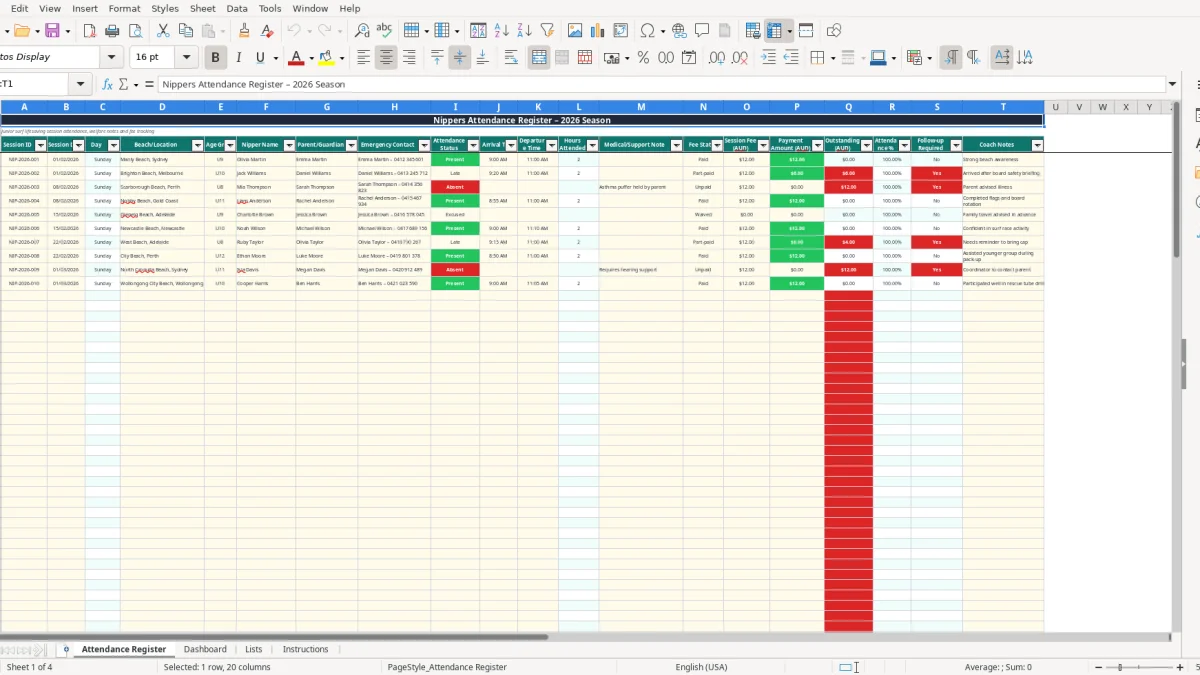
This Nippers attendance register Excel template records each child's session date, beach, age group, attendance status, arrival and departure times, emergency contact, welfare notes and fees. It includes a 100-row Attendance Register, automatic hours and outstanding balances, attendance percentages, follow-up flags and a Dashboard for club reporting.
It suits surf lifesaving clubs, age-group coordinators and volunteer committee members running junior beach sessions across Australia. The workbook includes four sheets: Attendance Register, Dashboard, Lists and Instructions, with example records for locations including Manly Beach, Brighton Beach and Scarborough Beach.
A volunteer surf club registrar, age-group coordinator or patrol captain usually opens this workbook before the Sunday morning programme. The practical job is to know who is on the beach, who arrived late, which parent can be contacted quickly and which children need a welfare or payment follow-up after the session.
The Attendance Register (image 1) is laid out as a table from columns A to T. It starts with Session ID, Session Date, Day, Beach/Location and Age Group, then records Nipper Name, Parent/Guardian, Emergency Contact and Attendance Status. Arrival Time, Departure Time and Hours Attended sit beside Medical/Support Note, Fee Status, Session Fee, Payment Amount, Outstanding, Attendance %, Follow-up Required and Coach Notes.
For a U9 session at Manly Beach, a coordinator can enter Olivia Martin as Present, 09:00 arrival, 11:00 departure, a $12.00 fee and a $12.00 payment. The hours formula returns 2.00, Outstanding returns $0.00 and Follow-up Required returns No. For a late U10 nipper arriving at 09:20, the same row records the operational detail without needing a separate attendance sheet.
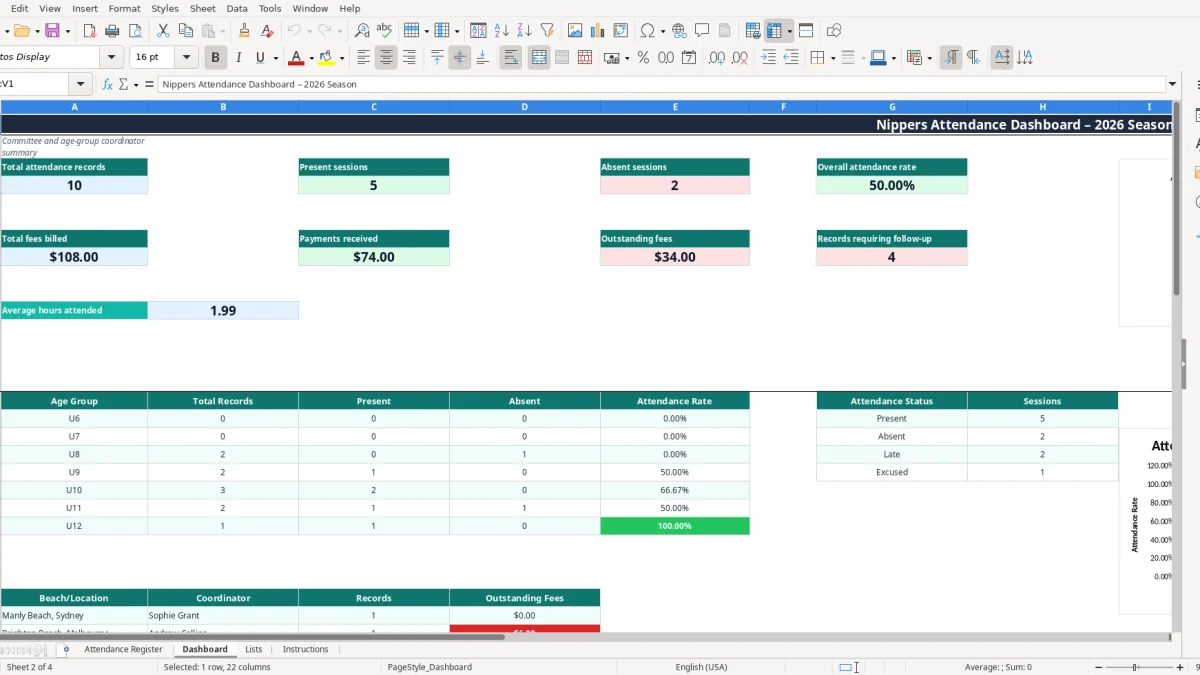
The Dashboard (image 2) gives a committee-ready view rather than requiring someone to count rows manually. It reports total attendance records, present sessions, absent sessions, overall attendance rate, total fees billed, payments received, outstanding fees and records requiring follow-up.
This is also useful when a club runs several beaches or age groups. The sample workbook includes locations such as Brighton Beach, Scarborough Beach, Nobby Beach, Glenelg Beach and North Cronulla Beach, while rows 4 to 103 provide prepared space for the season's records.
When the same club also coordinates lifesaving patrols, a surf club roster can keep member shifts, qualifications and beach coverage separate from nippers attendance.
This register contains children's names, parent or guardian details, emergency phone numbers and potentially medical or support information. Treat it as sensitive club administration data: limit workbook access to people who need it, store it securely and avoid sending the file through an unrestricted group chat.
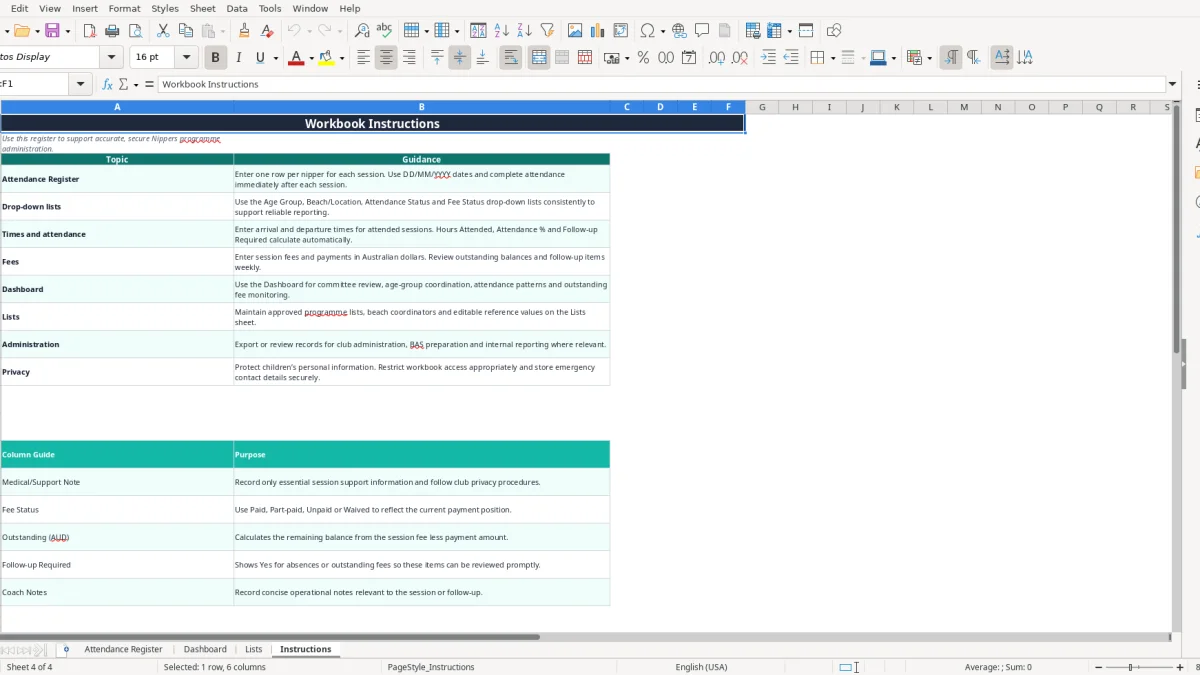
The Instructions sheet says to record only essential information in Medical/Support Note and follow club privacy procedures. A note such as an asthma puffer being held by a parent may be operationally useful, but the register is not a full medical record. Keep notes concise and accurate, and correct outdated emergency contacts promptly.
Australian organisations handling personal information should consider the Privacy Act 1988 and the Australian Privacy Principles. A club should explain why contact information is collected, restrict access and securely destroy or de-identify information when it is no longer required. If a covered entity suffers a serious eligible data breach, the Notifiable Data Breaches scheme can require notification to affected individuals and the OAIC.
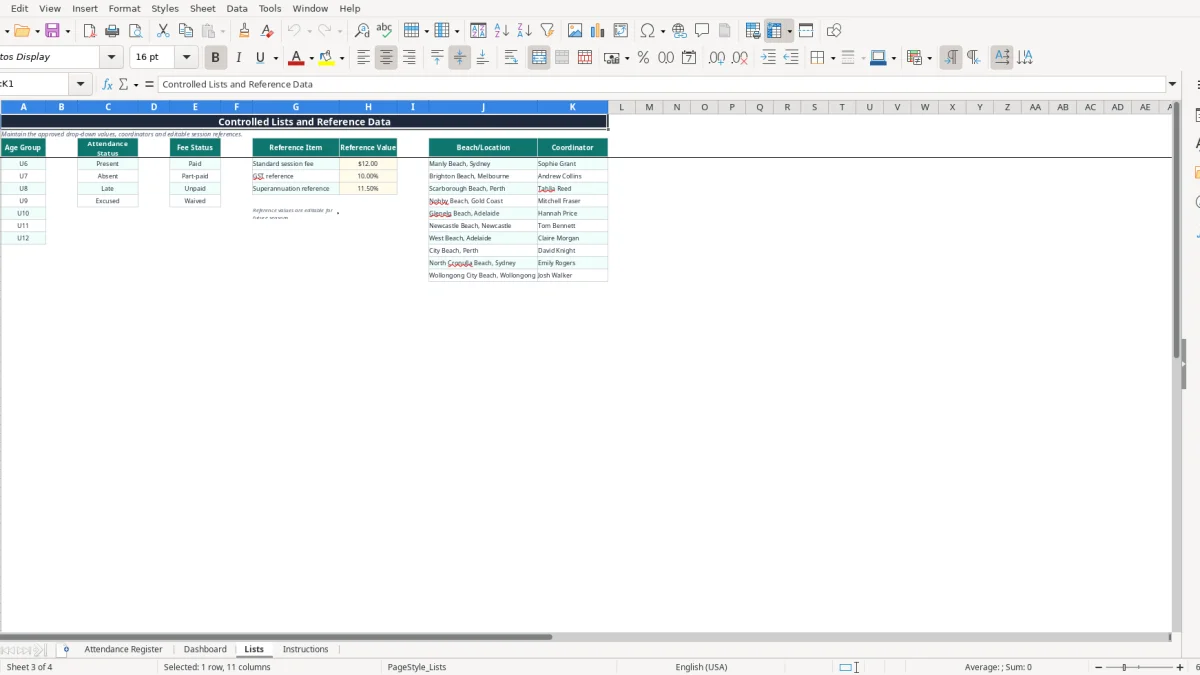
The workbook's Lists sheet includes a standard session fee reference of $12.00 and a GST reference value of 10%. Those are editable reference values, not a conclusion that every club fee is taxable. If a GST-registered club charges a taxable session fee of $12.00 including GST, the GST component is $1.09 because $12.00 ÷ 11 = $1.09; confirm the club's actual treatment before using the figures for a BAS.
Keep source payment records with the register. The ATO generally expects business records to be retained for 5 years, while incorporated club governance and grant requirements may impose additional retention rules. The Dashboard (image 2) reports balances from the entered amounts; it does not create receipts, tax invoices or a BAS.
The expensive problems in a nippers register are usually small omissions repeated every week. A blank arrival time means Hours Attended cannot calculate; a typed variation such as Present with an extra space may not be counted by the Dashboard's COUNTIF formulas; and a missed departure time leaves the coordinator chasing families days later.
An emergency contact copied from last season can be worse than no contact if a parent has changed phone numbers. For example, a club with 80 children and only 10 minutes to check a beach evacuation list cannot afford to discover that several numbers were never updated. Review names and contacts at registration and whenever a parent reports a change.
Suppose 30 nippers attend a $12.00 session and five families pay only $6.00. The register should show $360.00 billed, $330.00 received and $30.00 outstanding. If the part-payment is entered as $12.00 by mistake, the Dashboard understates follow-up by $6.00 per family and the error becomes harder to find at month-end.
Do not mark an absent nipper as Excused simply to remove a follow-up flag. The formula in Follow-up Required deliberately returns Yes for Absent or any positive Outstanding balance. That is a useful operational control: it prompts a welfare check or payment review, rather than allowing an unresolved item to disappear.
A coordinator who totals attendance with a calculator can easily report 22 present sessions when the register contains 23. Use the Dashboard (image 2), then trace unusual figures back to the Attendance Register. The three Dashboard charts are based on age-group rates, attendance statuses and outstanding fees by location, so inconsistent labels or incomplete rows will affect those visuals.
Finally, avoid putting unnecessary medical detail in Coach Notes. The Instructions sheet separates Medical/Support Note from operational comments for a reason: concise information is easier to protect, review and hand over to the next volunteer.
The easiest routine is to make the register part of pack-up, not an end-of-season bookkeeping task. Nominate one person to enter attendance immediately after each session while the coach confirms late arrivals, departures and any follow-up. For a two-hour Sunday programme, five focused minutes at the beach can prevent an hour of reconstruction later.
Use the Lists sheet (image 3) to keep approved values consistent. It contains age groups U6 to U12, attendance statuses, fee statuses, beach locations, coordinators and editable references including the $12.00 standard session fee. Changing a list value can affect the available drop-down choices and reporting, so keep the labels stable during a season.
At the monthly meeting, open the Dashboard and compare the overall rate with each age group. If 40 records contain 32 present sessions, the rate is 80%; a sharp drop in one group is a prompt to investigate, not proof of a programme problem. Review outstanding fees by beach and assign follow-up before balances accumulate.
This workbook is a good fit for a single club with a manageable register of 100 prepared rows. Move to club-management software or a system such as Xero or MYOB when you need online enrolments, multiple concurrent editors, automated receipts, integrated payments, audit history or more than the prepared register can comfortably handle.