Property Depreciation Excel Template – Free (2026)
79
Free download
SMSF transaction register and summary spreadsheet for trustees to track contributions, expenses, balances and compliance notes.
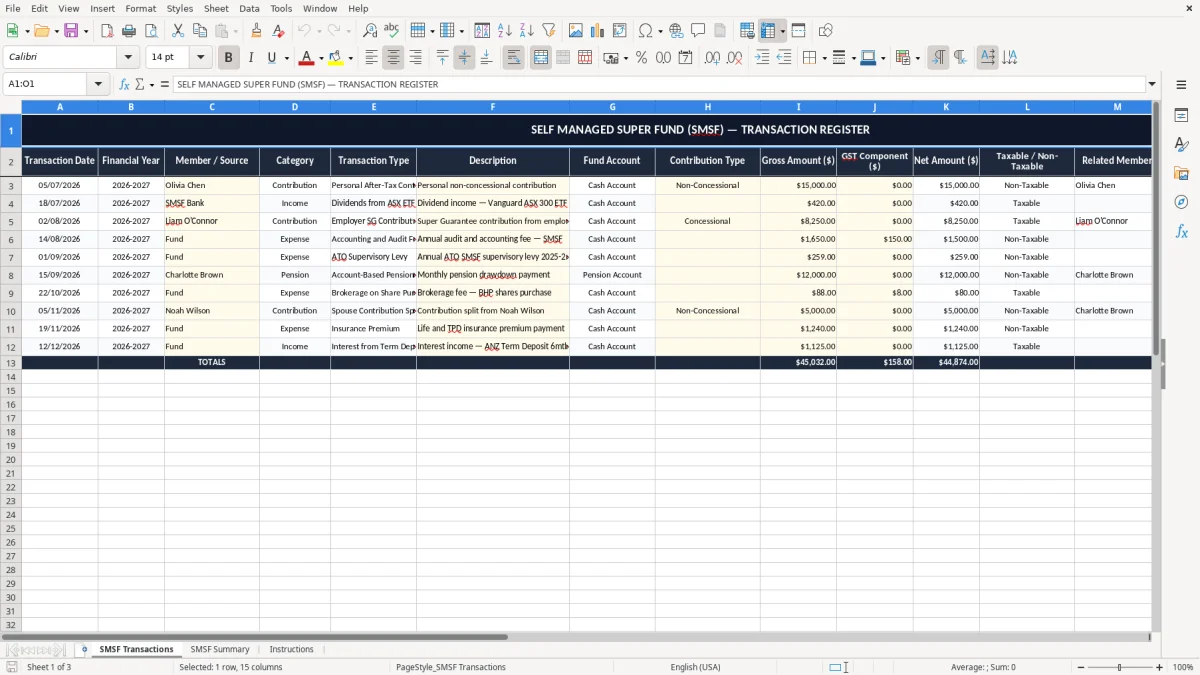
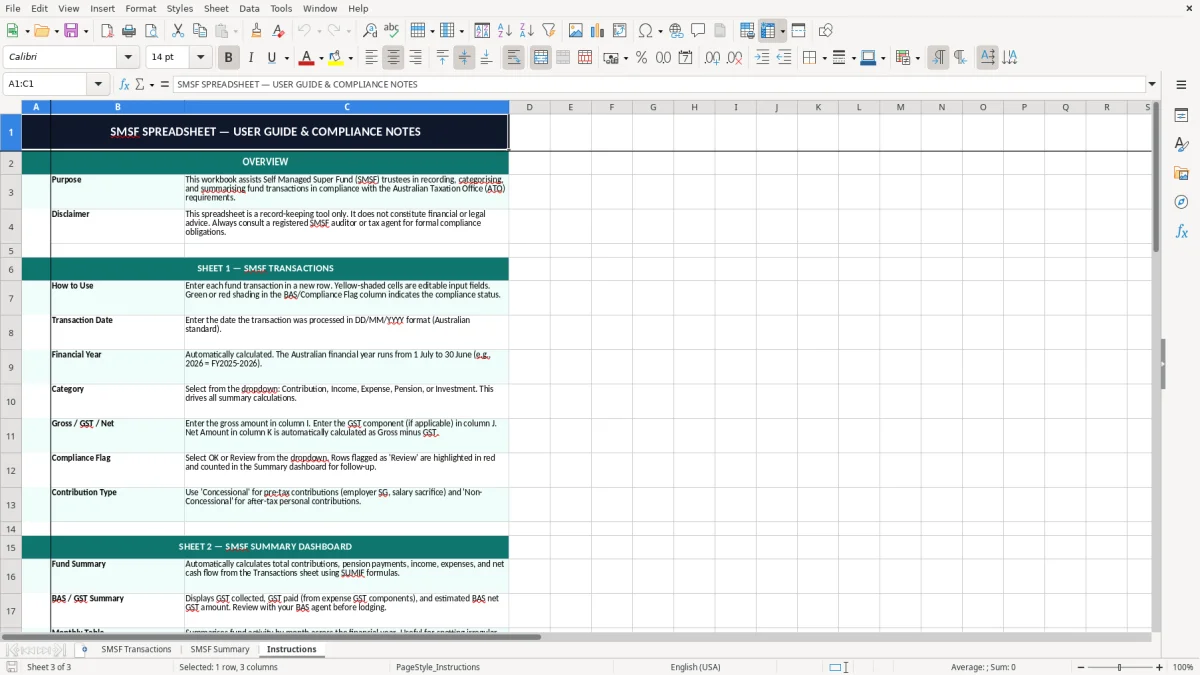
This self managed super fund Excel spreadsheet is a transaction register and summary workbook for trustees who want to track SMSF contributions, expenses, balances and compliance notes in one place. It includes a SMSF Transactions sheet, a SMSF Summary sheet and an Instructions sheet.
Use it to sort out fund records through the year, keep the member information clear, and have a cleaner starting point for review at audit time or when you are reconciling bank activity against the fund records. The layout is simple enough for a trustee, bookkeeper or accountant to follow without fuss.
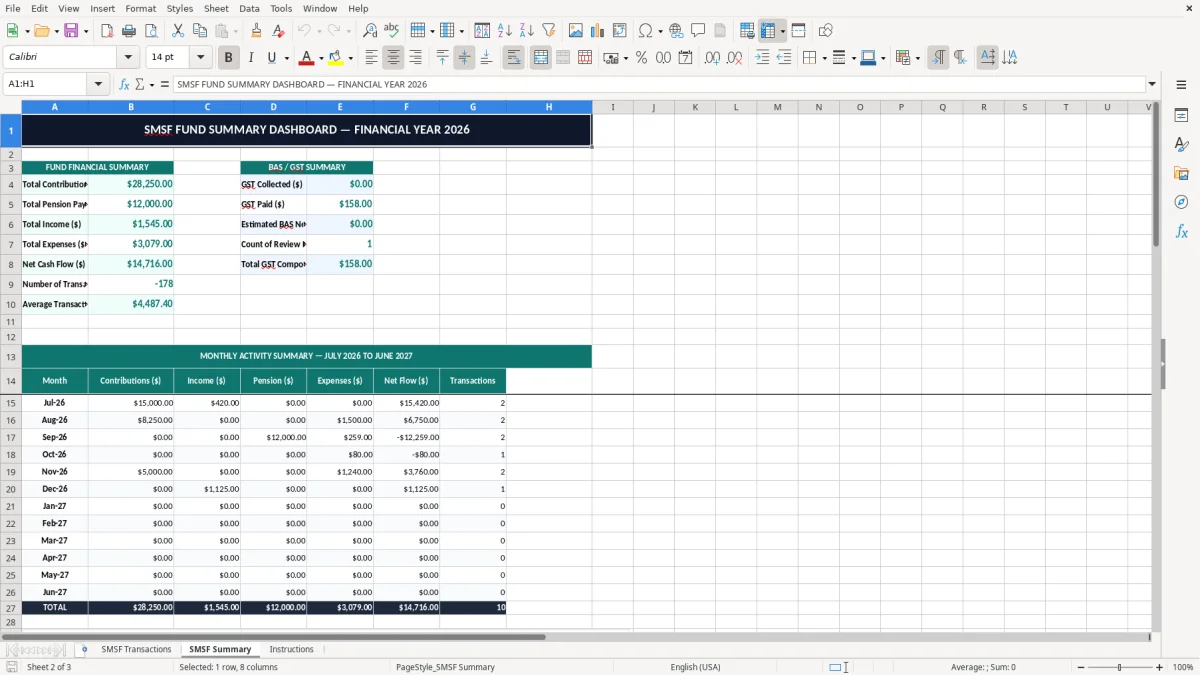
The first sheet records each transaction with dates, categories, fund account, contribution type, gross amount, GST component, net amount, taxable status, related member, compliance flag and notes. The summary sheet pulls the totals together so you can see what has moved through the fund without trawling through every line.
An SMSF Excel spreadsheet is for trustees who want a plain register they can use between bank downloads, accountant meetings and audit prep. It suits the sole trustee or two-member fund that has a handful of contributions, pension payments and expenses each month, plus the bookkeeper who needs the numbers tidy before handover.
In practice, this is the sheet you open when a contribution lands on 05/06/2026, a strategy paper expense hits the bank account, or you need to check whether a pension payment has been recorded against the right member. If the fund has 12 transactions a month at an average $850 each, you are already dealing with about $10,200 of movement a month, so a register beats a memory test.
The first sheet captures the detail line by line, and the summary sheet gives you the quick view for the fund as a whole. That matters when you are balancing contributions by member, checking that expenses have been paid from the correct account, or keeping a note against anything that might need the accountant’s eye.
The summary sheet is useful for the trustee who wants a monthly check without opening the bank app, the spreadsheet and the accounting file all at once. If the fund has one member drawing a pension and another still making contributions, the summary helps you see the split without rebuilding the totals manually.
An SMSF still sits inside the Australian super system, so the records need to stand up to the ATO and the auditor. The fund must keep proper records for at least 5 years, and that means transaction detail, trustee decisions and supporting notes need to be easy to find when someone asks for them.
For most trustees, the money side is straightforward: contributions, investment income, expenses and benefit payments all need to be tracked clearly, and the fund should be able to show which entries relate to which member. If you have a $120,000 contribution split across two members, the records need to show the allocation cleanly so nobody is left reconstructing it later.
The spreadsheet’s category and contribution type columns are there to support tidy fund records, not to replace legal advice. A clean register helps you separate member contributions from expenses, and that is useful when you are preparing the annual accounts, supporting the audit file or checking whether a payment belongs in the current financial year ending 30/06/2026.
Keep bank statements, invoices, trustee minutes and any relevant member notes alongside the workbook. If an expense is $487.50 and relates to the fund, you want the amount, date and purpose captured in the same place so the audit trail is not a scavenger hunt.
The biggest mistake is treating the fund like a personal bank account and letting entries drift in without categories or notes. That turns a 40-line year into a reconstruction job, and a trustee can lose hours trying to work out whether a $2,250 transfer was a contribution, a reimbursement or a benefit payment.
Another common problem is leaving the GST component blank on records where it matters, or mixing gross and net amounts in the same column. If you record a $1,100 invoice as net when it was gross, you are $100 out straight away, and that sort of error ripples through the yearly totals.
If you only reconcile at year-end, you can be chasing 12 months of missing descriptions and backtracking through bank feeds line by line. A one-hour monthly review is easier than a six-hour clean-up just before the auditor wants the file.
The compliance flag and related member columns are there because SMSF work gets messy when entries are unlabeled. A $900 expense booked against the wrong member, or a pension payment entered without the right note, can mean more follow-up from the accountant and a slower audit cycle.
Miss one contribution note each month and you are missing 12 notes by year-end. Miss two detail fields on half a dozen payments and suddenly you are rebuilding a quarter of the file from bank statements, which is wasted time you could have spent on the actual fund decisions.
That same kind of missing detail shows up on supplier paperwork too, where a GST invoice format keeps the tax amount and invoice fields aligned before they create another audit headache.
The trick is to use the workbook on a fixed day, not whenever you remember it. Most trustees do better with a weekly or monthly rhythm tied to the bank reconciliation, the pension payment run or the BAS-style record check they already do for the fund.
If the fund starts running dozens of trades, multiple pensions and a lot of corporate actions, the spreadsheet will still hold the detail, but the reconciliation load becomes heavier. Once you are spending more than 2-3 hours a month keeping it straight, you are probably ready for proper super administration software and a cleaner file flow.
One trustee, one rule: every entry gets a date, a label and a note if it needs explanation. That is enough to stop the register from turning into a pile of half-finished lines and duplicated amounts.