Nippers Attendance Excel Free Template – Australia (2026)
13
Free download
Roster, summary and instructions sheets for aged care staffing, shifts, hours, labour cost and cover tracking across a fortnight.
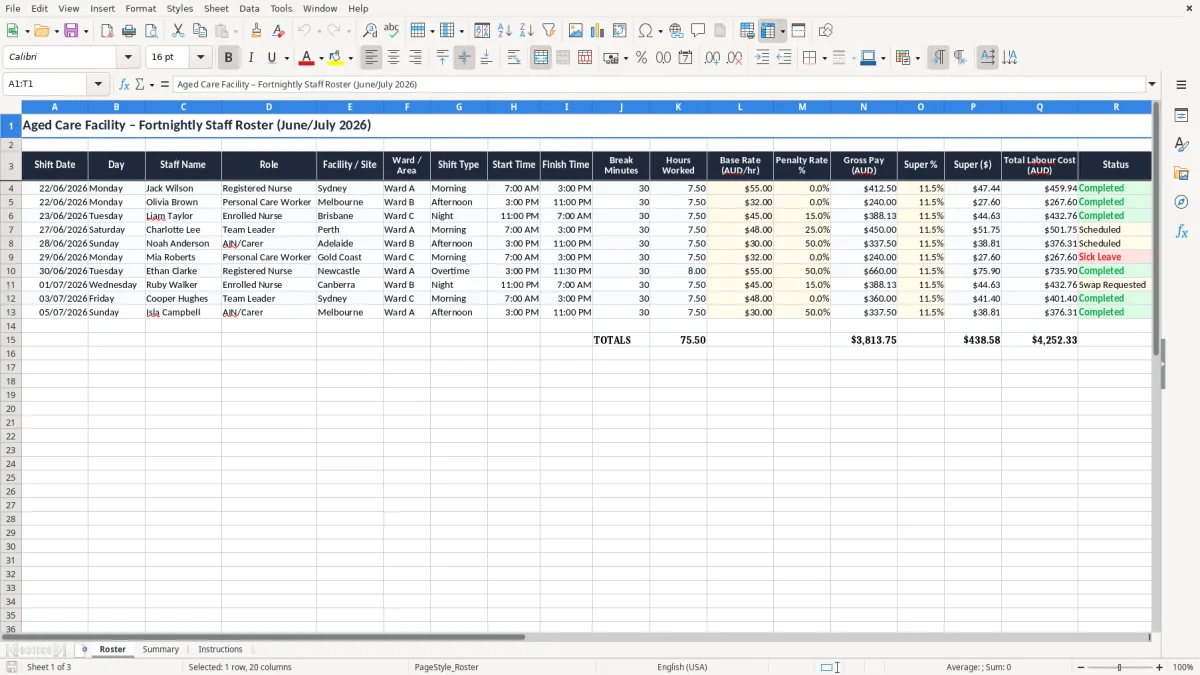
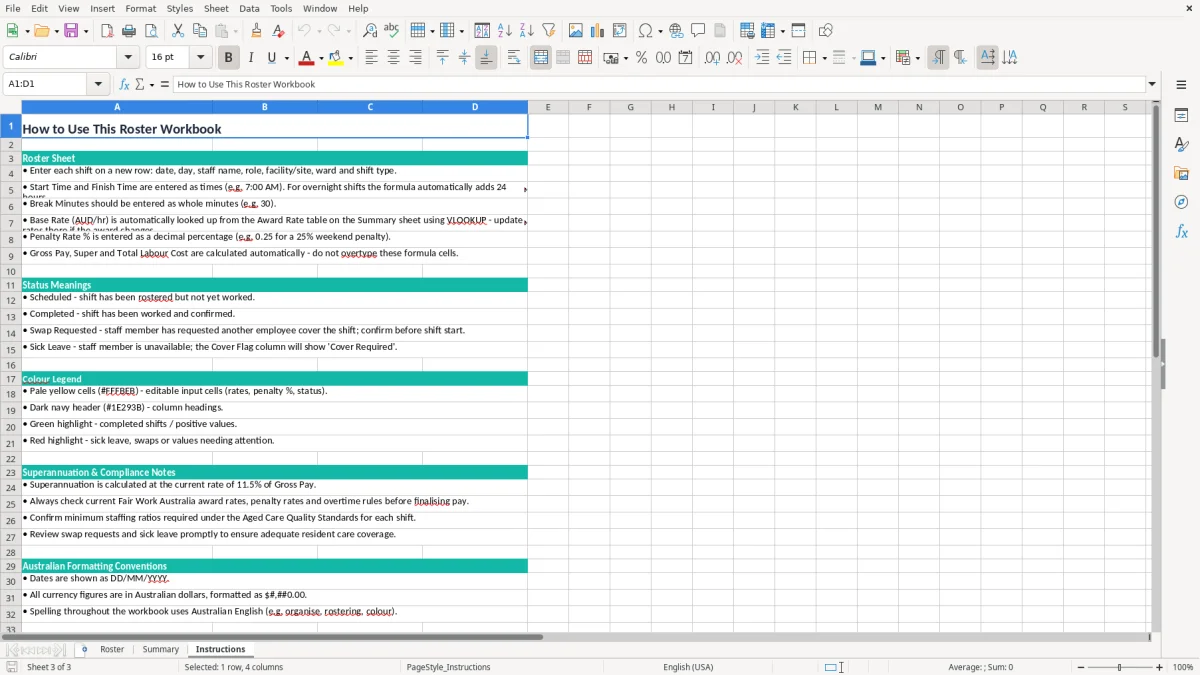
This Excel roster template helps aged care facilities track shifts, hours, break times, labour cost and cover in one place. It includes a Roster sheet, a Summary sheet and an Instructions sheet.
You can plan a fortnight of staffing, check the numbers before payroll, and spot gaps quickly when someone is off sick or a shift changes. It is set up for Australian aged care teams that need a clear, simple roster without wrestling with software.
The layout suits the real work: morning, afternoon and night shifts, different roles, site and ward detail, and fields for super and total labour cost. You can use it to keep the roster tidy and make the cost of each shift visible straight away.
This roster suits the people who actually have to keep an aged care service covered: the facility manager, the roster coordinator, the office manager and the bookkeeper doing payroll prep. It is most useful at the start of a fortnight, when you are filling 14 days of morning, afternoon and night shifts and trying to avoid last-minute call-ins.
An example makes it real. If you have 18 care staff, 2 enrolled nurses and 1 registered nurse across one site, even one uncovered night shift at 8 hours can leave a hole in the week and force overtime or agency cover. A simple spreadsheet is often faster than jumping straight into rostering software when you only need one clear list and a cost check.
The pressure points are usually the pay run, a public holiday weekend, or a week with leave and sick days stacked together. A 30-minute break entered wrong on 10 shifts can distort paid hours by 5 hours across the fortnight, which is enough to throw your labour cost off before you even get to payroll.
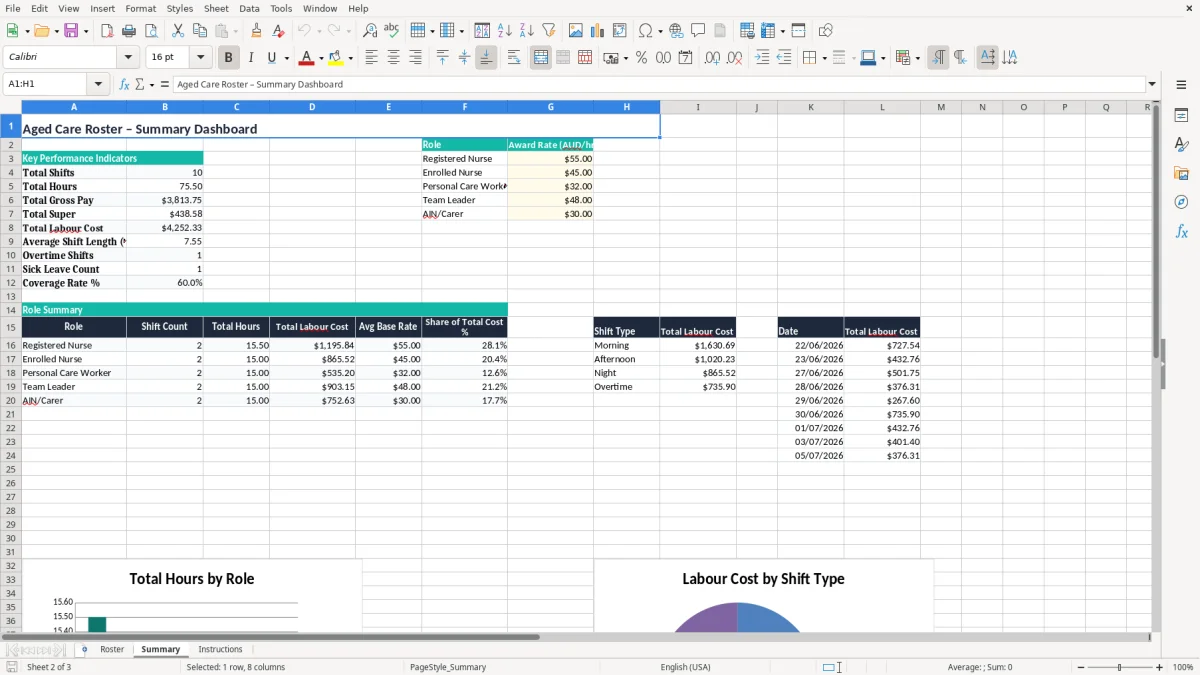
The Roster sheet keeps the work in one place, while the Summary sheet gives you a quick read on hours and labour cost. That is handy for small and mid-sized homes that want a clean paper trail without making the team learn a full HR system.
If you roster aged care staff in Australia, the pay side needs to line up with Fair Work, the relevant award and the National Employment Standards. That includes ordinary hours, penalty rates, breaks and leave, and the roster should make it easy to see where a shift crosses into evening, overnight or weekend loading.
The superannuation guarantee is 11.5% in 2026 and is paid on ordinary time earnings to a complying fund. If a personal care worker earns $32.00 an hour for 76 hours in a fortnight, their base pay is $2,432.00 and super at 11.5% is $279.68 before you add any penalty rates or overtime.
Good roster records help with PAYG withholding, STP reporting and payroll reconciliation. They also make it easier to prove who worked which shift if a timesheet query turns up after the pay run or if you need to check an underpayment.
The ATO expects records to be kept for 5 years, so a clean roster history is worth hanging onto. If you are running the service through a Pty Ltd company, you still need the same practical discipline: clear shift records, clear pay data and a file you can follow without guesswork.
The biggest problems are usually simple, but they are expensive. A wrong finish time on a night shift, a missed unpaid break, or a penalty rate left at straight time can knock payroll out by $40 to $120 on a single shift, and that adds up fast across 20 or 30 staff.
If a carer works 8.0 hours but the break is entered as 60 minutes instead of 30, you underpay 0.5 hours. At $31.50 an hour, that is $15.75 on one shift, and on 12 shifts a fortnight the error becomes $189.00 before you even count the super hit.
An open afternoon shift can force agency cover or overtime. If agency cover costs $52.00 an hour for 8 hours, that is $416.00 for one shift, which is a lot more than the roster cost you thought you had when the gap first appeared.
When a shift swap is not documented, you end up wasting time chasing texts, emails and verbal handovers. That is how a 2-minute roster update becomes a 2-hour cleanup at payroll time, especially if you are trying to reconcile the profit and loss or explain labour variances at month end.
That kind of cleanup is even more important when you are tracking swing changes across multiple sites, where a FIFO roster tracker keeps each rotation, swap and handover in one place.
The trick is to bolt the spreadsheet onto a routine you already do. Most teams use it before the pay run, before the weekly handover meeting, or on the Sunday night check-in for the next 7 days.
If the roster starts running into dozens of staff, multiple sites and award rules that need automated calculations, you have probably outgrown a spreadsheet. That is usually the point to move to proper software such as Xero or MYOB, especially if payroll, leave and approvals are all being managed in the same place.
Once payroll, leave and approvals are all being managed in the same place, a swing roster layout becomes the practical bridge before full software takes over.