Caravan Park Booking Excel Free Template (2026)
8
Free download
Quote calculator, job costing data, dashboard and instructions for tradies pricing labour, materials and GST.
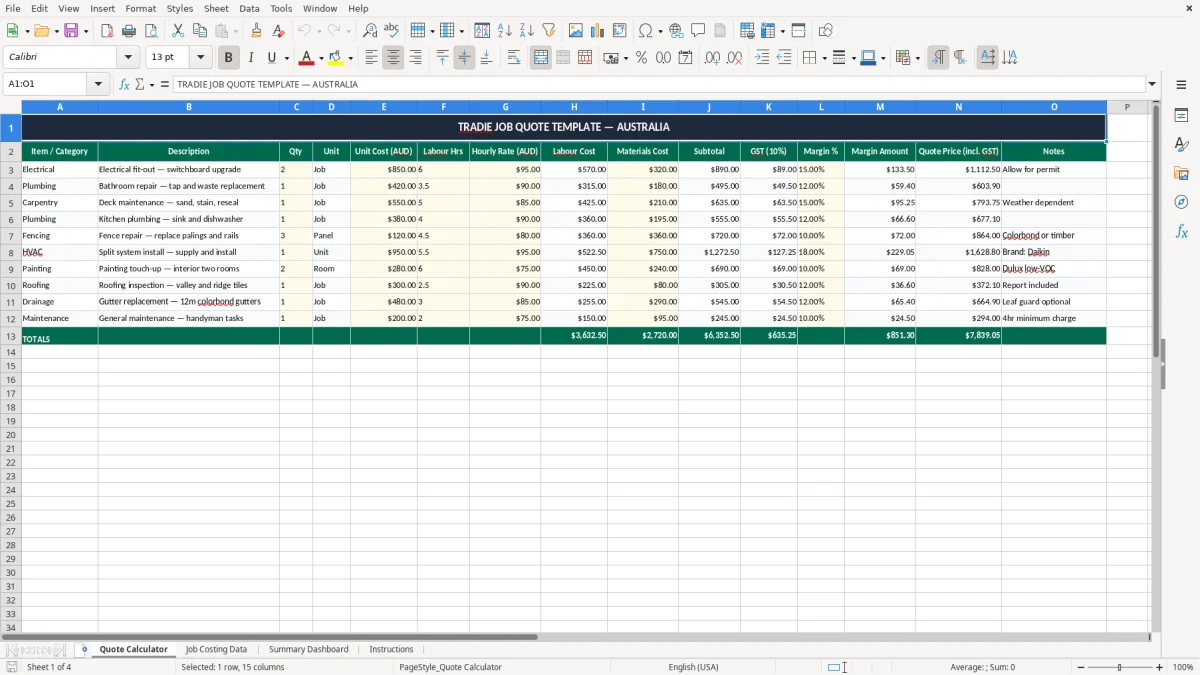
This tradie job quote Excel template helps you price a job, add labour and materials, and work out the final quote with GST included. It includes a quote calculator, job costing data, a summary dashboard and instructions.
Use it when you need to turn site costs into a proper customer quote fast, whether you're a sole trader, a small crew, or an office manager keeping pricing consistent. The sheet layout is built for Australian jobs and uses AUD values, GST at 10%, and clear margin tracking.
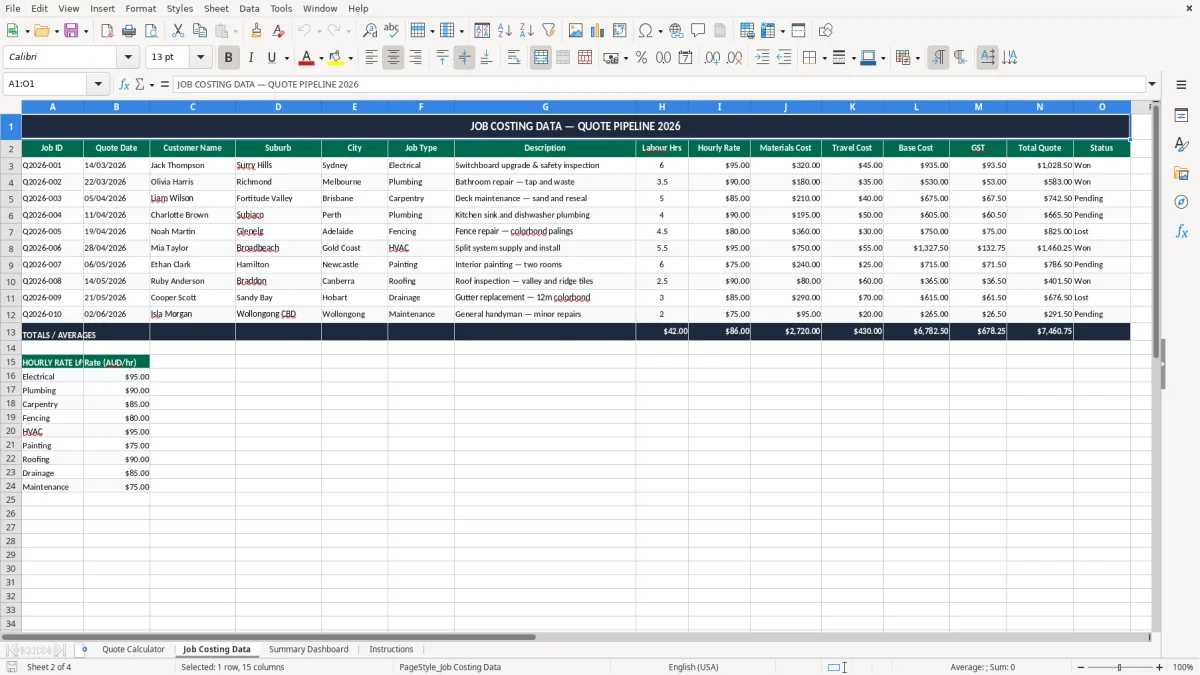
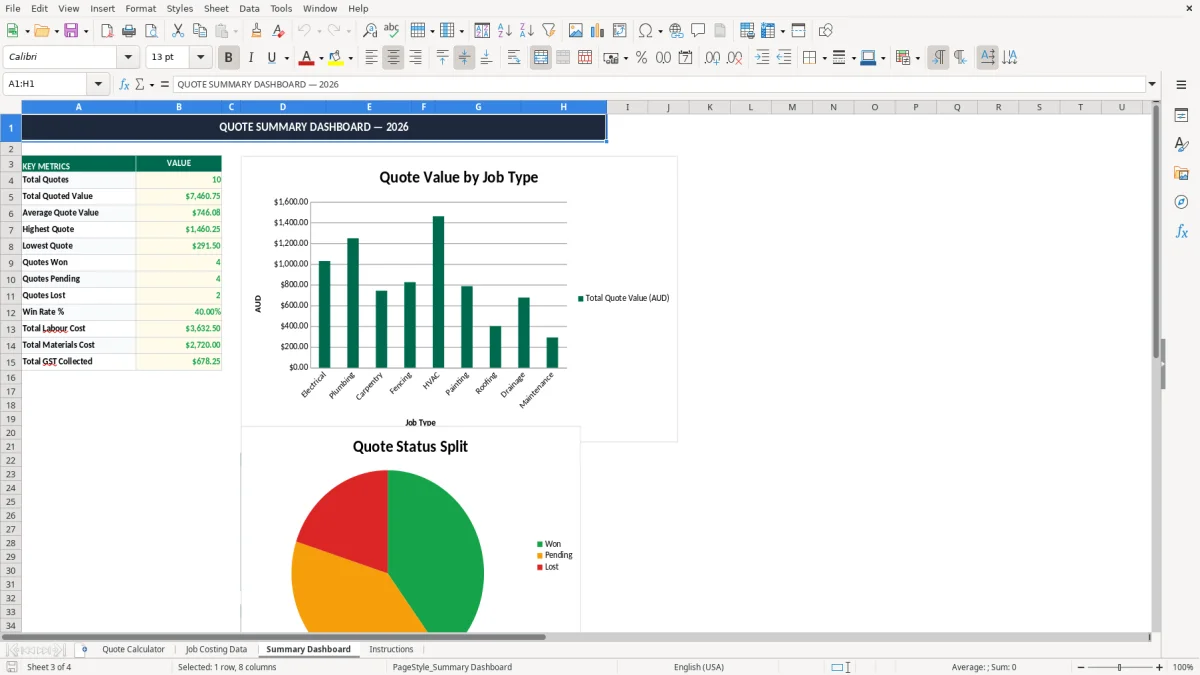
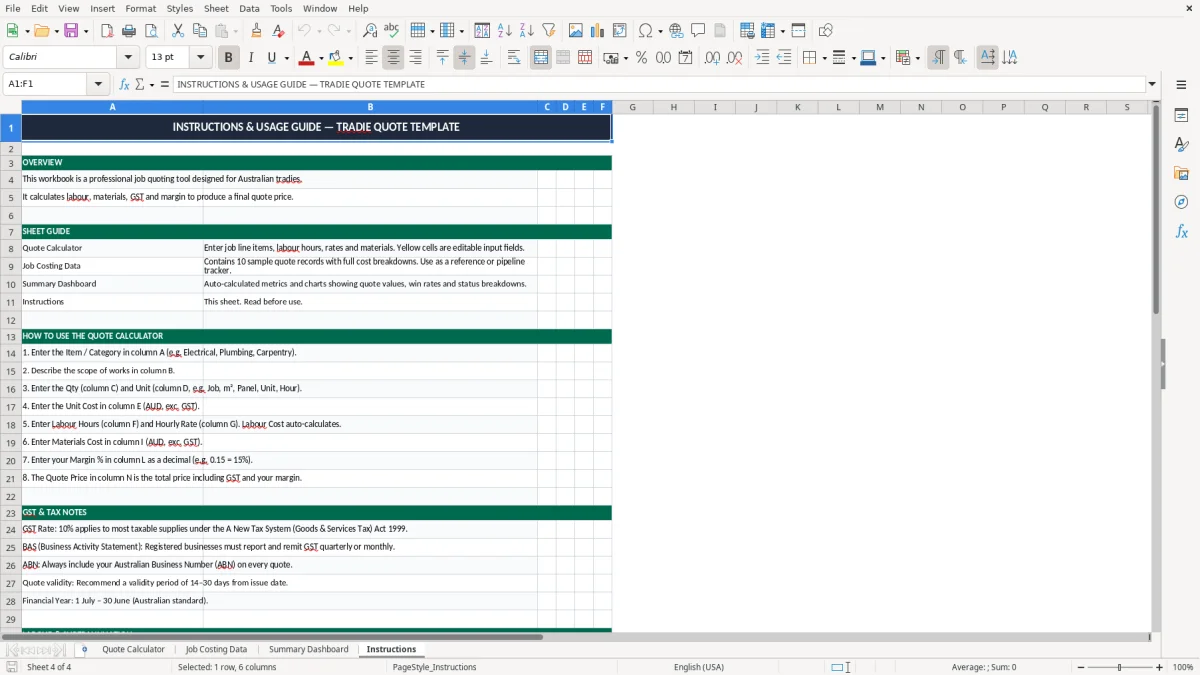
It suits quoting for electrical, plumbing, carpentry, landscaping and general trade work. You can see the visible sheet structure in the screenshots: image 1 is the quote calculator, image 2 is the job costing data, image 3 is the dashboard, and image 4 is the instructions tab.
When you're quoting a job, you need a fast way to turn site costs into a number the customer can sign off. A sole trader electrician might use this before a $4,500 switchboard upgrade, while a plumbing business could use it for a bathroom repair with 6 labour hours and $320 of materials.
The Quote Calculator sheet in image 1 is built for that day-to-day quoting work. You enter the item, description, quantity, unit cost, labour hours and hourly rate, then the sheet shows labour cost, materials cost, subtotal, GST and the final quote price incl. GST.
This suits the owner-operator quoting after hours, the office manager in a small tradie business, or the bookkeeper checking that margin is not leaking out of each job. It is especially useful at the start of a busy season, when you have 8 quotes on the go and need to keep pricing consistent.
If a chippie has 4 employees and quotes a small fit-out with 18 labour hours at $95 an hour, labour alone is $1,710. Add $850 of materials and the sheet gives you a subtotal, then adds 10% GST so you can send one clean customer price instead of guessing at the end.
Because the workbook separates quoting, data and reporting, you are not stuck overwriting old jobs. That makes it easier to review what you charged on a $12,000 deck job later and compare it with what it actually cost to do.
For Australian trade quotes, the main tax point is GST at 10%. If your business is registered for GST, you add it to taxable supplies and report it through your BAS; registration becomes compulsory once turnover hits $75,000 a year, or $150,000 for not-for-profits.
The template keeps the GST line visible so you can quote correctly instead of baking tax into the price and losing track of it. For example, a $2,200 job price including GST contains $200 of GST, so your ex-GST selling price is $2,000.
Once you issue the invoice, the ATO expects proper records: the supplier identity, ABN, invoice date, description of the supply and GST shown separately when the total is over $82.50. Keep quoting and costing records for 5 years, because that is the ATO record-keeping period and it saves arguments later.
A practical pricing stance is to quote with a real margin, not just direct cost plus a guess. If materials are $1,200, labour is $1,710 and overhead allocation is another $300, a 15% margin is the difference between a job that funds the ute and one that quietly bleeds cash flow.
If the quote includes staff labour, your real hourly rate should reflect wages, leave, superannuation and payroll on-costs. For an employee on $35 an hour, the true cost is well above base pay once you include superannuation, PAYG withholding administration and the time lost to rework or travel.
The same payroll trail needs to line up with the bill, so an ABN invoice template keeps labour, GST and on-costs recorded in a way that matches the quote.
The biggest mistake is underquoting labour because the job took longer than planned. If you allow 6 hours at $95 an hour and the work actually takes 10 hours, you are down $380 before you have even counted fuel, admin time or the second trip back to site.
It also happens when small items are left out: screws, sealant, disposal fees, parking, or a $65 call-out charge. On a job with $850 of materials, forgetting even 10% of those extras can wipe out a decent chunk of margin.
Another common problem is mixing up GST-inclusive and GST-exclusive numbers. A quote that should be $4,400 incl. GST but is sent at $4,000 means you have lost $400 in revenue, and if you are registered you still need to account for the GST on the taxable portion through your BAS.
Without a standard template, two people in the same business can quote the same bathroom repair at wildly different rates. One might allow 3 hours and the other 5, which is the difference between a tidy gross margin and a job that looks busy but does not pay the wages.
The Summary Dashboard in image 3 is useful because it shows the pattern, not just the single quote. If your quoted margin keeps dropping below 15% on repeat jobs, that is a sign to review labour rates, supplier pricing or how much travel time you are absorbing for free.
When travel time starts disappearing into those quotes, the next step is to separate it with an ATO logbook method record so the margin review shows the job’s real cost.
The template works best when you use it the same way every week. Most small tradie businesses do well by setting one quote-prep block before the Monday site run or after the Friday pay run, so pricing is done while the details are still fresh.
If more than one person enters quotes, use the Instructions sheet and keep the format the same every time. A clean habit like entering the quote on the day of the site visit stops scope creep and makes reconciliation easier when the job is finished.
Once you are pushing dozens of quotes a week, or you need live stock, purchase orders and job tracking in one place, it may be time to move to Xero or MYOB with add-ons. For a smaller operator doing 5 to 15 quotes a week, this Excel template is usually the quicker and cheaper way to stay on top of pricing.