Caravan Park Booking Excel Free Template (2026)
8
Free download
Tracks NDIS service agreements, hours, billing, expiry dates and a service log for providers, coordinators and admin teams.
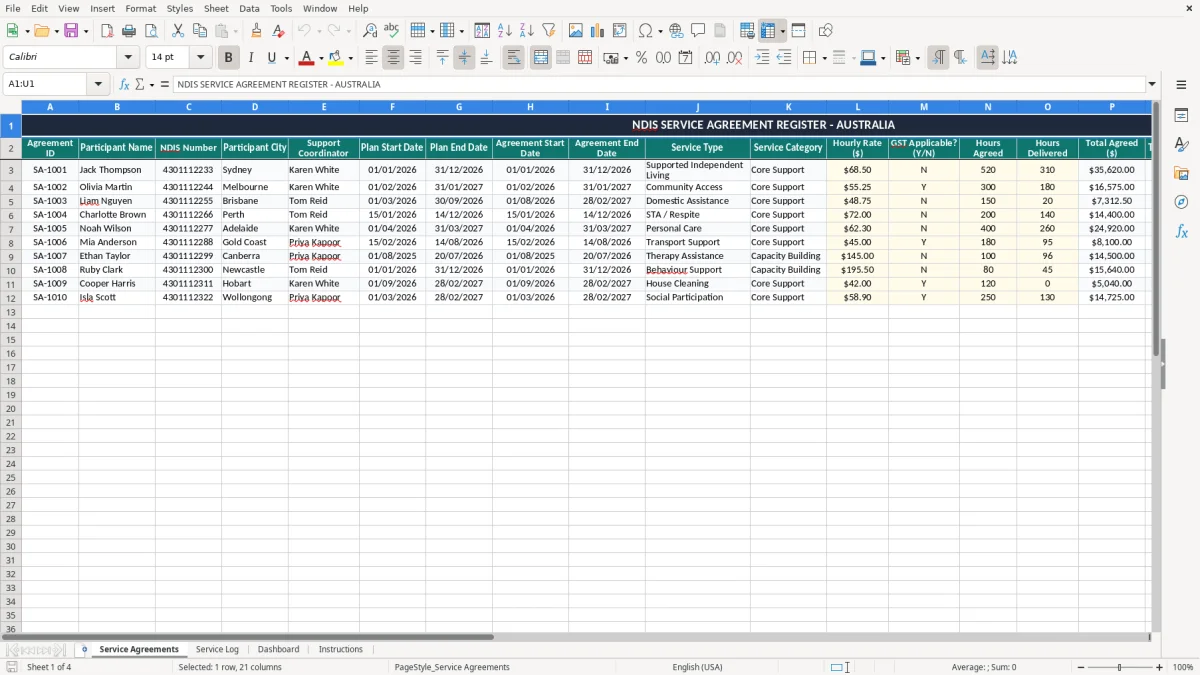
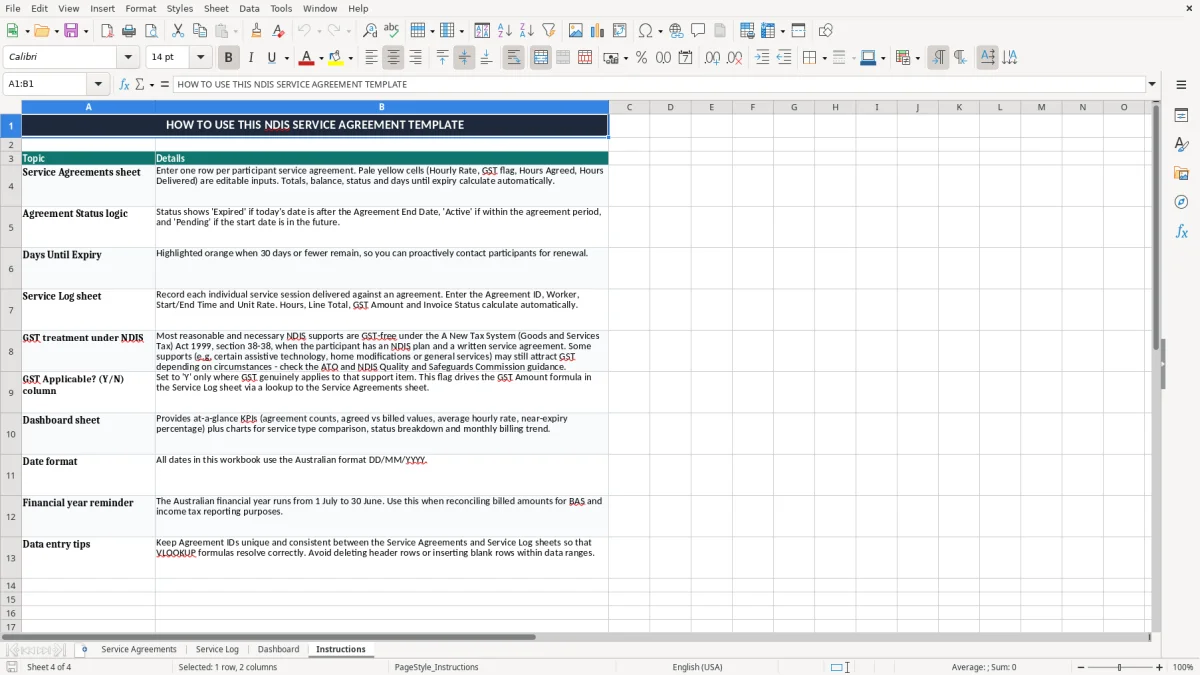
This NDIS service agreement Excel template helps you track participant agreements, agreed hours, billing, expiry dates and service delivery in one place. It includes a Service Agreements register, Service Log, Dashboard and Instructions sheet.
Use it when you need a clean paper trail for each participant, each support type and each invoice cycle. The workbook is set up for quick admin, with date fields, billing totals and status tracking you can update as services are delivered.
It is built for Australian providers, support coordinators and office staff who need a practical way to stay on top of agreement dates, hours used and what is still left to bill.
This template is built for people who manage participant agreements every week, not just once a year. A sole trader support worker might use it to track 12 participants, while a small registered provider could use it across 40 active agreements and a few casual staff.
If you are a coordinator, office manager or bookkeeper, the pressure point is usually billing week or the end of a plan period. For example, if a participant has 8 hours a week at $65 an hour, a 10-week block is $5,200, so one missed update can throw out the invoice and the remaining balance.
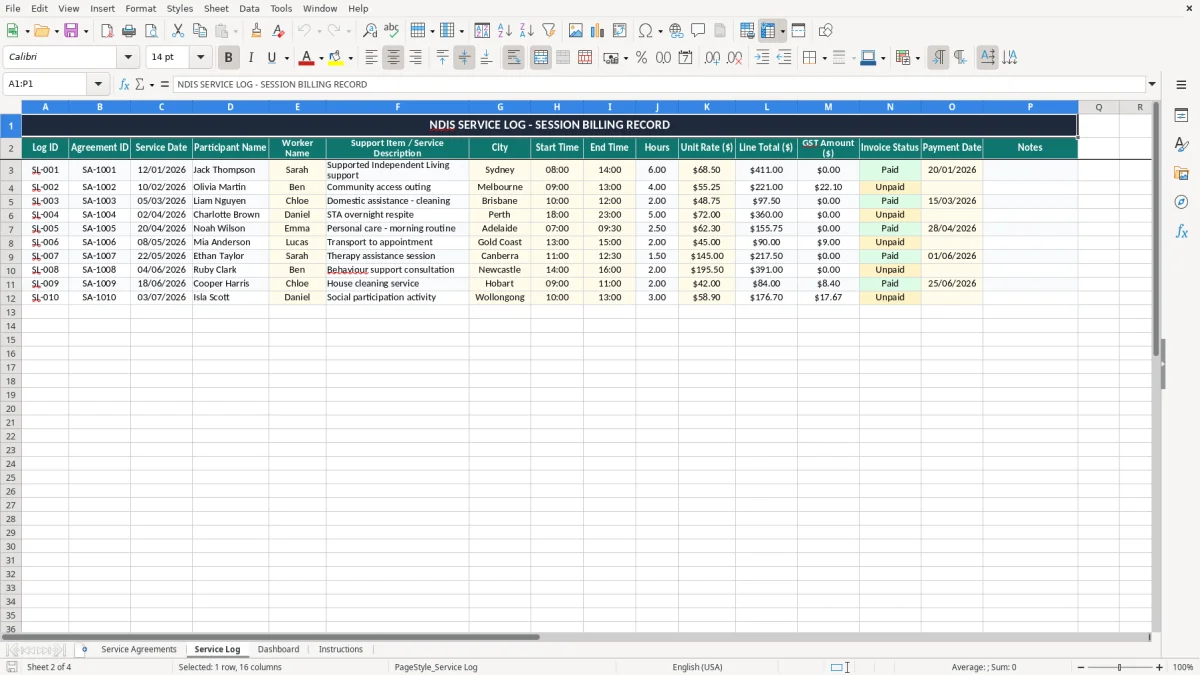
The Service Agreements sheet is the main register, the Service Log records delivery, and the Dashboard gives you a quick snapshot. That is useful when you are chasing expiry dates, checking hours used or preparing a batch of invoices.
Say you run a small NDIS support business with 4 workers and 28 participants. If each participant has 2 to 4 visits a week, you can be dealing with more than 100 service entries a week, so a structured workbook is a lot easier than scattered notes or phone reminders.
At that volume, the next step is usually a job quote template to keep each visit and invoice line tied back to the agreed work.
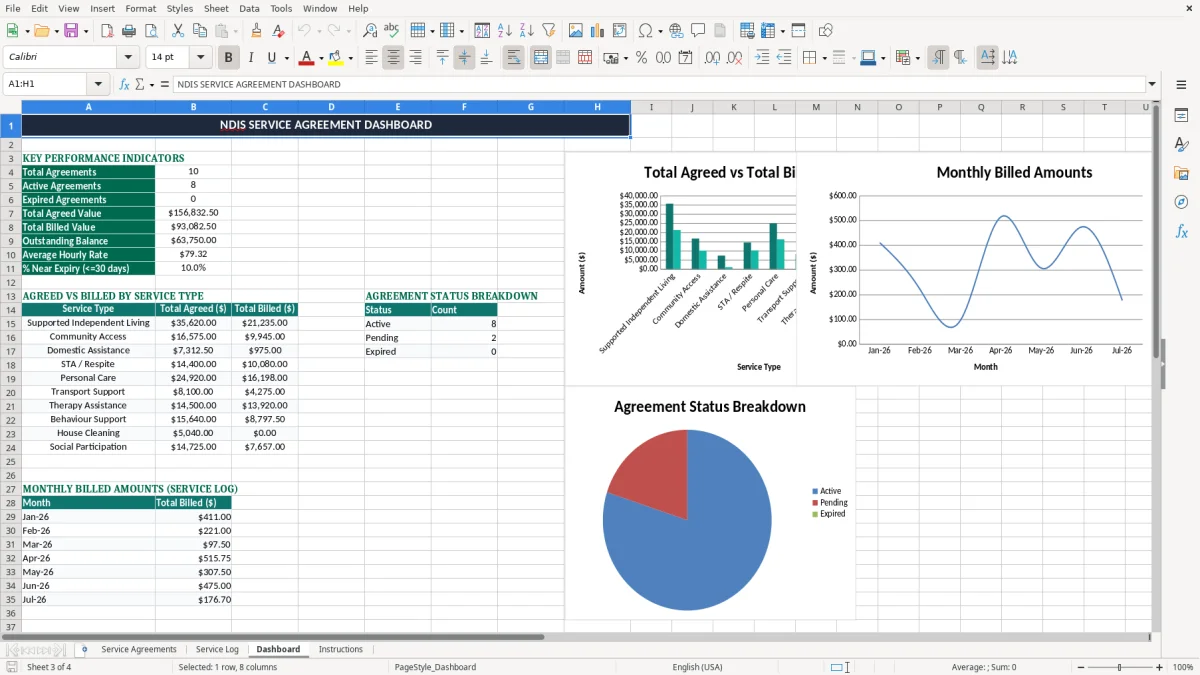
For NDIS admin, the agreement should align with the participant’s plan dates, the services actually delivered and the amounts billed. That means your register needs clear start and end dates, a service type, hourly rate and a running balance, so you can see what has been agreed and what is still open.
If the agreement is for $9,600 across 24 weeks, you know the weekly average is $400. When the delivered hours start drifting above the agreed amount, the spreadsheet gives you an early warning instead of leaving you with a nasty reconciliation later.
Good service agreement admin is basically reconciliation work. You are matching the participant plan, the service log and the invoice trail so the numbers tell the same story.
The template’s structure helps because it separates agreement details from delivery details. That makes it easier to spot a gap, like a participant who has 6 hours left on paper but has already booked 8 hours for next week.
In a busy provider office, you often need the answer in under a minute. With the register laid out in columns, you can sort by expiry, filter by support coordinator or check which agreements are close to their end date without opening another system.
The usual problem is not the agreement itself, it is the mismatch between the agreement, the delivery record and the invoice. If you bill 10 extra hours at $68 an hour, that is $680 you may have to explain, reverse or reissue.
Another common slip is letting an agreement expire without noticing. If a participant’s plan ended on 30/06/2026 and the next 3 sessions were still delivered, you can end up with unpaid time and a messy follow-up with the coordinator or family contact.
When the NDIS number, service type or agreement dates are missing, admin staff spend extra time chasing details. Even 10 minutes of checking on 20 files is more than 3 hours of labour, and that is before you get to the invoice correction.
A wrong hourly rate can throw out a whole month. At $62 an hour instead of $65, a participant receiving 15 hours a fortnight will be underbilled by $45 every fortnight, which adds up fast if nobody catches it.
If you ever need to show how a charge was built, you want the agreement, the service log and the billing summary to match. A clean spreadsheet makes that easier than chasing paper notes, text messages and half-finished browser tabs.
A clean spreadsheet makes it easier to keep the job quote records aligned with the agreement, service log and billing summary.
The easiest way to keep this workbook alive is to tie it to something you already do, like invoicing day or the end of the fortnightly roster. If you leave it floating around, it will be forgotten after two weeks and the numbers will drift.
If you are managing a few dozen participants and a small admin team, this workbook is usually enough. Once you are handling large rosters, multiple sites and high-volume invoice matching, proper software like Xero or a specialist care-management system starts to make more sense.
The spreadsheet still has a place even then, especially for quick checks and handovers. It is a handy bridge between messy notes and a full system, and it keeps your agreement data in one spot.