Nippers Attendance Excel Free Template – Australia (2026)
13
Free download
Plan Australian shifts and estimate penalty pay with an Excel roster template for hours, breaks, base rates, loadings and gross pay.
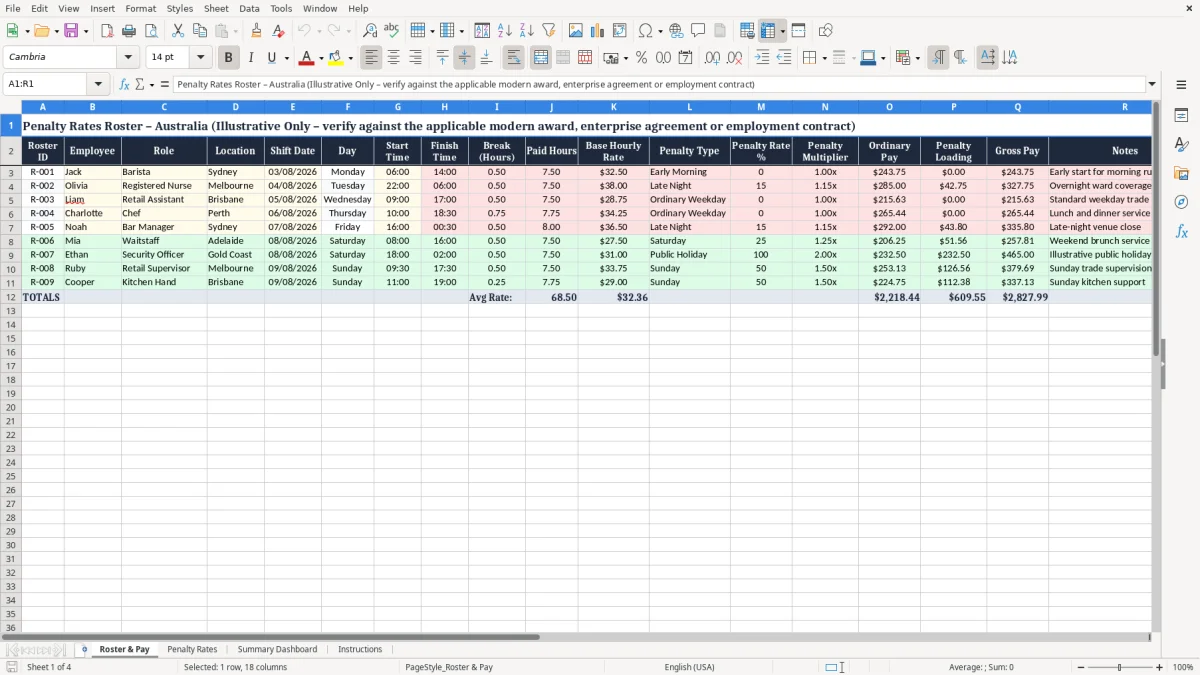
Plan shifts and estimate employee pay with this penalty rates roster Excel spreadsheet for Australian workplaces. The template brings roster details, shift timing, breaks, base hourly rates, penalty categories and estimated gross pay into one practical worksheet.
It can help small businesses, managers, supervisors and payroll administrators review the likely cost of different shifts before finalising a roster. Replace the illustrative sample records with your own employees, locations, dates and rates, then verify every result against the applicable modern award, enterprise agreement or employment contract.
Start by replacing the sample roster records with your own employee, role, location and shift information. Enter each shift date, start time, finish time and unpaid break duration, taking particular care with shifts that cross midnight. Add the applicable base hourly rate, select or describe the penalty type, and enter the percentage and multiplier confirmed from the relevant industrial instrument.
Review the paid hours, ordinary pay, penalty loading and estimated gross pay columns for each roster line. Use the Notes field to record award references, public holiday checks, manager approvals or unusual shift arrangements. Before using the workbook for payroll, compare the calculations with the current modern award, enterprise agreement or employment contract and have a qualified payroll or HR reviewer check the results.
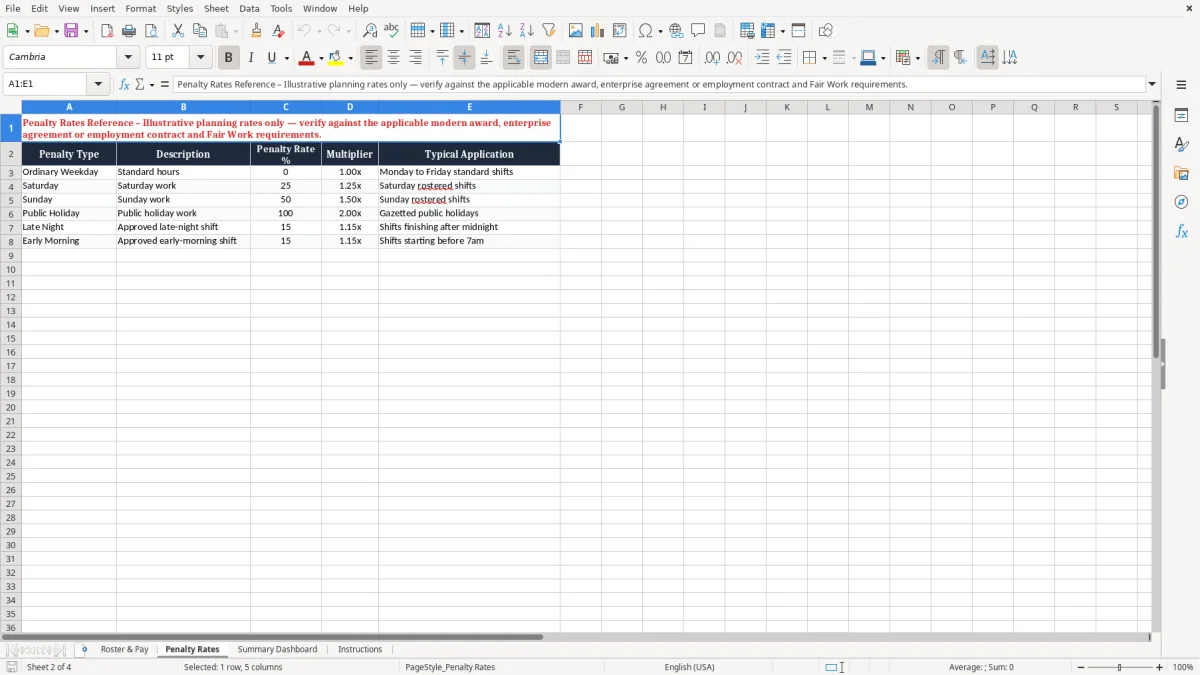
An Australian penalty rates roster spreadsheet is a planning tool that links scheduled work with an estimated pay outcome. Instead of keeping shift times in one file and rate calculations in another, a roster worksheet can show the employee, role, location, date, start time, finish time, break and base hourly rate together.
It can then be used to record the penalty category and estimate ordinary pay, the additional loading and gross pay for each roster line.
This type of spreadsheet is useful when managers need to understand the cost of a proposed roster before it is published. A Saturday shift, late night, early start or public holiday may have a different cost from an ordinary weekday shift. Recording those categories consistently makes it easier to compare staffing options and identify entries that require review.
The template is designed for Australian workplace planning, but it does not decide which rate applies. Penalty rules can depend on the modern award, enterprise agreement, employment contract, employee classification, day, time, public holiday status and interaction with overtime or allowances. An overnight shift may also need special attention because it crosses calendar days or penalty periods.
Use the spreadsheet as an estimate and record the source and effective date of every rate entered. Include the award or agreement name, classification, applicable date and approval status.
Before relying on the results for wages, confirm the settings with the applicable industrial instrument and a qualified payroll or HR adviser. This approach helps keep roster planning practical while recognising that a workbook cannot replace current workplace law, award interpretation or a compliant payroll system.
A roster pay estimate normally begins with the length of the shift. Calculate the elapsed time between the start and finish, subtract unpaid break hours and record the result as paid hours.
Overnight shifts should be checked carefully so the finish time is understood as occurring on the following day where appropriate. Any minimum engagement, rounding or special treatment required by the applicable award should be reviewed separately rather than assumed.
Next, enter the employee’s base hourly rate. Ordinary pay is generally estimated by multiplying paid hours by that base rate.
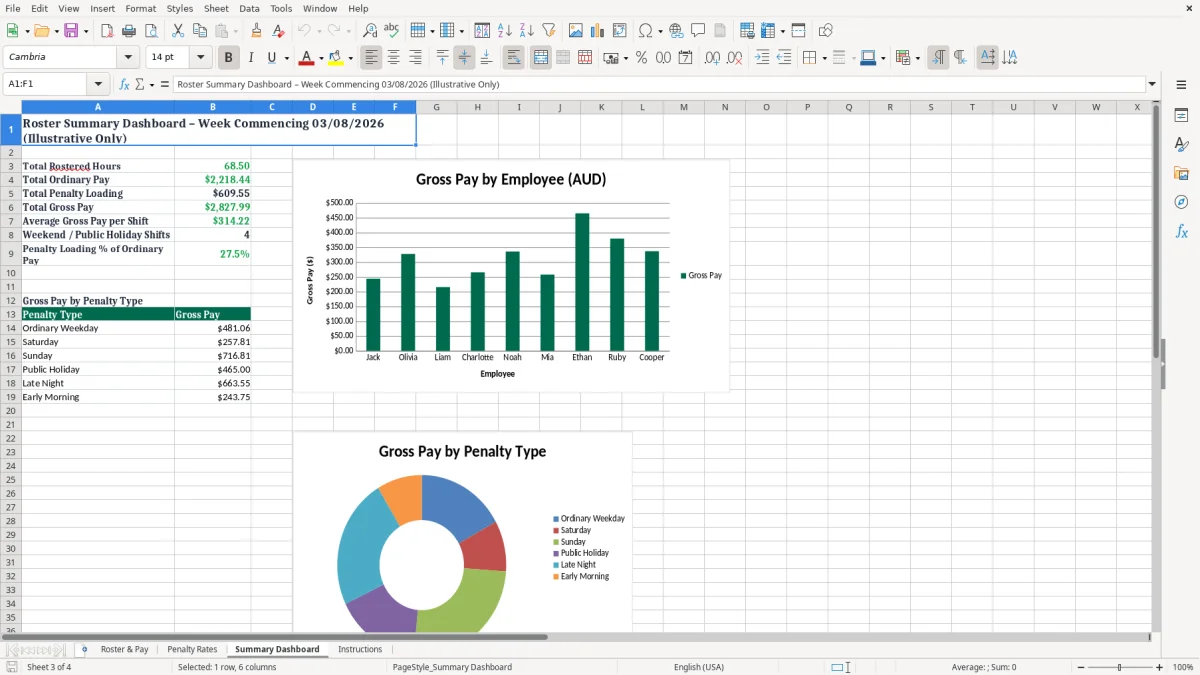
The relevant penalty percentage or multiplier can then be entered for the shift category, such as Saturday, Sunday, public holiday, early morning or late night. In a simple estimate, the penalty loading is calculated from ordinary pay and the entered percentage, while estimated gross pay combines ordinary pay and the loading.
These calculations are useful for planning, but they are not universal payroll rules. Some instruments express a penalty as a multiplier, some provide a loaded rate, and others contain conditions about when a penalty applies.
Overtime, allowances, broken shifts, split shifts, higher duties, minimum payments and overlapping entitlements may change the outcome. A percentage should not be guessed from a general internet example.
For a reliable process, keep a rate reference beside the workbook or in the Notes field. Include the award or agreement name, classification, applicable date and approval status.
Recheck rates whenever an industrial instrument changes. Use payroll software or professional advice for final payments, and reconcile the spreadsheet estimate with approved timesheets before processing wages.
Weekend and public holiday shifts are common reasons businesses need a clear penalty rates roster. Hospitality, retail, healthcare, security, events and transport operations may schedule work outside ordinary weekday hours, so a roster cost estimate can help managers understand staffing consequences.
The template provides a penalty type field where users can identify the category being reviewed and a rate field for the value confirmed under the relevant workplace arrangement.
For Saturday and Sunday work, check the employee’s classification and the exact hours covered by the applicable rule. A shift may begin on one day and finish on another, or only part of a shift may fall within a particular penalty period.
Public holidays require additional care because the relevant day, substitute day, ordinary hours, absence rules and agreement terms can affect the entitlement. Do not apply a generic weekend or public holiday percentage simply because it appears in another business’s spreadsheet.
Before publishing a roster, compare the planned shifts with the business calendar and identify public holidays for each location. Some states and territories observe different holidays, and local arrangements may affect trading or staffing.
Record assumptions in the Notes column and flag any line that needs payroll confirmation. If a shift includes overtime, an allowance or more than one possible loading, seek advice on whether entitlements can be combined or whether one rate replaces another.
The workbook is most effective when used as a review layer before payroll. Managers can compare alternative shift patterns, while payroll staff can check the underlying rate source and approved hours. Final employee payments should be based on verified records and the current applicable instrument, not solely on the illustrative formulas or sample data in this template.
For crews working rotating shifts, the next practical step is to align those verified hours with a swing roster layout so the pattern matches the payroll source.
A dependable penalty rates roster process starts with accurate source information. Keep a current list of employees, classifications, base rates, applicable awards or agreements and approved locations.
When a rate changes, update the workbook deliberately and note the effective date rather than overwriting a value without an audit trail. This makes later reviews easier and helps explain why an earlier roster estimate differs from a current one.
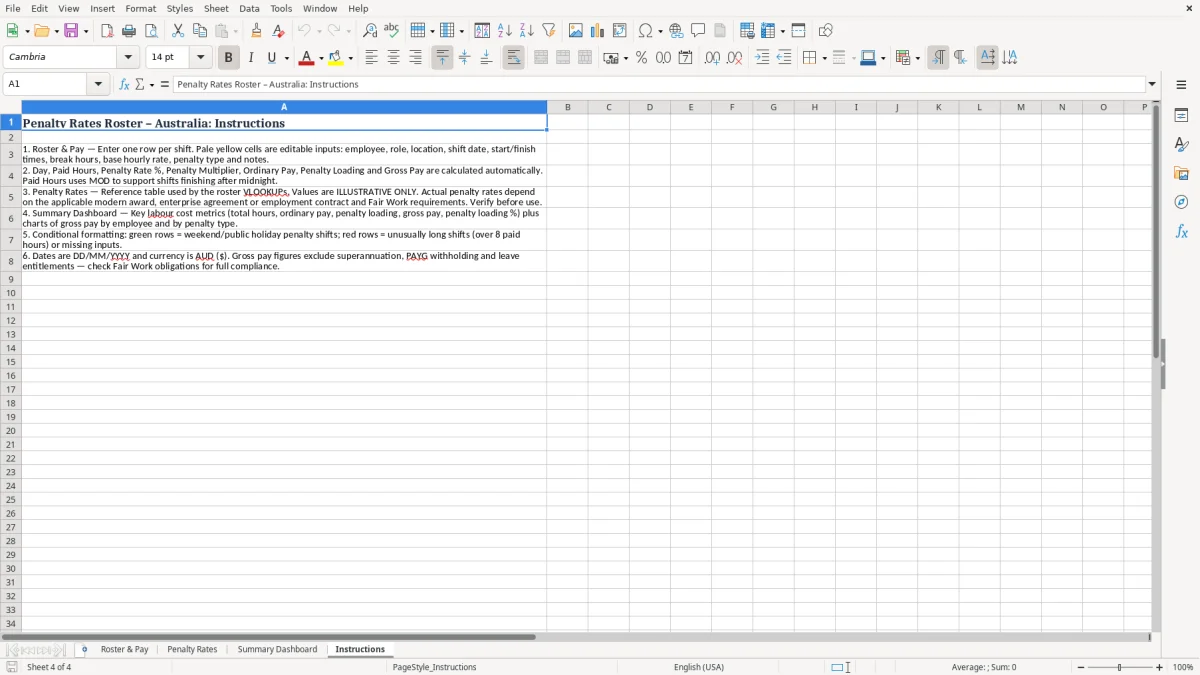
Enter one rostered shift per row and use consistent formats for dates, times, breaks and currency. Check that break hours are unpaid where the calculation assumes they are unpaid.
Review overnight shifts manually, especially where a shift crosses midnight, a daylight-saving transition or two different penalty periods. Avoid placing multiple assumptions in one rate cell; use the penalty type and Notes fields to describe the basis of the estimate.
Protect formula cells and highlight input cells so users can distinguish editable information from calculated results. Consider adding a review status or approval note for unusual shifts, public holidays and entries involving overtime or allowances. Reconcile scheduled hours with approved timesheets because the roster may not reflect actual attendance, changed finish times, leave, replacements or cancelled shifts.
Finally, treat the workbook as a planning aid rather than a substitute for payroll controls. Have payroll or HR review rates before payment, retain supporting documents and restrict access to employee information.
Check guidance from the Fair Work Ombudsman and the relevant award or agreement when uncertain. A clear review process reduces avoidable errors while preserving the flexibility that makes an Excel roster useful for day-to-day workforce planning.
That review is easier when payroll can compare the roster against the award rate pay calculator before payment is finalised.