Nippers Attendance Excel Free Template – Australia (2026)
13
Free download
Salary sacrifice calculator with super, tax, and take-home pay comparisons for Australian employees and payroll staff.
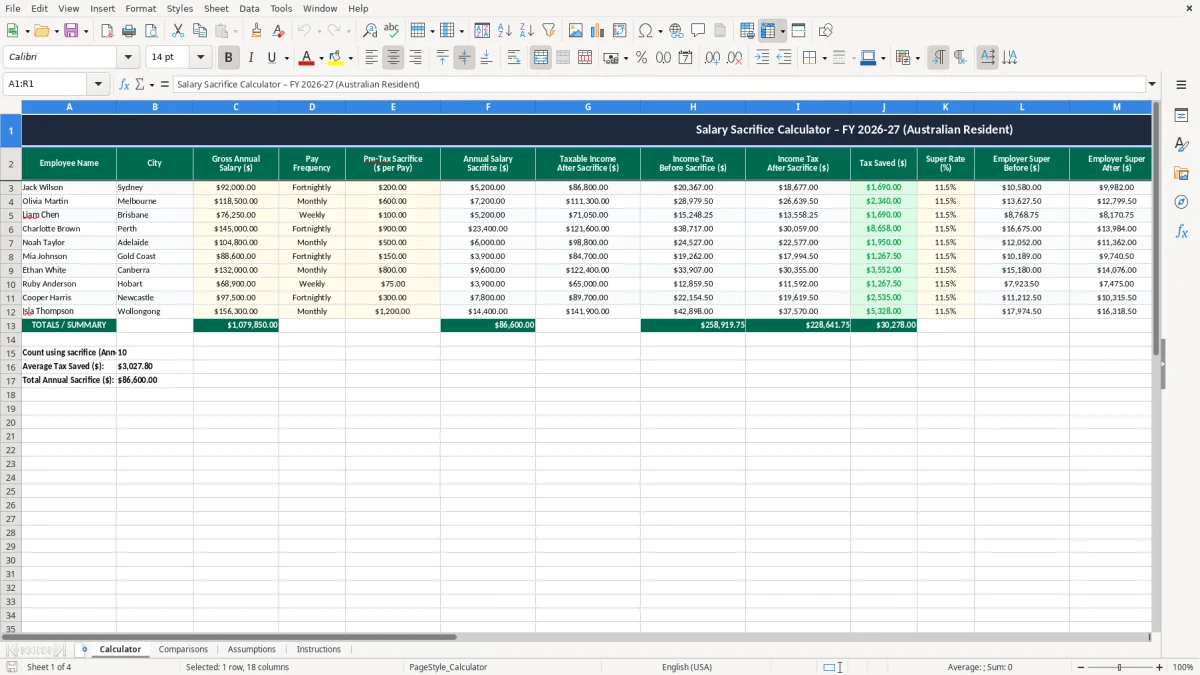
This salary sacrifice calculator is an Excel spreadsheet for comparing take-home pay before and after salary packaging in Australia. It includes a calculator, comparison tables, assumptions, and instructions so you can test the effect on tax, super, and net pay.
Use it when you want a quick view of whether swapping part of your wage into super makes sense. The workbook is set up for Australian resident tax rates and shows the numbers in a simple side-by-side format.
You can plug in a salary, a sacrifice amount, and the default 2026-27 tax settings to see the difference straight away. It is handy for employees, payroll staff, and bookkeepers who need a clear comparison without building the model from scratch.
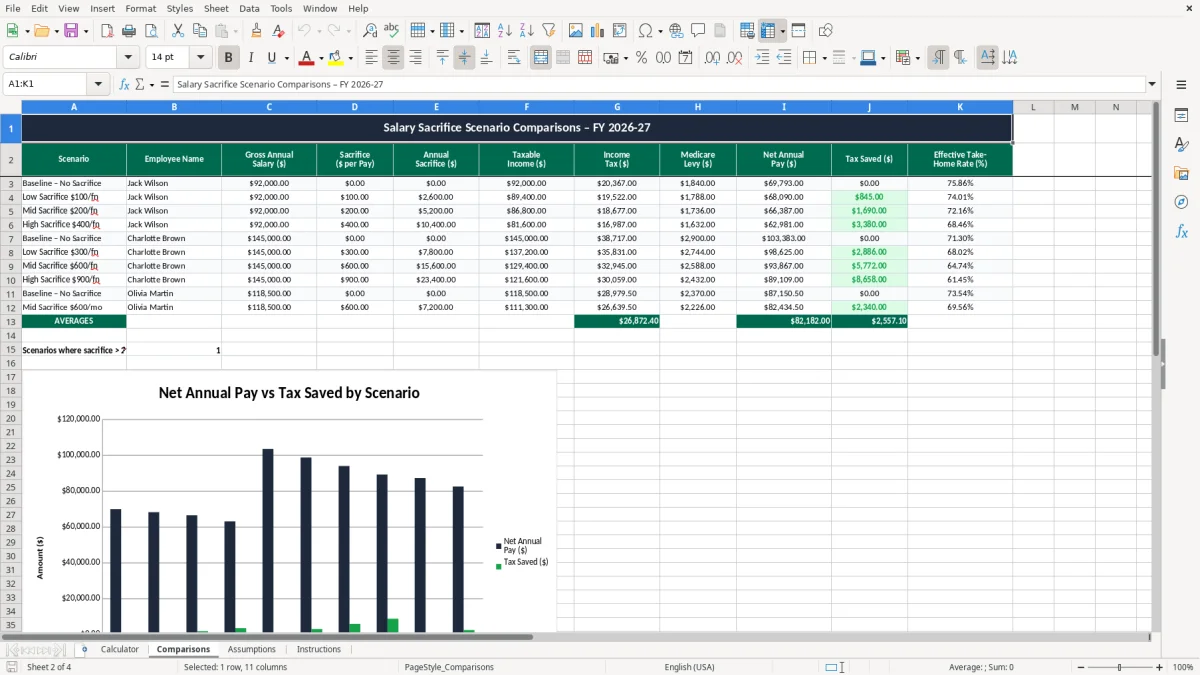
This workbook is mainly for employees, payroll staff, and bookkeepers who want to see the effect of salary sacrifice before a pay change goes live. If you are on $85,000 a year and divert $10,000 into super, the calculator shows the drop in take-home pay and the tax saved, which is much easier to weigh up than reading a policy sheet.
The Calculator sheet is the place for the main inputs, while the Comparisons sheet turns those inputs into a clean before-and-after view. That is useful at the start of a new payroll year, before a promotion, or when a staff member asks whether extra super is worth the cash trade-off.
Say a chippie earns $92,000 and sacrifices $8,000 into super. You can check the difference in tax and net pay in a minute, instead of guessing whether the arrangement actually helps the worker.
For a small Pty Ltd with 4 employees, that kind of quick check matters when you are reviewing contracts or pay reviews. It is also handy for a household on two incomes where one partner wants to compare extra super against current cash flow.
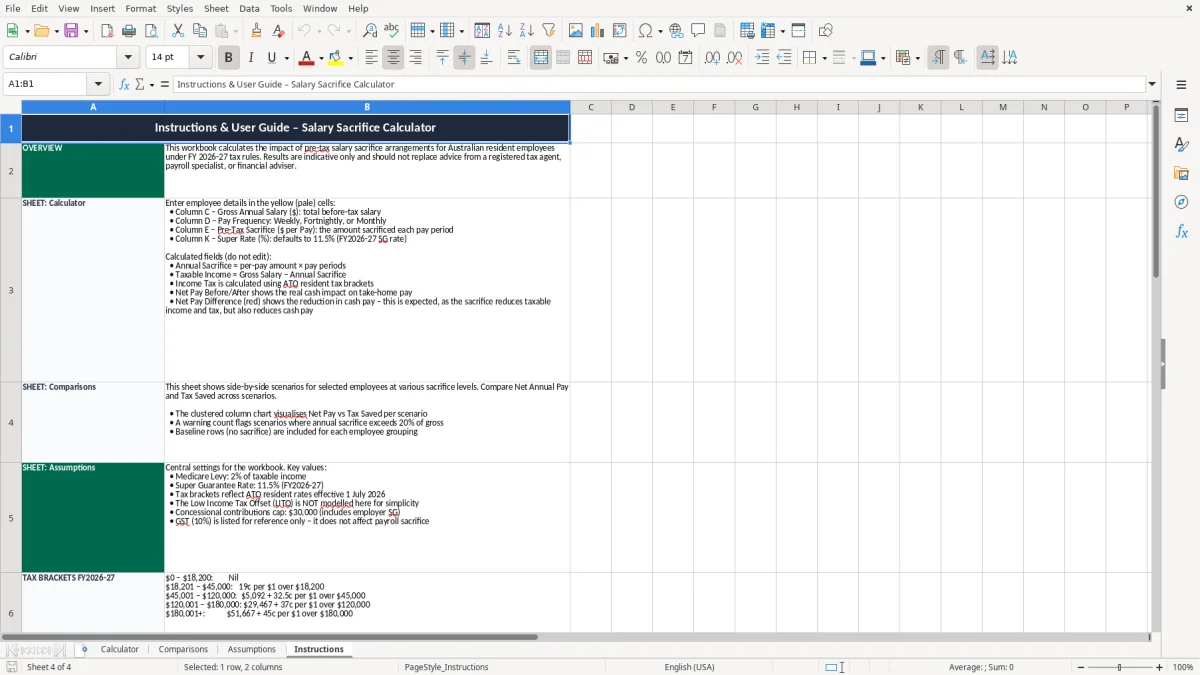
The Assumptions sheet holds the tax settings, and the Instructions sheet tells you where to enter the numbers. If you are used to doing this in your head, the spreadsheet gives you a proper reconciliation of gross pay, tax, and net pay instead.
That makes it easier to compare three scenarios at once, such as no sacrifice, $5,000 sacrifice, and $10,000 sacrifice. You can then choose the option that suits the employee's cash flow without losing sight of the super outcome.
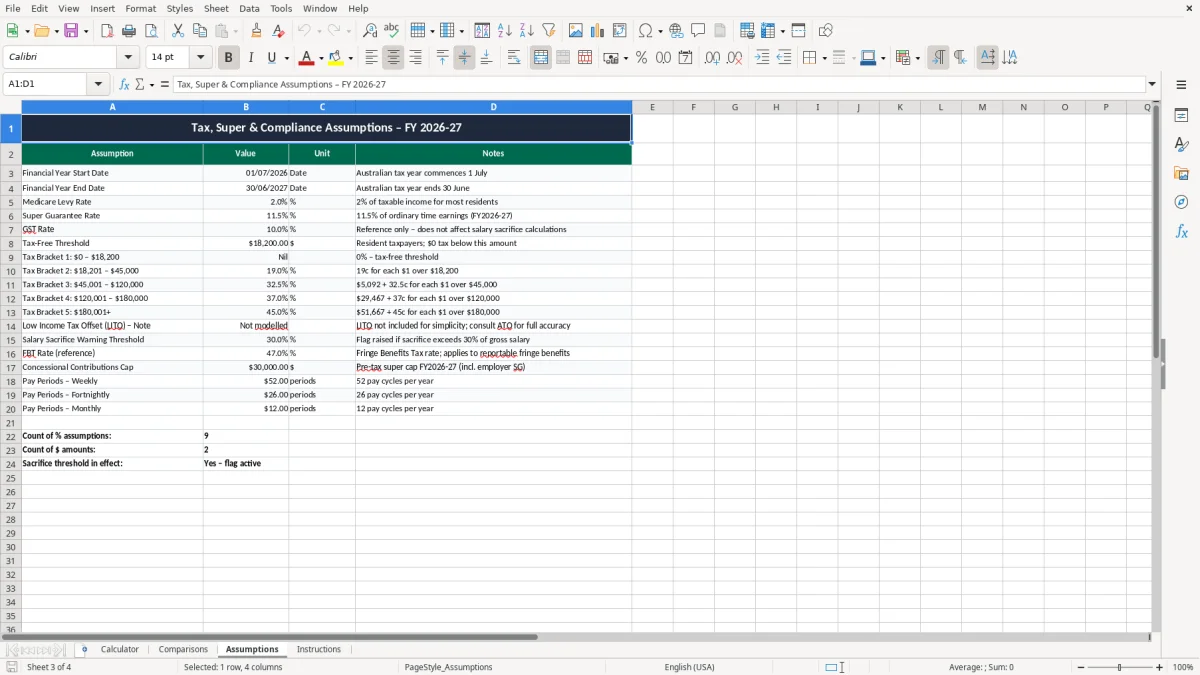
The built-in tax formula uses 2026-27 resident rates: nil up to $18,200, 19% from $18,201 to $45,000, 32.5% to $120,000, 37% to $180,000, and 45% above that. That is the right sort of structure for a salary sacrifice model because the tax saving comes from moving income down the bracket stack.
Superannuation also matters. The superannuation guarantee is 11.5% in 2026-27 and is normally paid on ordinary time earnings, while salary sacrifice is a separate pre-tax arrangement that should not be confused with the employer's compulsory contribution.
In practice, a salary sacrifice calculation can fall apart if you mix up pre-tax wages with employer super. For example, on a $100,000 salary, sacrificing $12,000 can reduce taxable income to $88,000, but it does not replace the employer's mandatory super obligation.
The calculator keeps those items separate so you can see the tax effect without blurring the payroll rules. That is important for anyone checking a pay run, because the PAYG withholding result is based on the taxable wage after the sacrifice, not on the gross headline salary.
If you are using the file to support payroll notes, keep the worksheet output with the employee's signed agreement and your pay records for 5 years. That lines up neatly with the ATO's record-keeping expectations and gives you something solid if a salary packaging query comes up later.
For an employee on $78,000 who wants to sacrifice $6,000, the comparison table gives you a tidy audit trail of what was assumed and what changed. That is far better than a loose email thread and a rough estimate scribbled in the margin.
The most common mistake is treating salary sacrifice like a deduction that only affects take-home pay, when it also changes taxable income. If you forget that link, you can understate tax by a few hundred dollars a pay cycle and give the employee a false result.
A second problem is ignoring ordinary time earnings and super timing. If an employee sacrifices $9,000 over the year but the employer also trims compulsory super by mistake, the worker can end up short by roughly $1,035 in super at the 11.5% rate.
I also see people plug in annual figures but then compare them to a fortnightly pay run without converting properly. On a $72,800 salary, that kind of mismatch can make the net pay look $1,400 better or worse than it really is, which is enough to derail a decision.
Another trap is forgetting the impact of the tax-free threshold and bracket edges. A sacrifice that looks neat at $2,000 may save less tax than expected if the employee is already sitting near $45,000 and the change only moves a small slice of income.
When the numbers are wrong, payroll staff spend time redoing pays and explaining the correction to the employee. For a business with 20 staff, even a 15-minute fix per person can chew through 5 hours of admin in one pay cycle.
If the mistake flows through to super reporting, you have another mess to clean up in STP and your super clearing house records. That is why a clear calculator is worth more than a rough rule of thumb when the salary sacrifice arrangement becomes part of regular payroll.
Where the arrangement also includes a vehicle, the next step is often to compare the salary sacrifice against a novated lease comparison before it lands in payroll.
The easiest way to keep using the file is to tie it to a regular payroll check, not a random one-off conversation. Most businesses can run it before the first pay of the month or just ahead of the BAS and super review, so the numbers stay current and the process does not get forgotten.
Once you have a standard scenario, copy last month's assumptions and change only the salary or sacrifice amount. That keeps the reconciliation simple and stops the workbook from turning into a messy pile of half-finished versions.
If you are doing this for dozens of staff, or you need linked leave, award rates, and PAYG withholding in the same system, spreadsheet territory starts to get clunky. That is the point where Xero, MYOB, or a payroll platform with live super and STP reporting is the better tool.
For a business with 3 or 4 salary sacrifice arrangements, though, this Excel file is usually enough. It keeps the decision clear, the numbers visible, and the admin light.
Payroll still needs the tax side kept aligned, so a PAYG withholding worksheet is the next natural check before moving the figures into software.