Rego Renewal Excel Template – Free (2026)
0
Free download
Compare novated lease costs, salary packaging, tax savings and running costs across vehicles for Australian employees and employers.
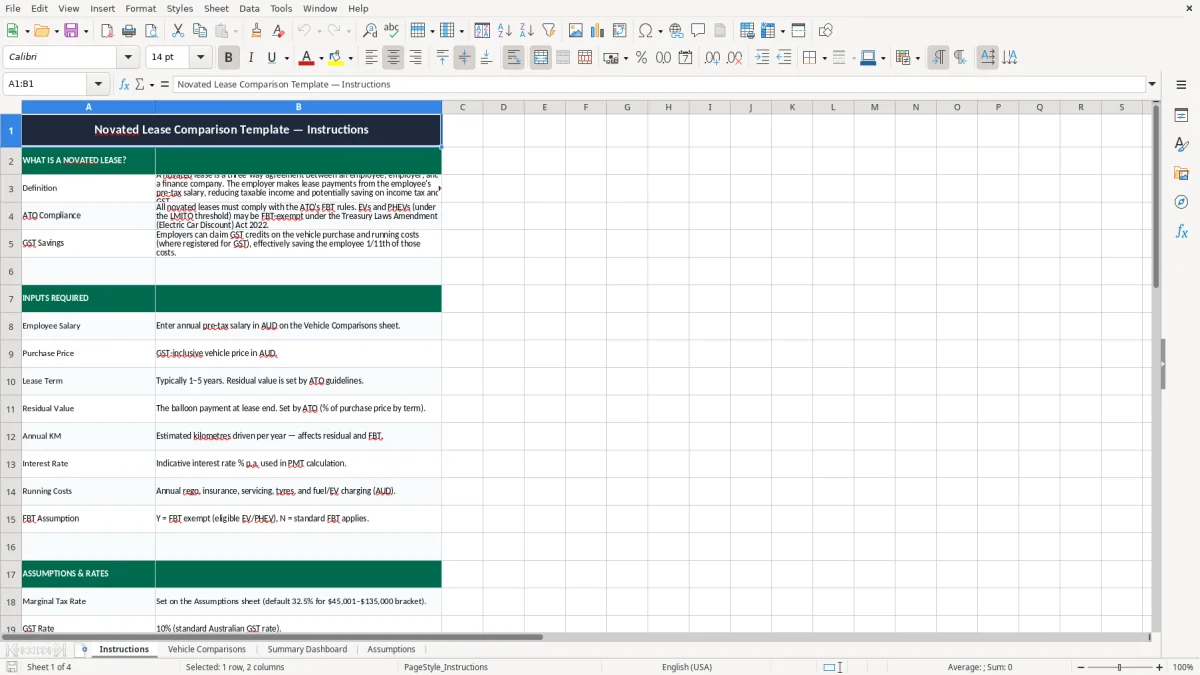
This novated lease comparison Excel template helps you compare vehicle costs, salary packaging and estimated tax savings for Australian employees. It includes an Instructions sheet, a Vehicle Comparisons input sheet, a Summary Dashboard and an Assumptions sheet.
Use it to test different cars side by side, see the impact on take-home pay, and check the likely lease cost before you sign anything. It is set up for quick comparisons, with clear inputs and summary charts.
The workbook is built for a practical decision: whether a novated lease is actually better than paying for the car another way. That matters when you're balancing cash flow, salary packaging and the tax treatment of a vehicle through payroll.
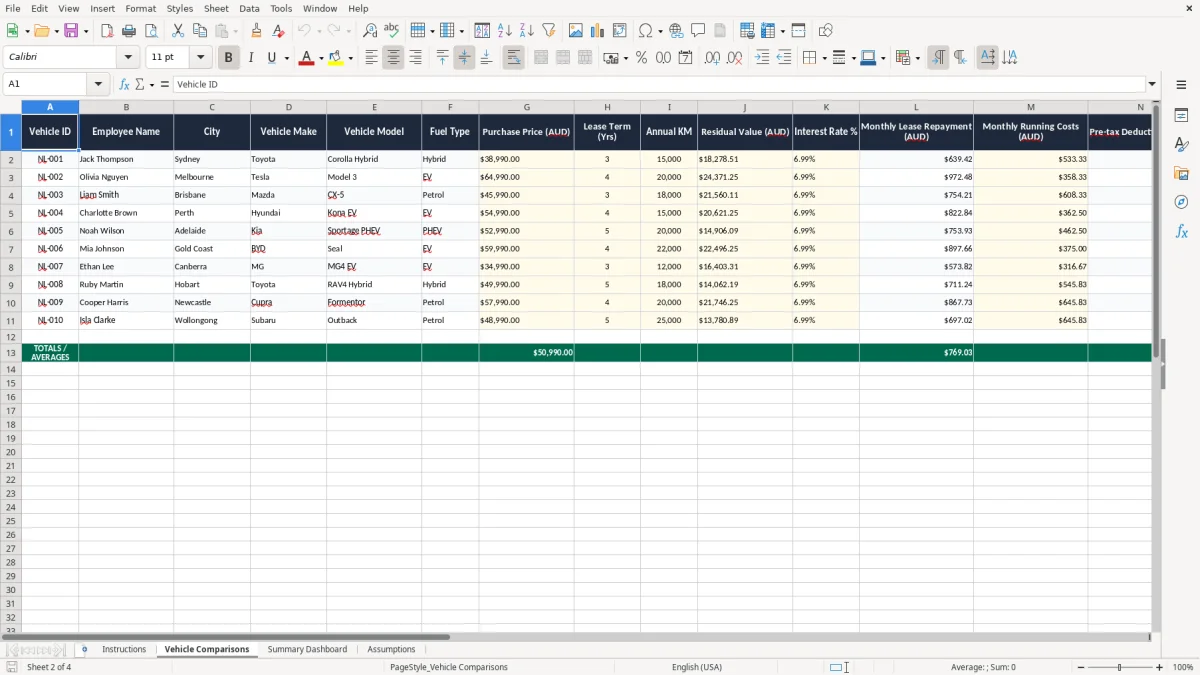
This template is handy when you are weighing up a car through salary packaging and want to see the cost before you sign. A salaried employee, payroll officer or office manager can use it to compare two or three vehicles, then check how the lease affects pay each fortnight or month.
It is especially useful when the numbers are close. For example, if one vehicle costs $52,000 and another is $58,500, a small difference in finance, running costs and GST treatment can change the result by several thousand dollars over a 5-year term.
Most people open a comparison sheet when they are getting a quote, reviewing a salary packaging offer, or checking a dealer’s numbers against payroll. If your employee earns $95,000 a year and you are comparing a $48,000 hatchback with a $68,000 SUV, the pre-tax deductions can change the take-home result by a noticeable amount each pay cycle.
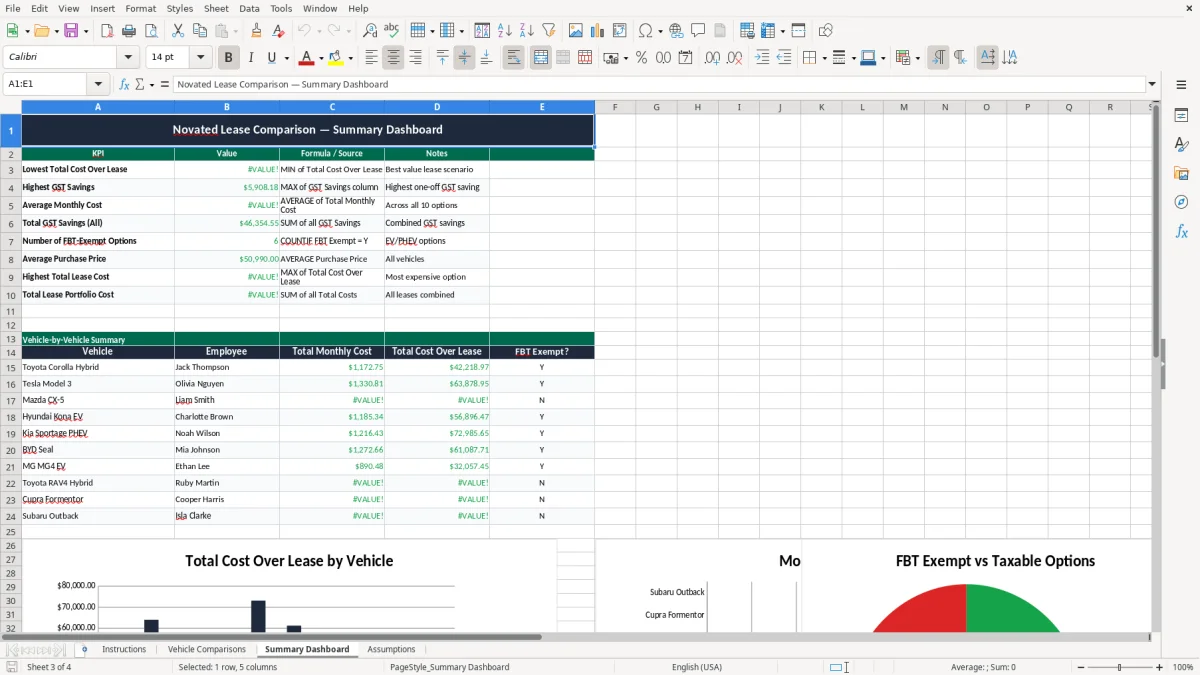
The Summary Dashboard gives you the quick view you need when you do not want to trawl through each line item. That is the difference between a messy quote folder and a decision you can explain in 2 minutes at the desk.
It suits small businesses that handle one or two novated lease requests at a time, rather than a large fleet operation. If you only need to compare 2 vehicles for a single employee, a spreadsheet is often faster than waiting for a full finance system report.
A novated lease sits inside Australian tax and payroll rules, so the model has to line up with GST, FBT and salary packaging treatment. Employers registered for GST can generally claim input tax credits on eligible lease costs, and that changes the real cost of the vehicle compared with a personal purchase.
Electric vehicles can also be different. Under the current Australian settings, eligible battery electric vehicles may be exempt from FBT where the car is below the luxury car tax threshold for fuel-efficient vehicles, which is $91,387 in 2026, while most other novated lease arrangements still need to be tested against payroll and fringe benefits treatment.
The employer must be able to run the deductions through payroll correctly, including any pre-tax salary sacrifice amounts and post-tax amounts if they are used. If the employee is on $88,000 a year and the lease deduction is $920 a month, that is $11,040 a year being pushed through payroll, so the PAYG withholding and payslip treatment need to be right.
Vehicle purchase price and operating costs may include GST, and that matters because a $66,000 vehicle price includes $6,000 GST. If the employer can claim that credit, the net cost is not the same as the showroom sticker price, which is why a comparison tool is more useful than a quick mental estimate.
You should keep the supporting lease quote, payroll settings and calculations with the employee record for at least 5 years to match ATO record-keeping expectations. That is the practical way to handle it if a query comes back later and you need to show how the numbers were built.
Those records also need the withholding calculations that sit behind each payslip, so the payroll trail matches the employee file and the figures can be explained later.
The biggest mistake is comparing the monthly lease payment and stopping there. If you ignore fuel, tyres, servicing, insurance, registration and the employee’s tax position, a quote that looks $50 cheaper a month can end up costing more over a 3-year term.
Another common problem is using the wrong salary figure. If the employee is actually on $72,500 but the spreadsheet assumes $85,000, the tax savings will be overstated and the whole comparison can be off by $1,000s over the lease.
Running costs are where the numbers drift fastest. A driver doing 18,000 km a year in a petrol SUV will spend far more on fuel than someone in a small EV doing the same distance, and the difference can be $2,000 or more a year before you even touch finance costs.
If payroll does not process the deduction correctly, the employee can be left with the wrong net pay and confusion at tax time. I have seen a lease set up with a neat finance quote, then the payroll deduction missed a fringe benefits adjustment and the employee had to spend hours untangling the figures.
The residual value matters too. A 5-year lease on a $60,000 car with a weak residual plan can leave you with a big payout at the end, so the “cheap” monthly number was never really cheap at all.
The same habit of checking the final figure applies to a BAS tracking sheet, where the quarter-end totals need to reconcile before anything gets lodged.
The easiest way to keep this useful is to tie it to the moment you already review payroll or finance quotes. If you look at it when a new employee asks about salary packaging, or when a car quote lands on your desk, the template becomes part of your normal workflow instead of another forgotten file.
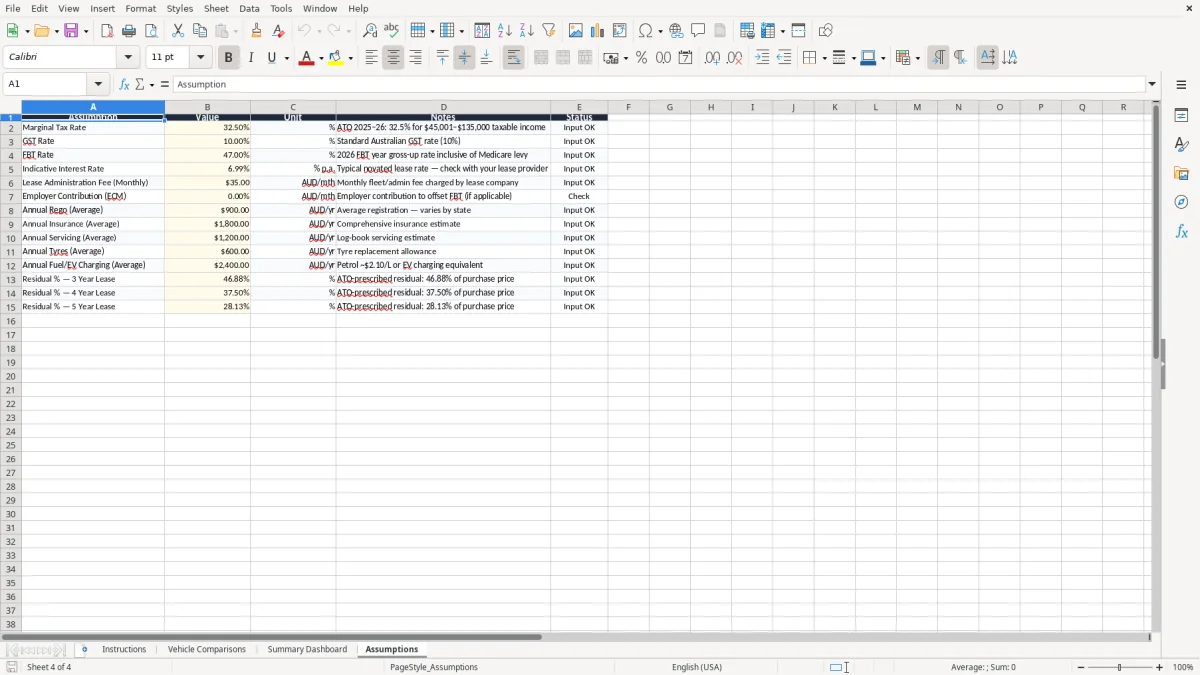
Use the highlighted input cells only, and leave the summary areas alone. That reduces the chance of breaking a formula, which is the usual problem when someone pastes over the wrong row after a Friday arvo rush.
If you are doing dozens of employee quotes each month, or linking the lease data into payroll and accounting software, it is time to move to a proper system such as Xero or MYOB. A spreadsheet is perfect for a few comparisons; it is not the right tool when you need live approval tracking, document storage and system-to-system integration.